Take payment the way customers pay.
Cash, card, e-wallet, or on the customer’s account — or several methods on one ticket. Major works out the change instantly.
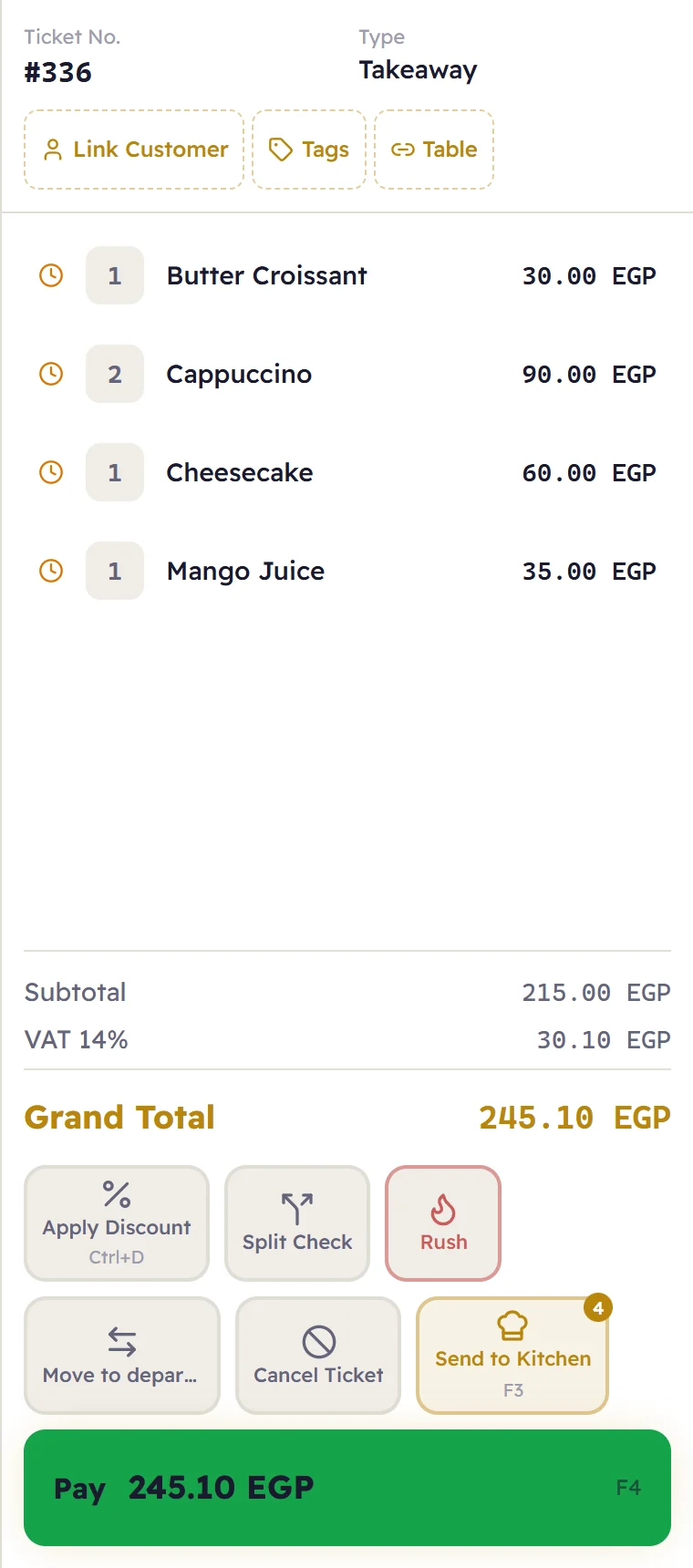
Major brings selling, stock, the kitchen and the books into one calm, fast system that runs on your shop’s own computers — offline — and your data stays yours.
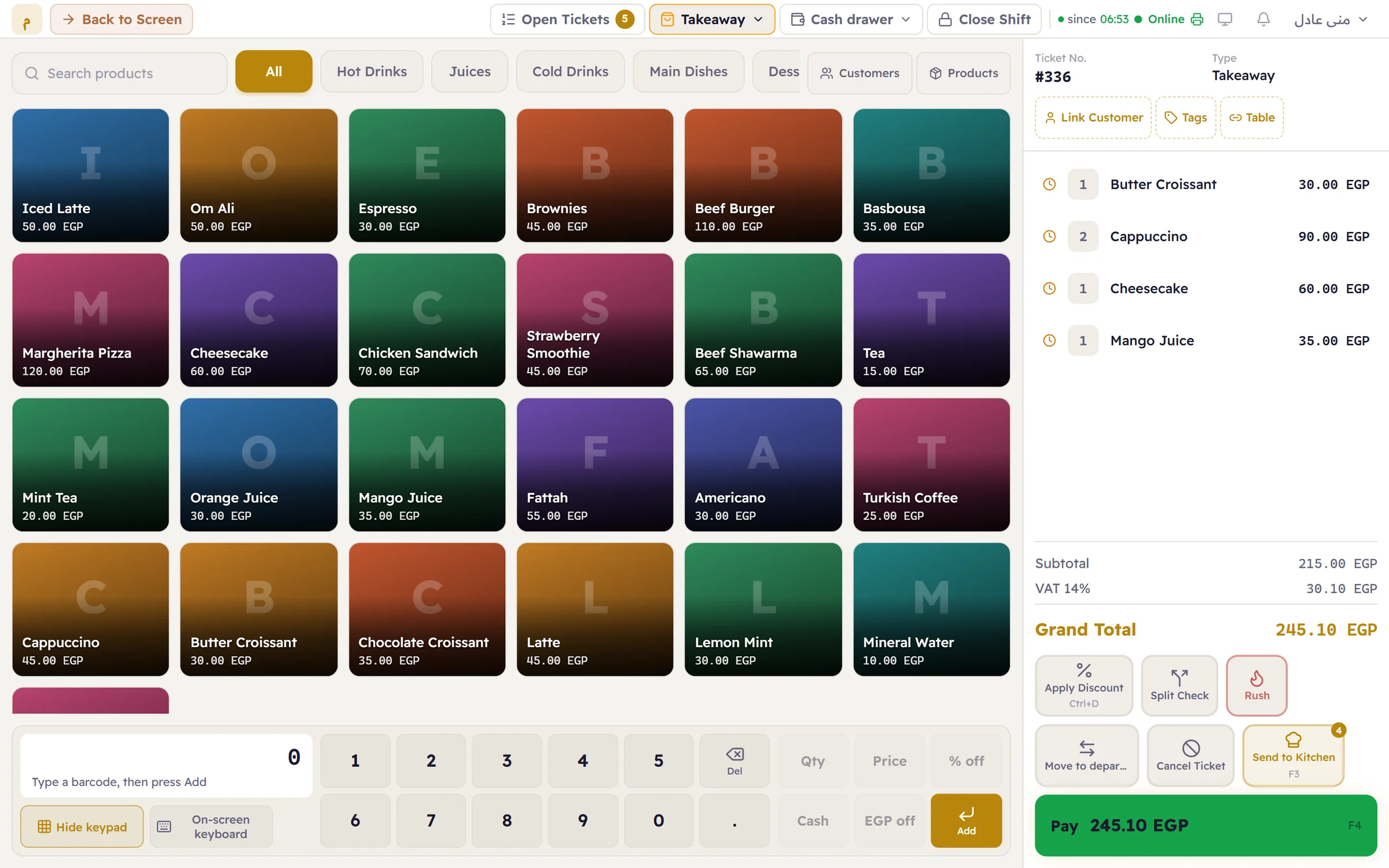
From the first item on a ticket to the report at the end of the shift, everything is exactly where you expect it.
Cash, card, e-wallet, or on the customer’s account — or several methods on one ticket. Major works out the change instantly.
The software and its data live on your shop’s computer. If the internet drops, selling carries on as if nothing happened.
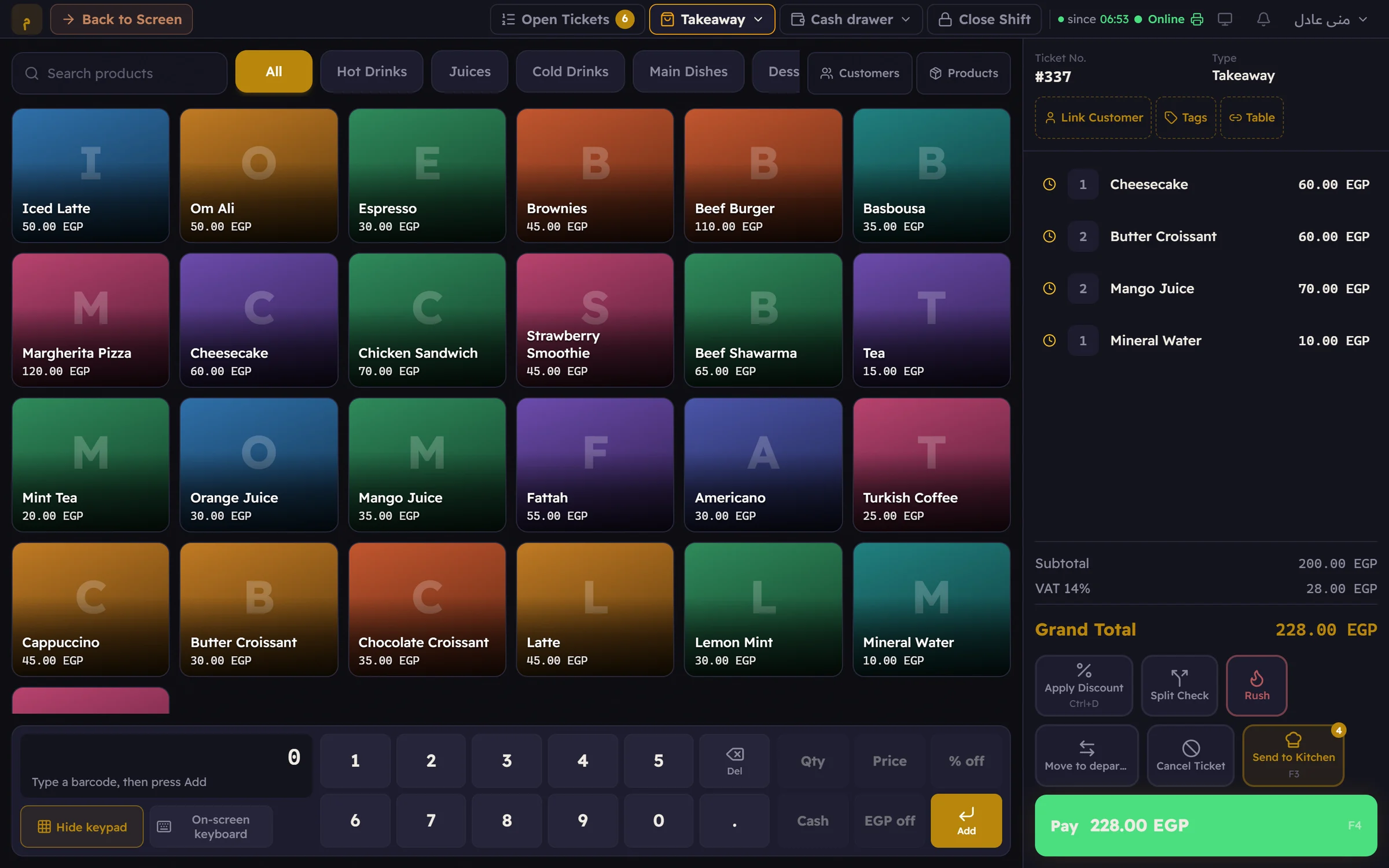
F2 for a new ticket, F4 to pay, and the barcode scanner adds an item the moment it beeps. Fully touch, faster still with a keyboard.
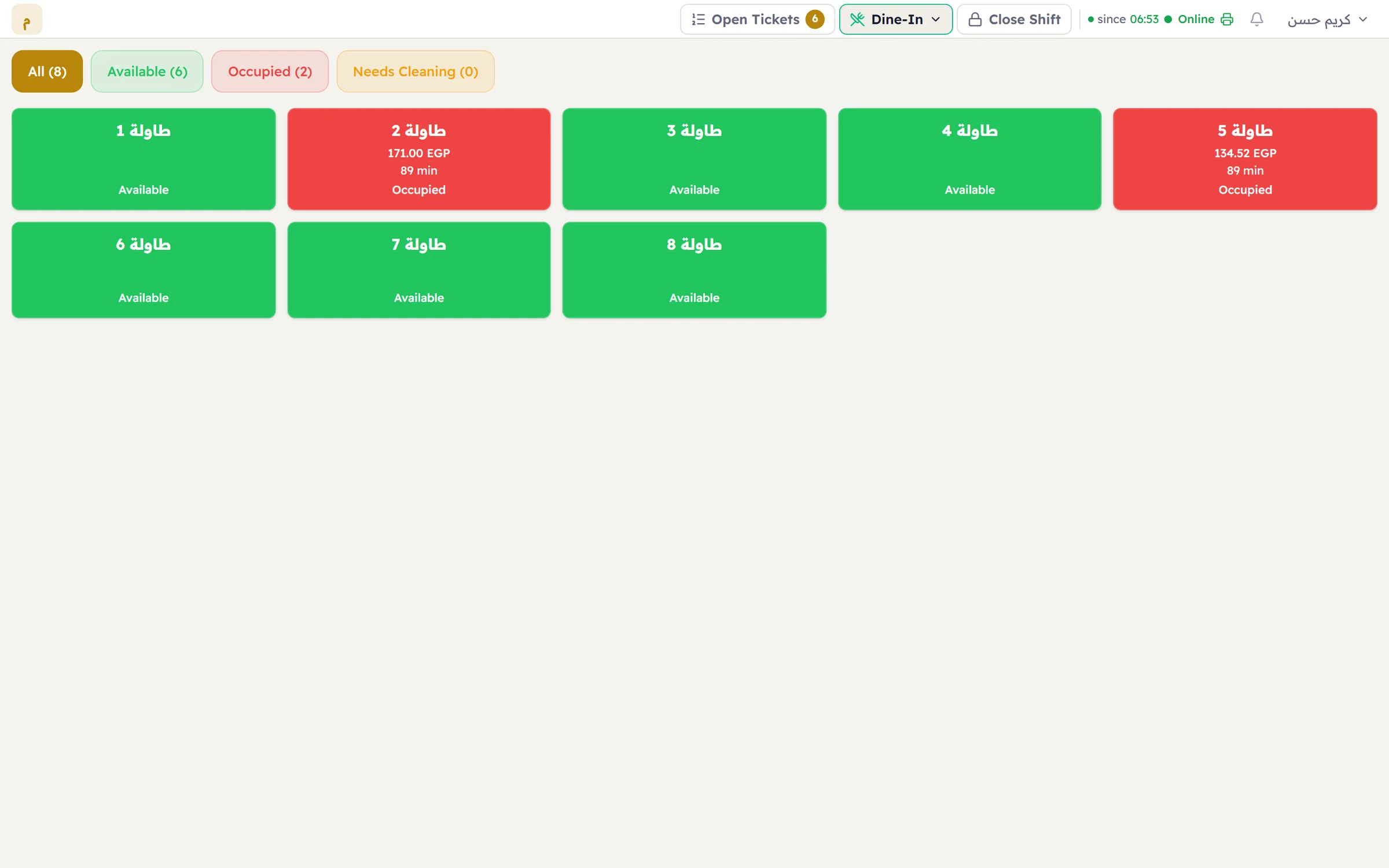
A map of your tables: green is free, red is taken — with the ticket total and how long the guests have been seated.
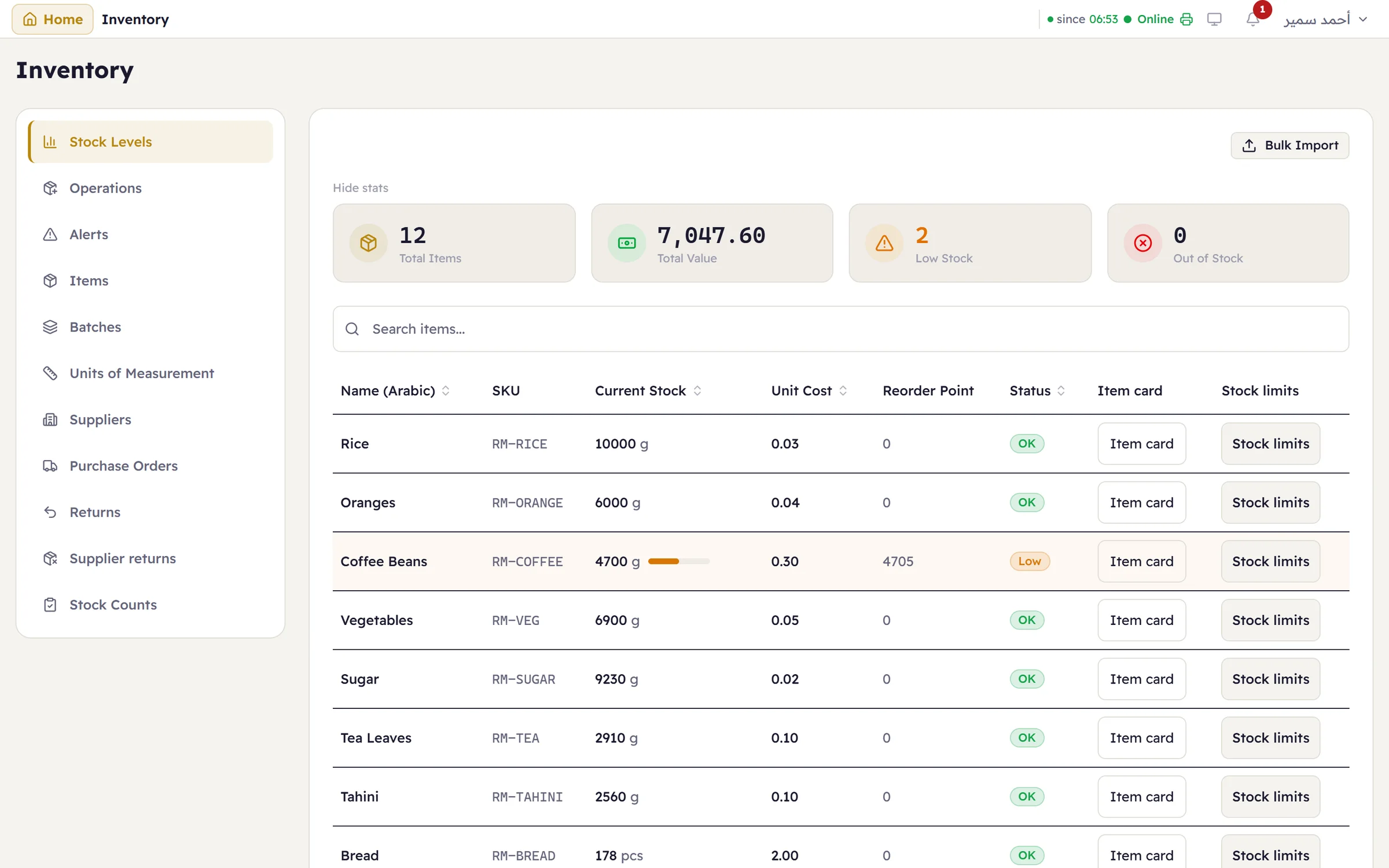
Expiry dates and batches, serial numbers, recipe-based deduction, multiple stores and transfers between them.
Each till prints on its own printer, and kitchen orders go to each station’s printer.
Cashiers see selling, managers see the numbers, owners see everything — and every action is logged with who did it.
Major backs up your data automatically every day, and copies it to an external drive in one click.
An evening shift in a dimly lit café? Major switches to dark mode in one tap — easy on the eyes, and it never glares across the room.
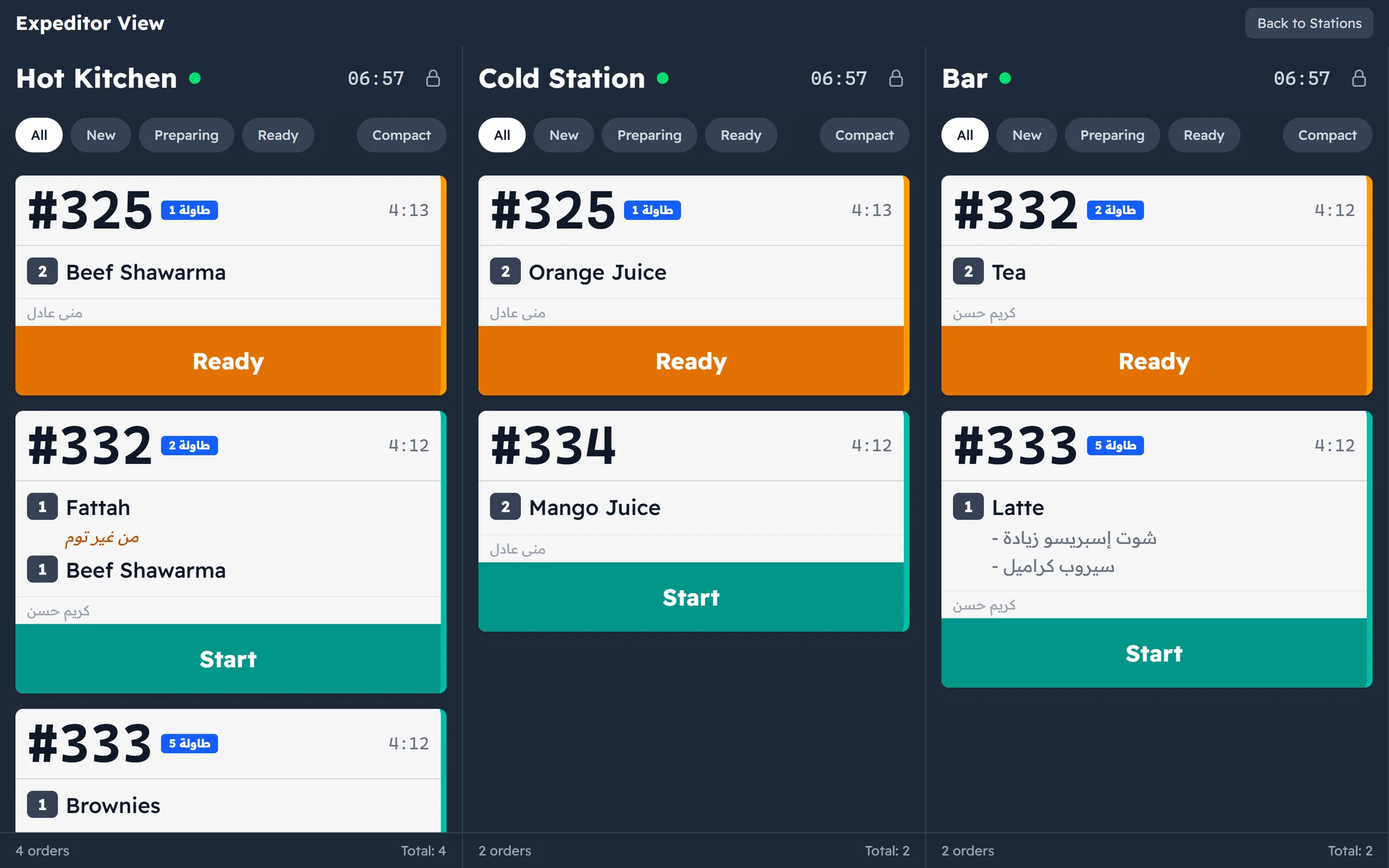
Each order is split automatically across preparation stations by product category. Every cook sees only their part, with a waiting timer on every order.
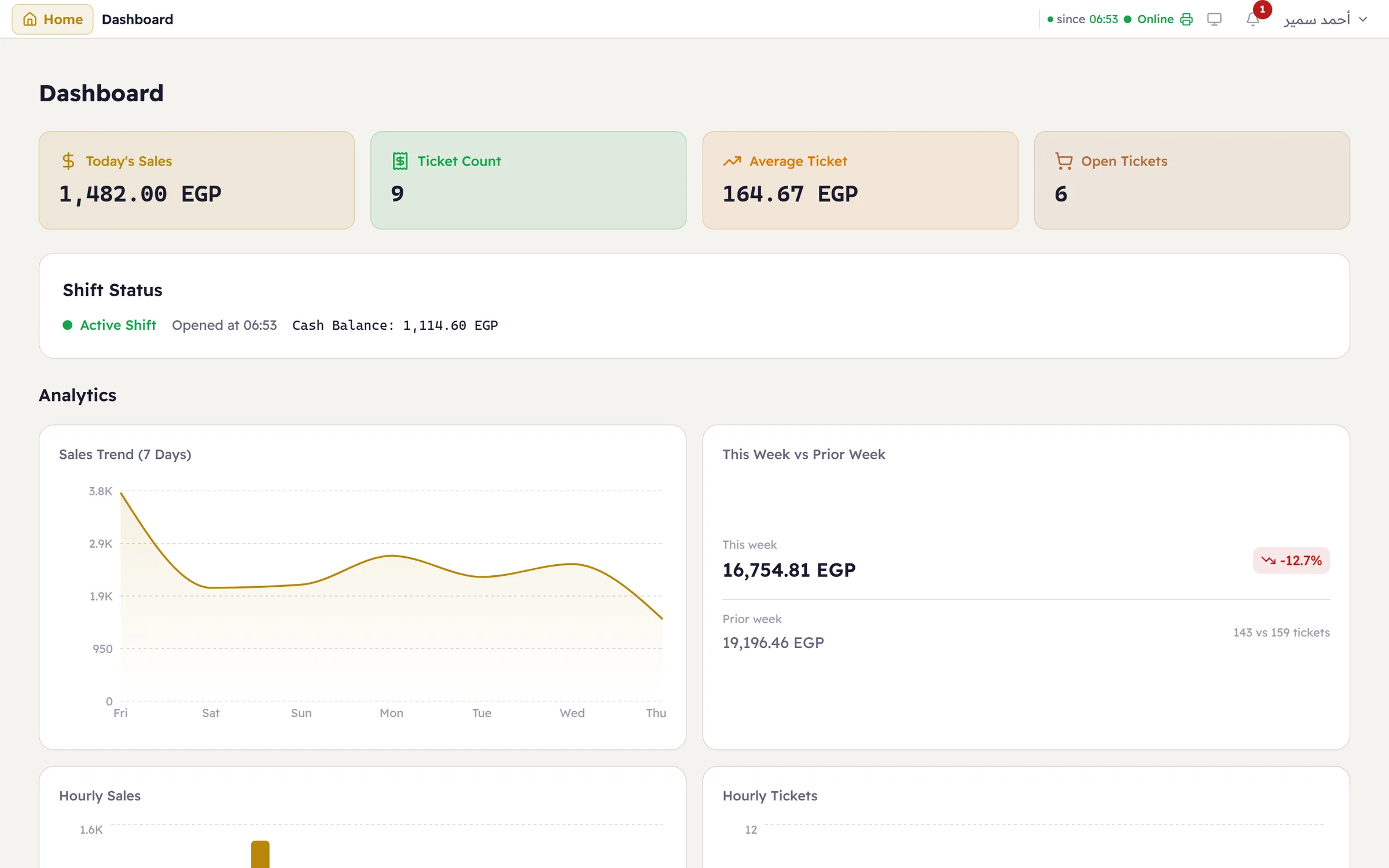
Today’s sales, the average ticket and the shift on one board that refreshes itself — and behind it, sales and stock reports ready to export.
Download it to a Windows PC in your shop and install it in minutes. It needs no internet to run.
Add products, categories and prices — or start from sample data for your kind of shop and adjust it.
Open the shift, sell, print. Add more tills on the shop network whenever you need them.
Sales, stock and customers are kept on your shop’s PC — not on someone else’s server.
An automatic backup every day, plus a copy to an external drive or USB stick in one click.
Export your data and reports whenever you like — even if you decide to stop using Major.
Point of sale, stock, shifts, kitchen display, reports and printing. No setup fee, no annual contract.
Your data, reports and exports stay available to you no matter what. Pricing details
The subscription is EGP 400 a month per shop and includes everything: point of sale, stock, shifts, kitchen display, reports and printing. No setup fee, no annual contract.
If you stop the subscription you can still open, report on and export your data — opening new tickets pauses until you renew.
Major does not currently integrate with government e-invoicing or e-receipt systems, such as Egypt’s e-receipt system. If your business is required to use one, take that into account before you start.
Major currently runs on Windows 10 and 11 only. Download it with the button above and install it on your shop’s PC.
No. Major runs on the shop’s computer without the internet, and your data is stored on that same machine. The internet is not needed to run Major or to sell.
Yes. Connect tills over the shop’s local network with the till app, and they all work on the same shop data at the same moment.
Yes. Your data is on your machine, and you can back it up and export it at any time — even after the subscription stops.
Please note: Major does not currently integrate with government e-invoicing or e-receipt systems, such as Egypt’s e-receipt system. If your business is required to use one, take that into account before you start.