The screen your team
works on all day.
Designed for touch, fluent in Arabic and English, and running on the shop’s own PC without the internet. These are real screenshots, with a sample shop’s data.
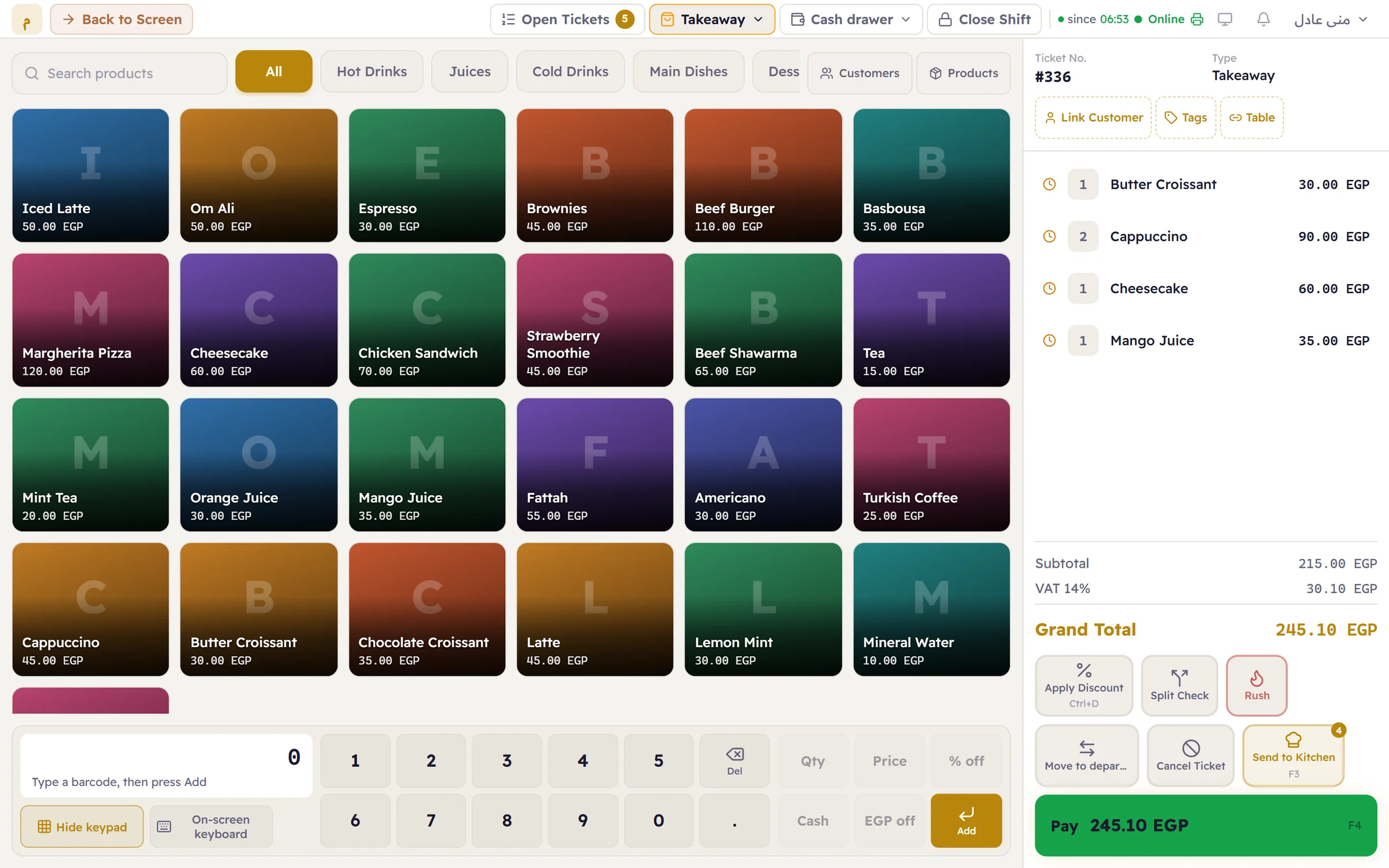
The ticket, from the first item.
Tap an item and it is on the ticket. Each line shows its quantity and price; below, the subtotal, tax and total update as you go.
- Products by category in a large, touch-friendly grid
- Search by name, and a USB barcode scanner adds items instantly
- A keypad: quantity then item, barcode then Add, a price or a discount
Sizes and add-ons, where they belong.
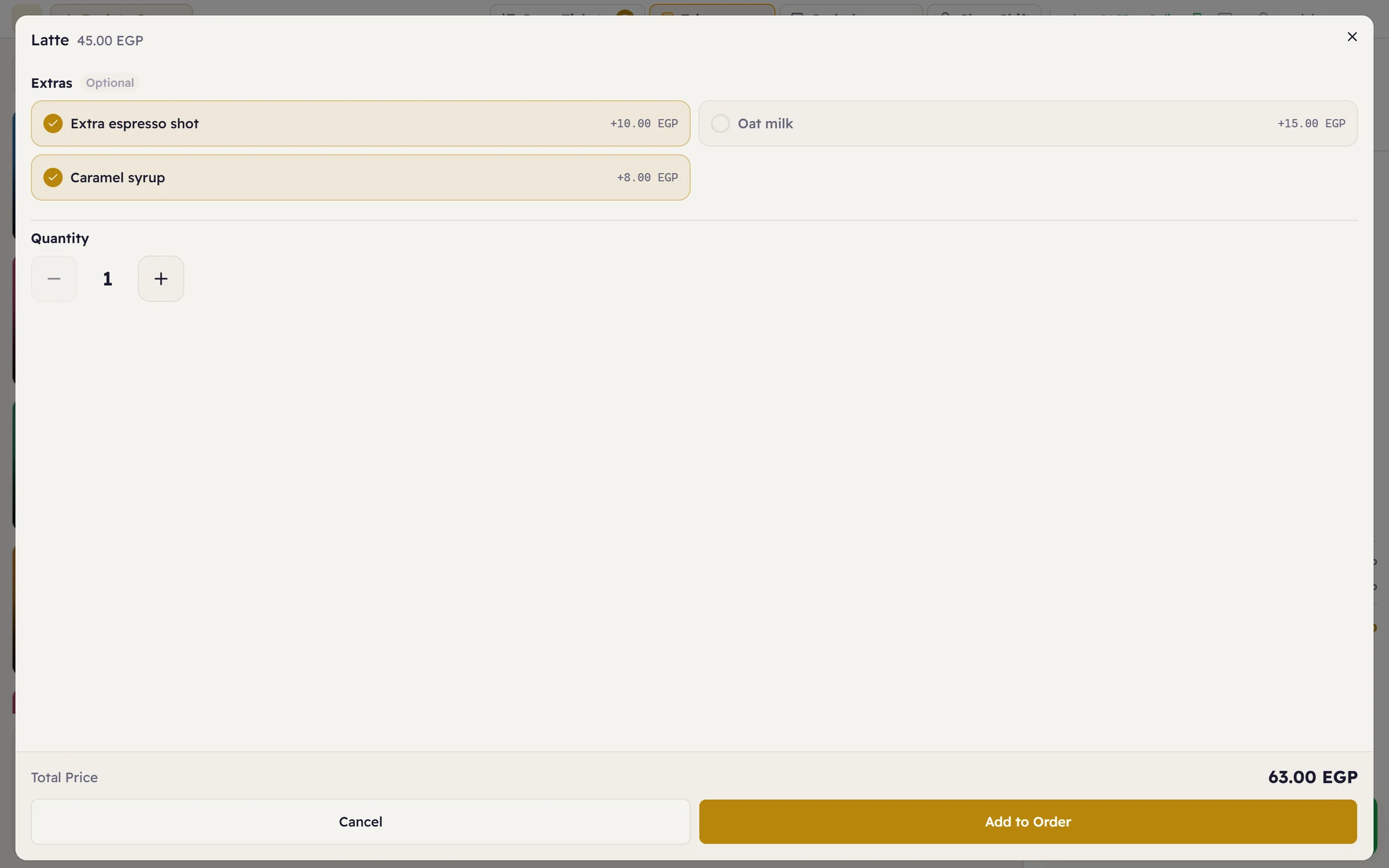
An item with sizes or add-ons opens a small window first: pick the size and extras and the price adjusts. The choice reaches the kitchen, the stock and the printed receipt.
- Sizes at different prices for the same item
- Paid or free add-ons, required or optional
- Remove or swap an ingredient on a single order
The floor and its tables.
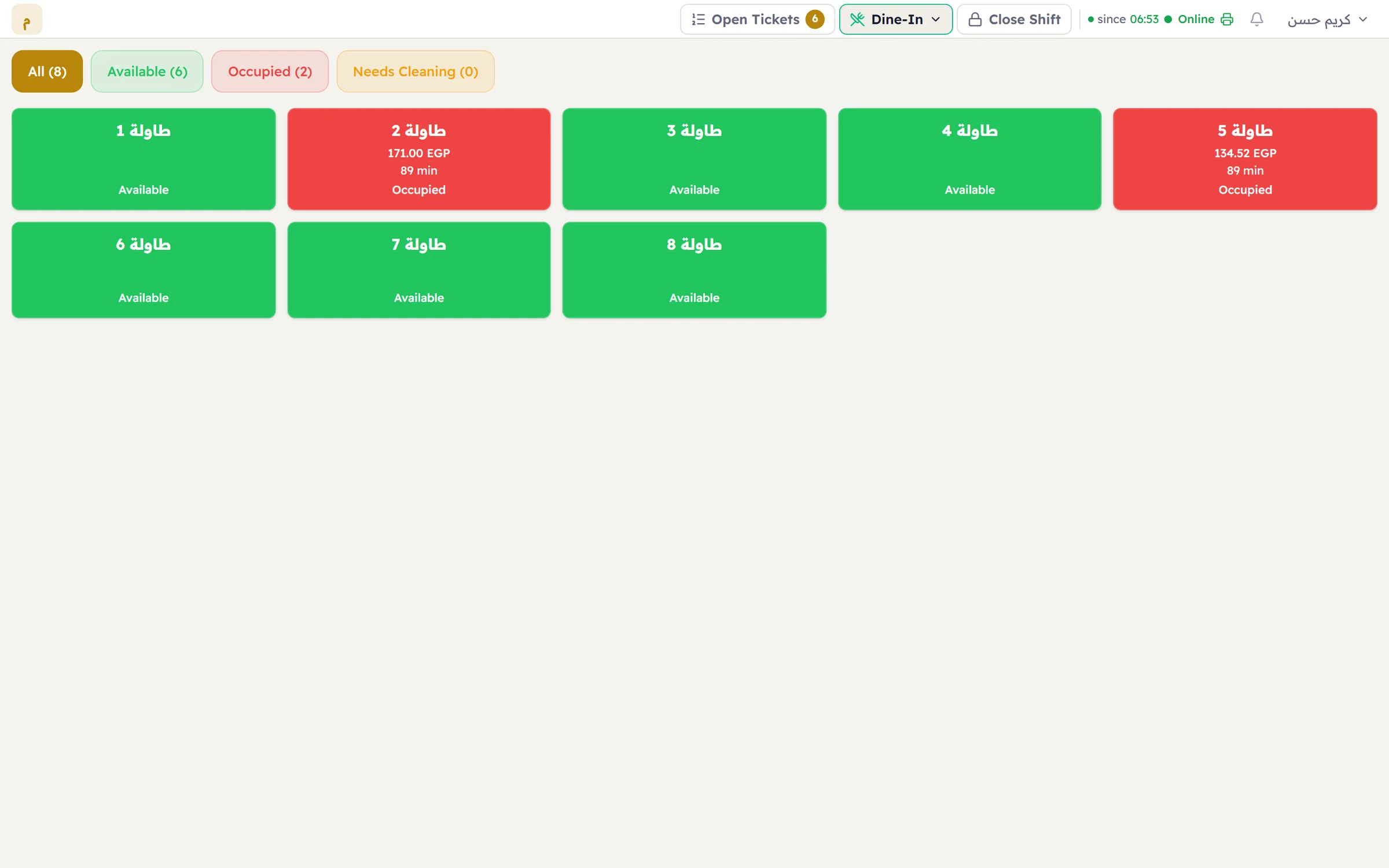
If you seat guests, the floor plan is where selling starts. Each table shows its state; a taken one shows its ticket total and how long the guests have been there — without opening it.
- Departments for dine-in, takeaway and delivery
- Move a ticket to another table, or split it
- An open-tickets counter; jump between them in one tap
Payment, the way customers pay.
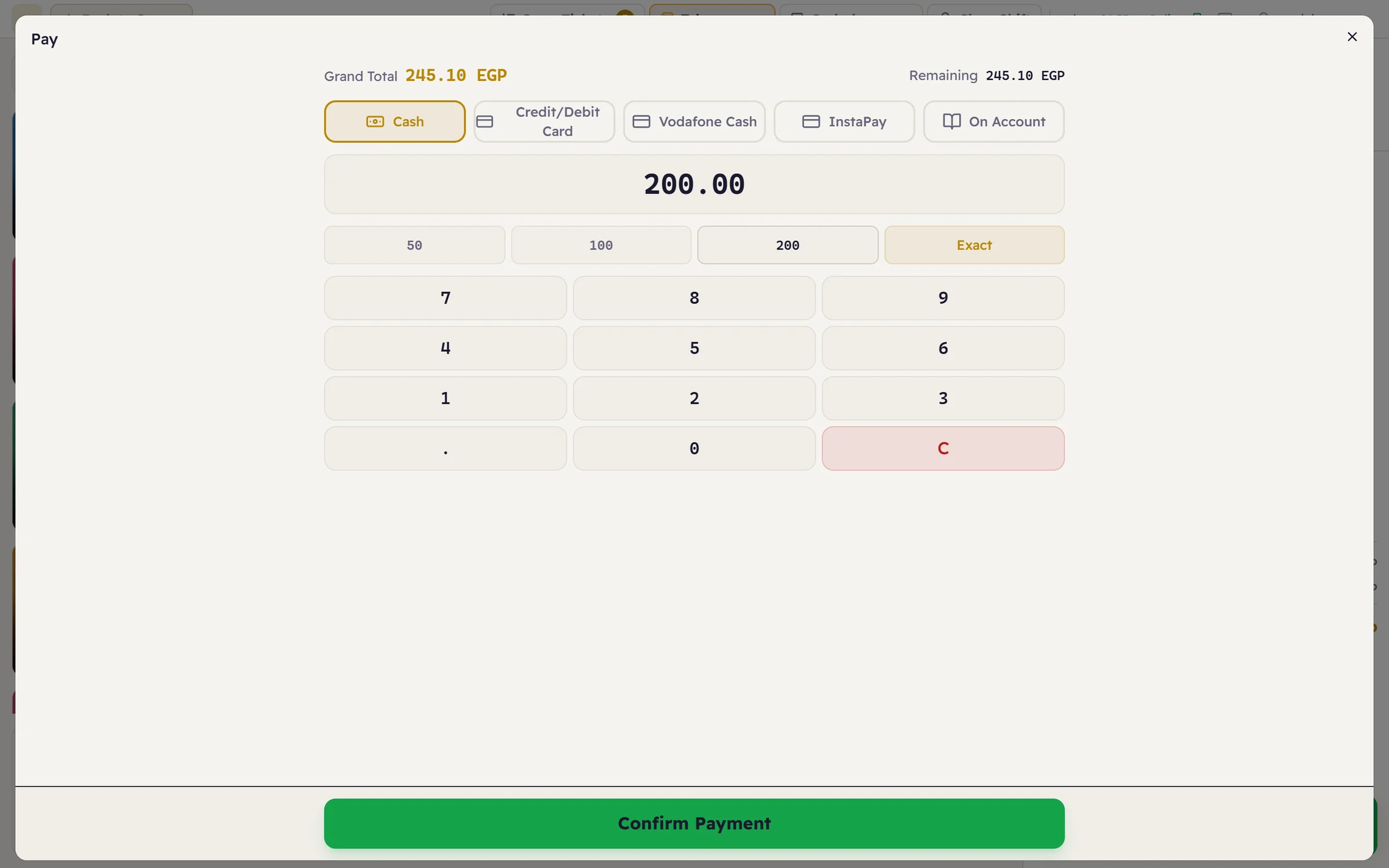
The payment window shows the amount due and the methods, with quick amounts and an Exact Amount button; the change is worked out for you. One ticket can be split across several methods.
- Cash, card, e-wallet, or on the customer’s account
- Add and edit your own payment methods
- Every payment is recorded on the open shift and its drawer
When the ticket closes
- The receipt prints on that till’s printer, with a template you can edit and brand.
- Stock is deducted — items with a recipe deduct their ingredients automatically.
- The sale is recorded on the open shift and appears in today’s reports.
- If the item was sent to the kitchen, its state updates on the kitchen display.
Requirements
| Operating system | Windows 10 or 11 (64-bit). There is no macOS or Linux version yet. |
|---|---|
| Internet | Not needed to sell — the software and data are on the shop’s PC. |
| Screen | Any screen; touch is supported, and the layout adapts to small screens. |
| Printer | ESC/POS thermal printers (58 or 80 mm) and regular Windows printers. |
| Barcode | Any USB barcode scanner that types like a keyboard. |
| Several tills | A server on one PC and the till app on the others, on the shop network. |
Please note: Major does not currently integrate with government e-invoicing or e-receipt systems, such as Egypt’s e-receipt system. If your business is required to use one, take that into account before you start.
Questions about the point of sale
Does the sell screen work without the internet?
Yes. Major runs on the shop’s own PC; tickets close and print without the internet, and the data is kept on that machine.
Can several tills share the same data?
Yes. Install the server on one PC in the shop and connect the other tills over the local network — they all work on the same data at the same moment.
Which payment methods are supported?
Cash, cards, e-wallets and selling on the customer’s account, and you can add your own. One ticket can be split across several methods.
Does Major integrate with government e-invoicing?
Major does not currently integrate with government e-invoicing or e-receipt systems, such as Egypt’s e-receipt system. If your business is required to use one, take that into account before you start.