All stations at once (for the expeditor)
One screen with every station side by side — for whoever assembles and sends out the order.
- Who can do this
- Kitchen Manager Owner
- Permission needed
- «View KDS»
In bigger kitchens someone gathers an order's items from the different stations and checks it is complete before it goes out. Their screen is the Expeditor View: every station in its own column, side by side.
- On the station list, press All Stations.
- Tap Tap to start once.
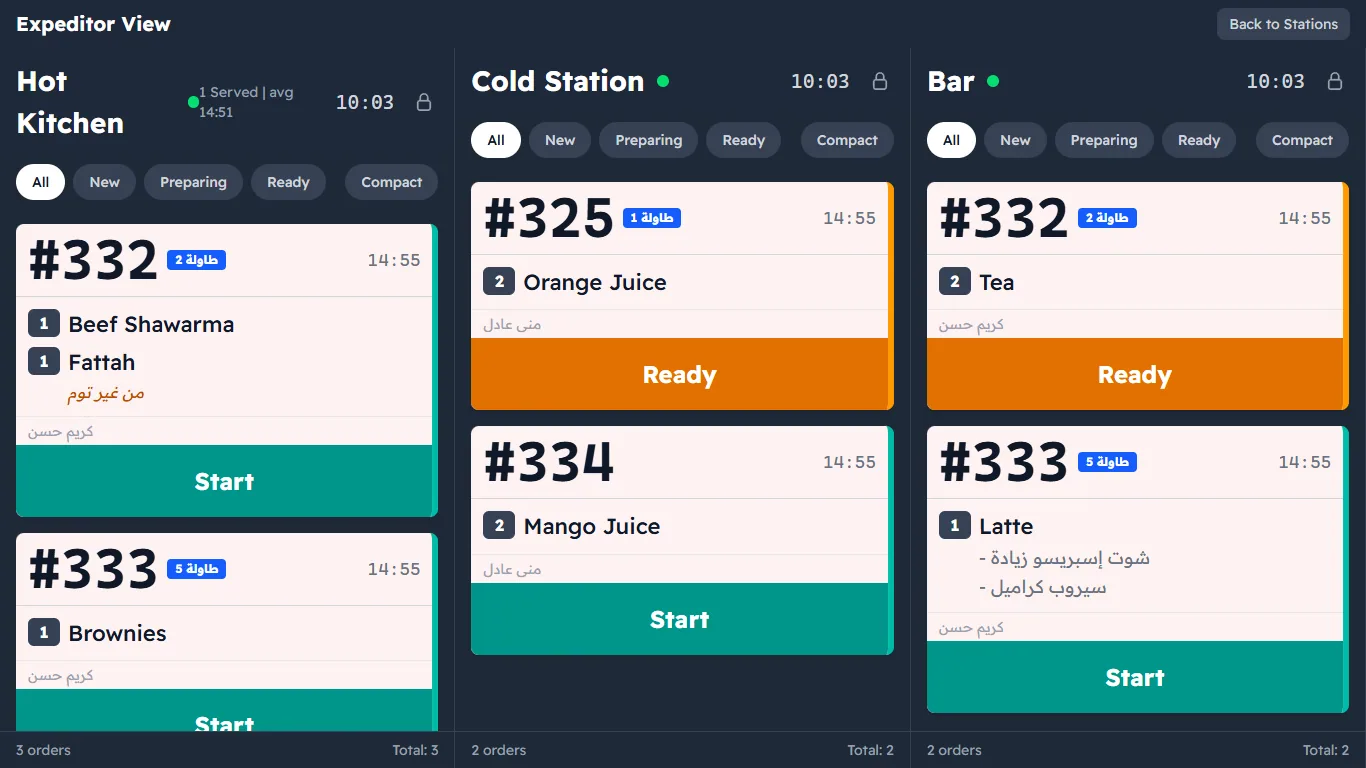
In the picture, order #11 (table 2): the shawarma and fattah at Hot Kitchen have not started, while the tea at the Bar is being prepared — so the order is not complete yet.
Each column works exactly like the station screen: filter, Compact, lock, and the buttons on the cards (Order cards). To go back to the station list, press Back to Stations.