The Orders page (every ticket)
Find any ticket, see its details, print a copy of its receipt, or reopen it.
- Who can do this
- Cashier Manager Owner
- Permission needed
- «Open Ticket»
Orders holds every ticket in the branch, old and new. Open it from the Home screen or the Orders button.
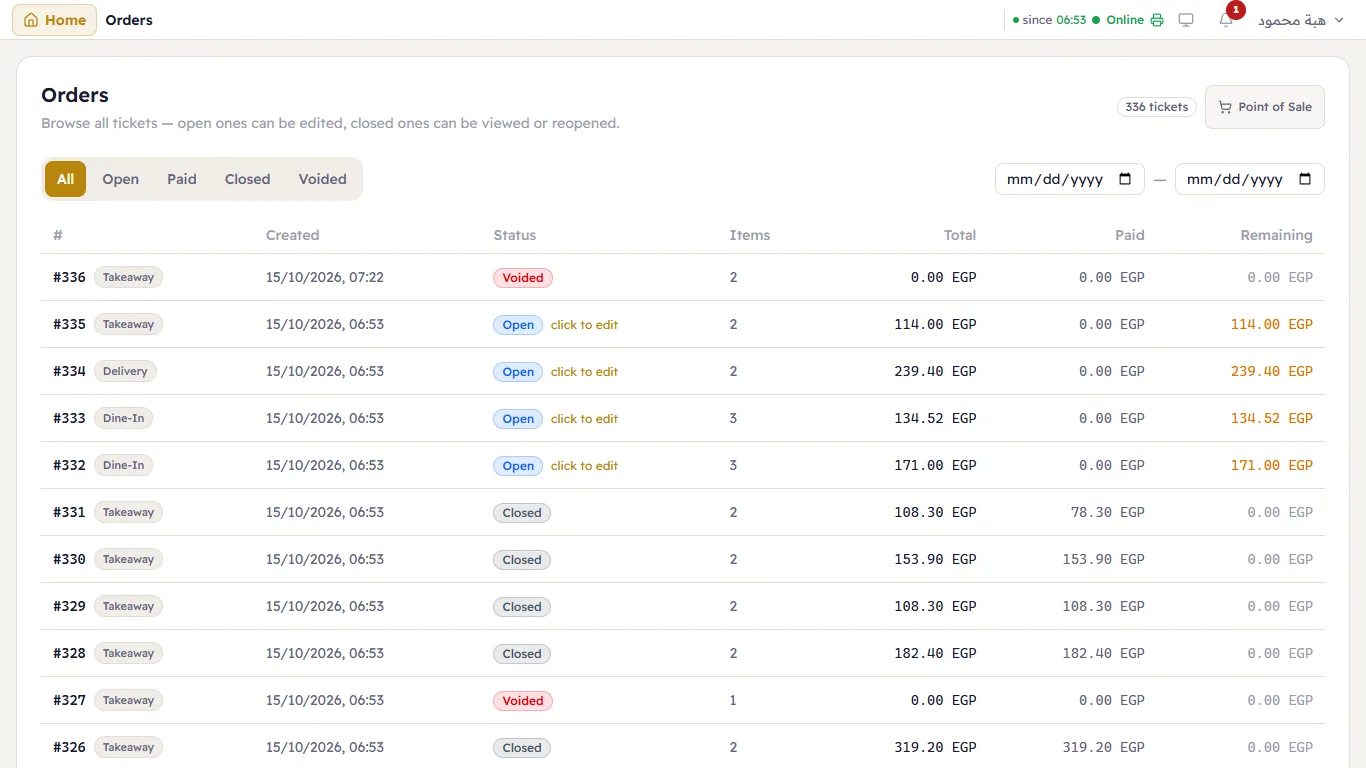
- Filter: All, Open, Paid, Closed, Voided.
- Dates: from / to — the shop's business days (when a day starts and ends follows the business day).
- Columns: the ticket number and type, Created, Status, Items, Total, Paid, Remaining.
- Pages: 25 tickets per page, with page navigation at the bottom.
Open a ticket
- Open (marked "click to edit"): it opens on the till so you can carry on.
- Closed or voided: Ticket Details opens — items, payments, refunded amount and total.
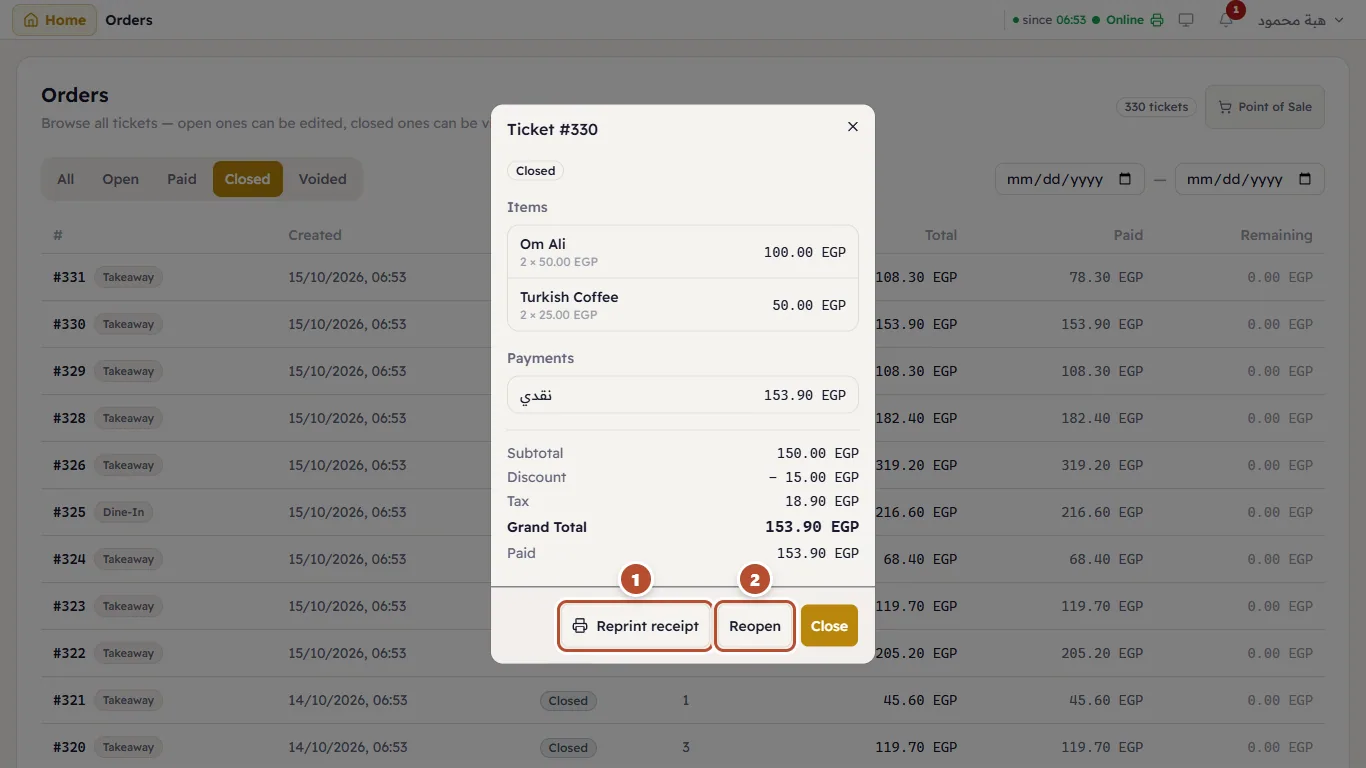
From Ticket Details:
- Reprint receipt (1) — prints a copy on the receipt printer of the till you are on, marked «نسخة - COPY». If the print program is closed: "The copy will print as soon as the print program starts on this till".
- Reopen (2) — opens the ticket again on the till (Reopen).