Floor plans
Tables (or rooms, or chairs) with their states, and the screens the till shows them on — a grid or your own drawing.
- Who can do this
- Owner Manager
- Permission needed
- «Manage Entities»
What a dine-in ticket starts at — a table, a room, a chair at a salon — is an entity. Settings → Layout.
Entities
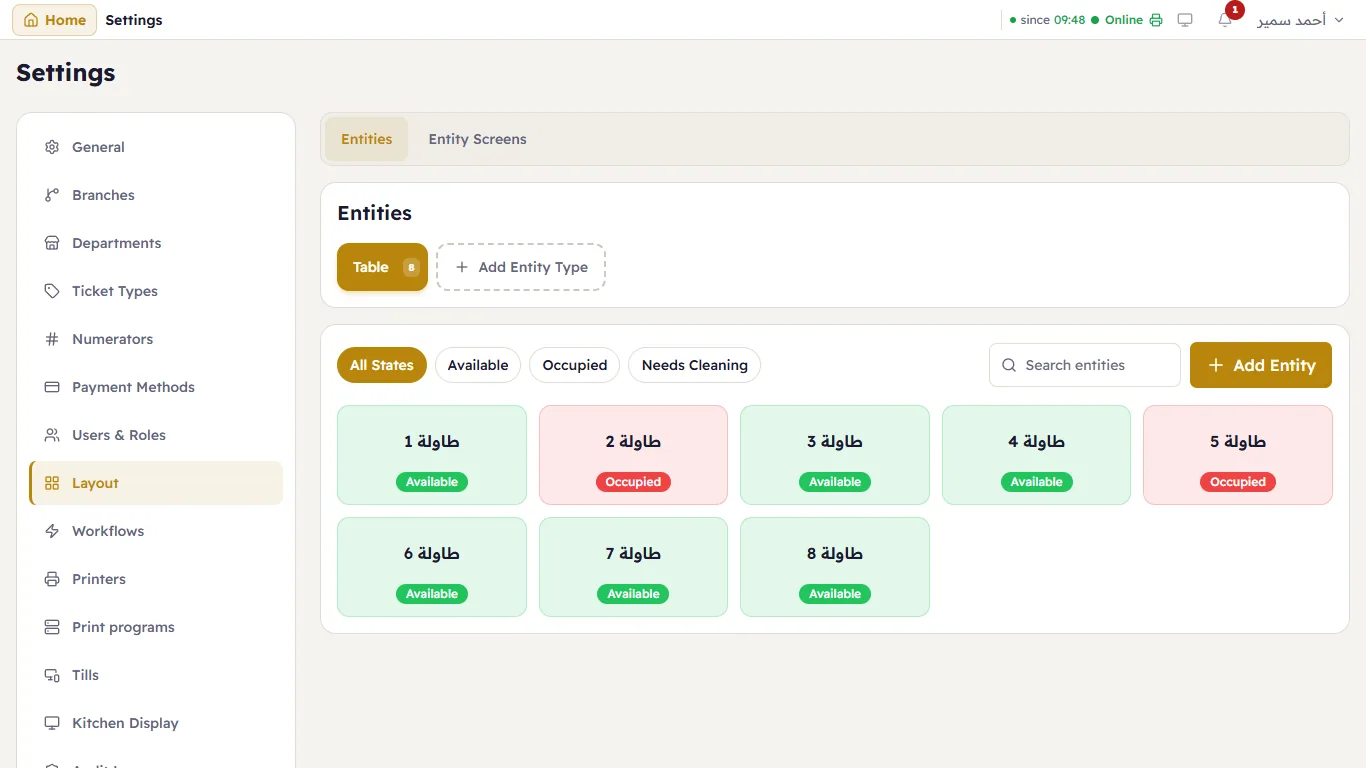
The entity types on top (Table, and Add Entity Type for another kind). Under them, every entity of the type with its current state — Available, Occupied, Needs Cleaning — and a filter by state. Add Entity adds one (table 9, say).
An entity type has its States with colours; tables come with Available / Occupied / Needs Cleaning, and the rules move a table between them (occupied when a ticket opens on it, available again when it is paid).
Display screens
Display Screens are the floor plans the till shows:
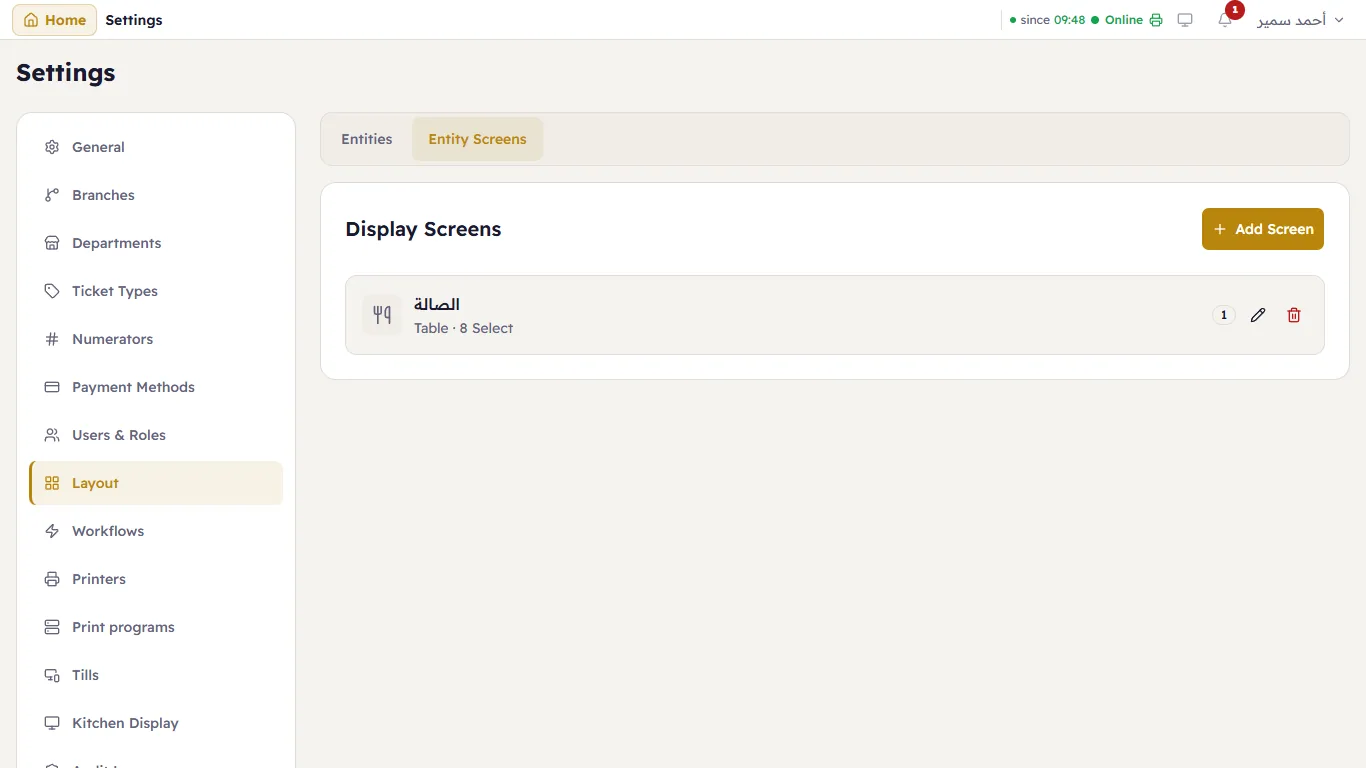
Add Screen, or the pencil on a screen:
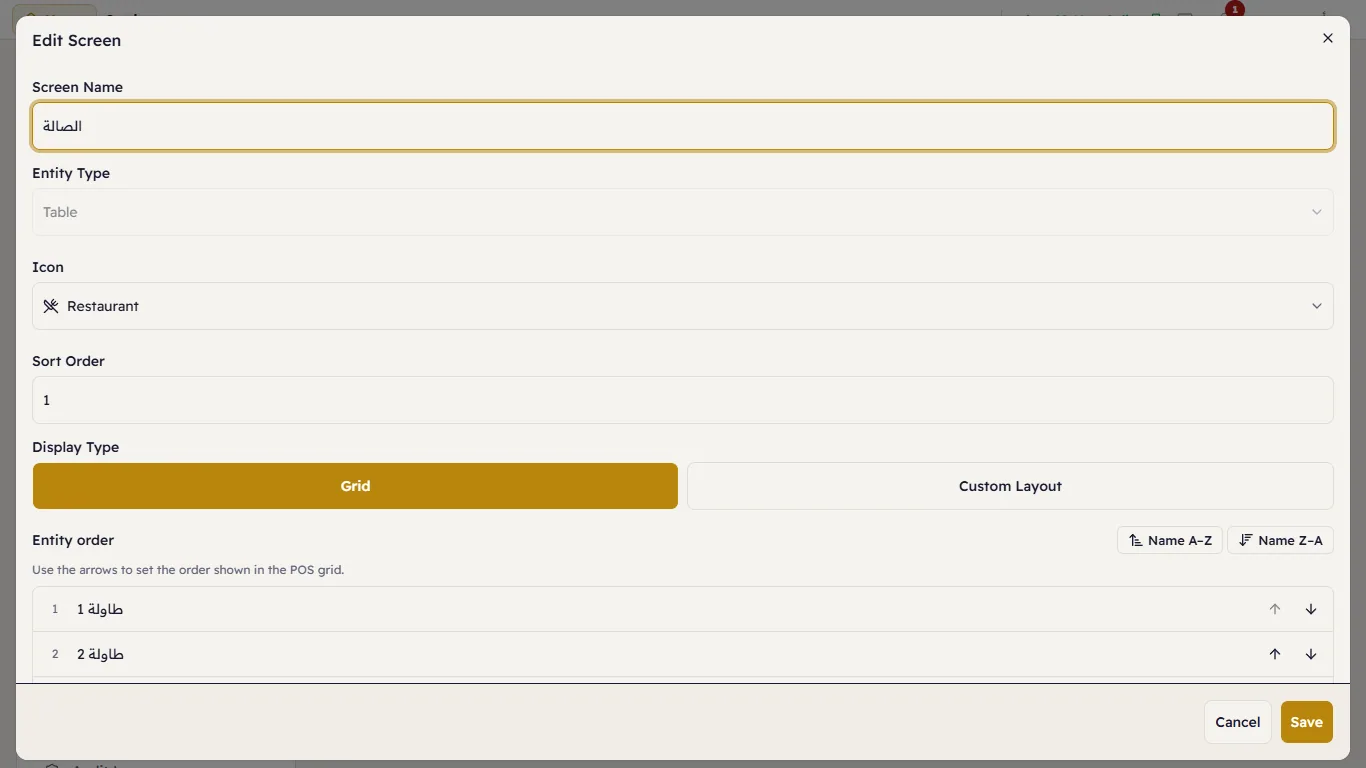
- Screen Name, Entity Type, Icon and Sort Order (with two screens or more, they become tabs on the till's floor plan — the hall, the terrace).
- Display Type:
- Grid — the entities in rows, in the Entity order you set with the arrows;
- Custom Layout — a drawing of your room: drag each table to its place, resize it, round its corners, and put a photo of your floor plan behind it.
The till opens the floor plan in a department whose entry is the table screen (Departments), or from Floor Plan at the top of any till. See Tables and the floor plan.