Departments
Dine-in, takeaway, delivery — the first thing the cashier chooses, and it decides how the ticket starts.
- Who can do this
- Owner
- Permission needed
- «Manage Settings»
A department is how a sale starts: at a table, straight on the products, or with a customer for delivery. Settings → Departments:
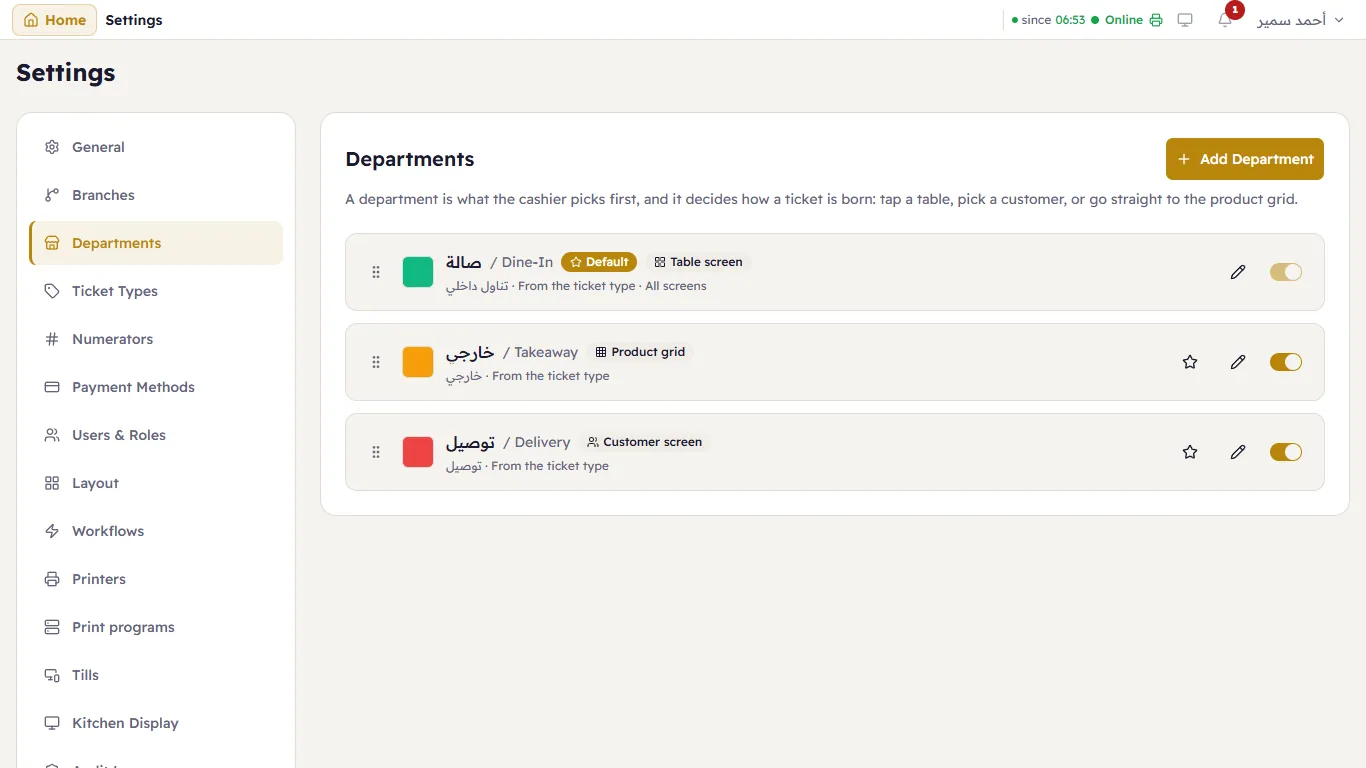
Each department shows its colour, its names, its ticket type, its entry screen and Default for the one the till opens on. On each row: the star makes it the default, the pencil edits it, the switch turns it on or off, and the handle on the side reorders the list (the order of the department button at the till).
Edit a department
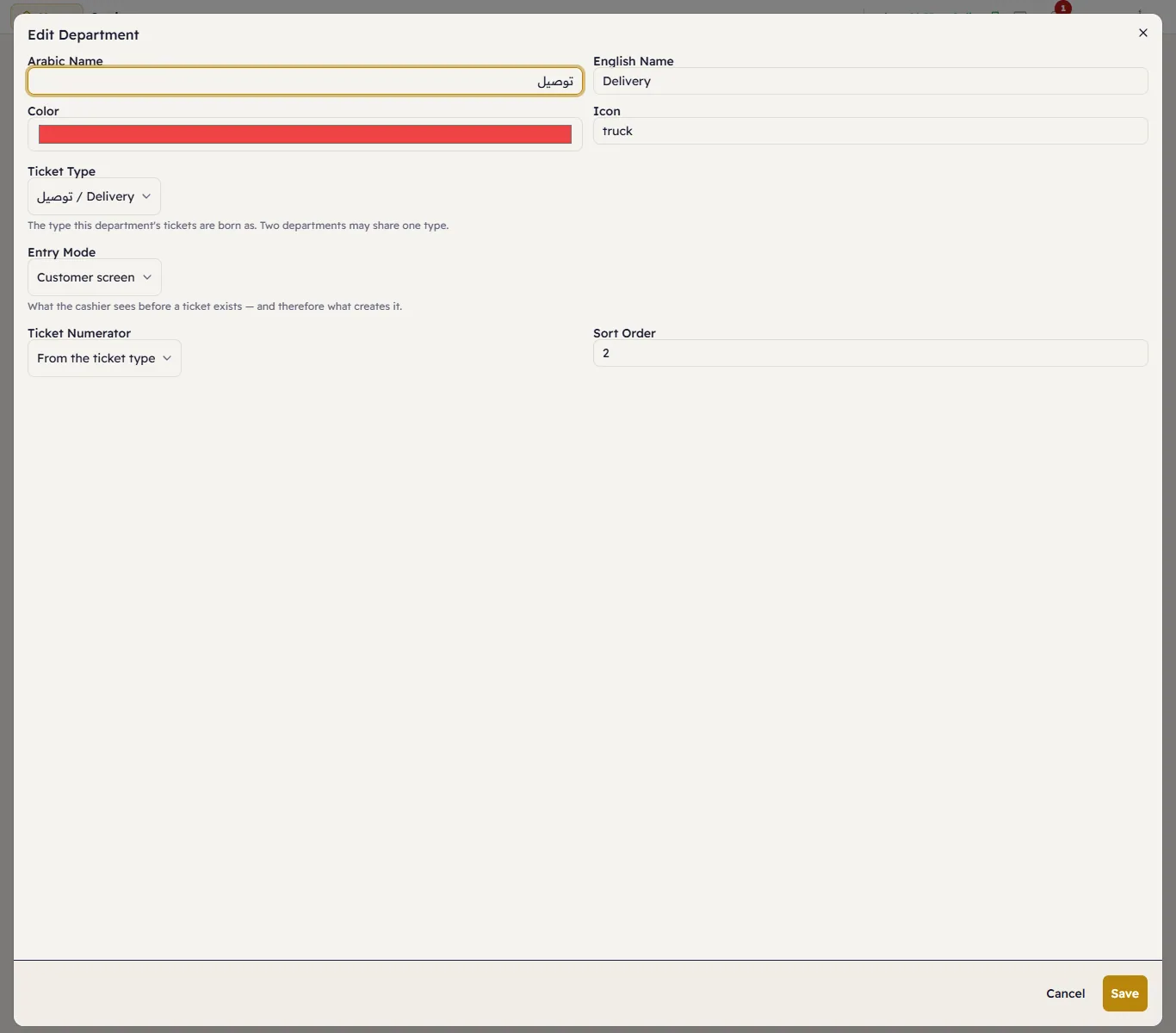
- Arabic Name and English Name, Color, Icon and the Sort Order.
- Ticket Type — the type its tickets are born as. Two departments may share one type.
- Entry Mode — what the cashier sees before a ticket exists, and therefore what creates it:
- Product grid — the ticket starts with the first product (takeaway, a shop counter);
- Table screen — the ticket starts at a table on the floor plan (dine-in); choose which Screens (none selected means every screen);
- Customer screen — the ticket starts by choosing a customer (delivery).
- Ticket Numerator — From the ticket type, or a numbering of its own. See Numbering.
A new shop has one department, «In-Store». The restaurant sample data adds Dine-In, Takeaway and Delivery.