One shift per till
Each till has its own drawer, shift and Z report — and the office sees the whole day in the Day summary.
- Who can do this
- Owner
- Permission needed
- «Manage Branches»
A branch normally runs «One shift for the branch»: every till takes money into one drawer, counted once at closing. When a branch has several cashiers, each with a drawer, switch it to «One shift per till»: each till opens its own shift, takes money into its own drawer and closes with its own Z report, so you know which drawer came up short.
Turning it on for a branch
Settings → Branches → on the branch card press «Change» next to «Shifts», and choose «One shift per till»:
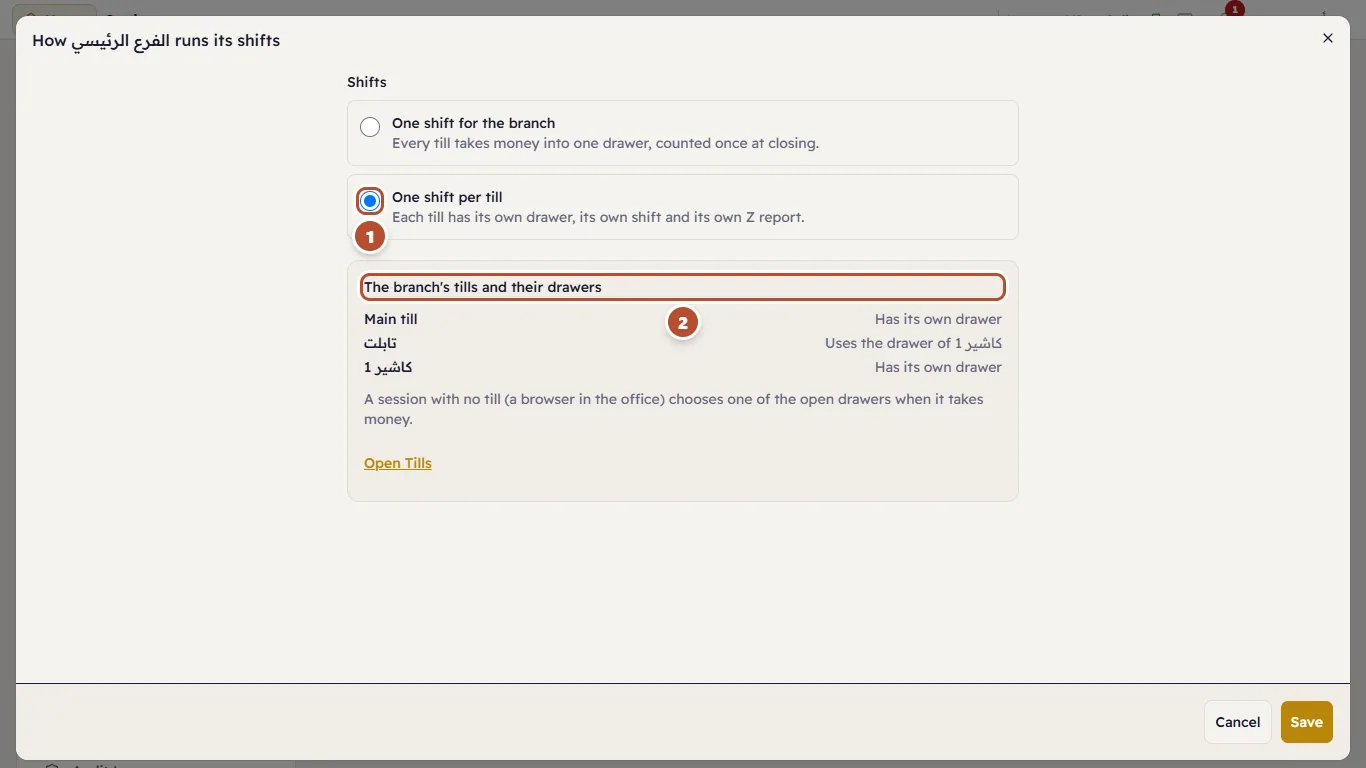
The window lists the branch's tills and their drawers before you save, so you see what it means for each. Press «Save».
Each till's drawer
Settings → Tills. Every till «Has a cash drawer», on by default. For a tablet without a drawer (a waiter's, say), turn «Has a cash drawer» off and choose under «Uses the drawer of» the till whose drawer takes its cash:
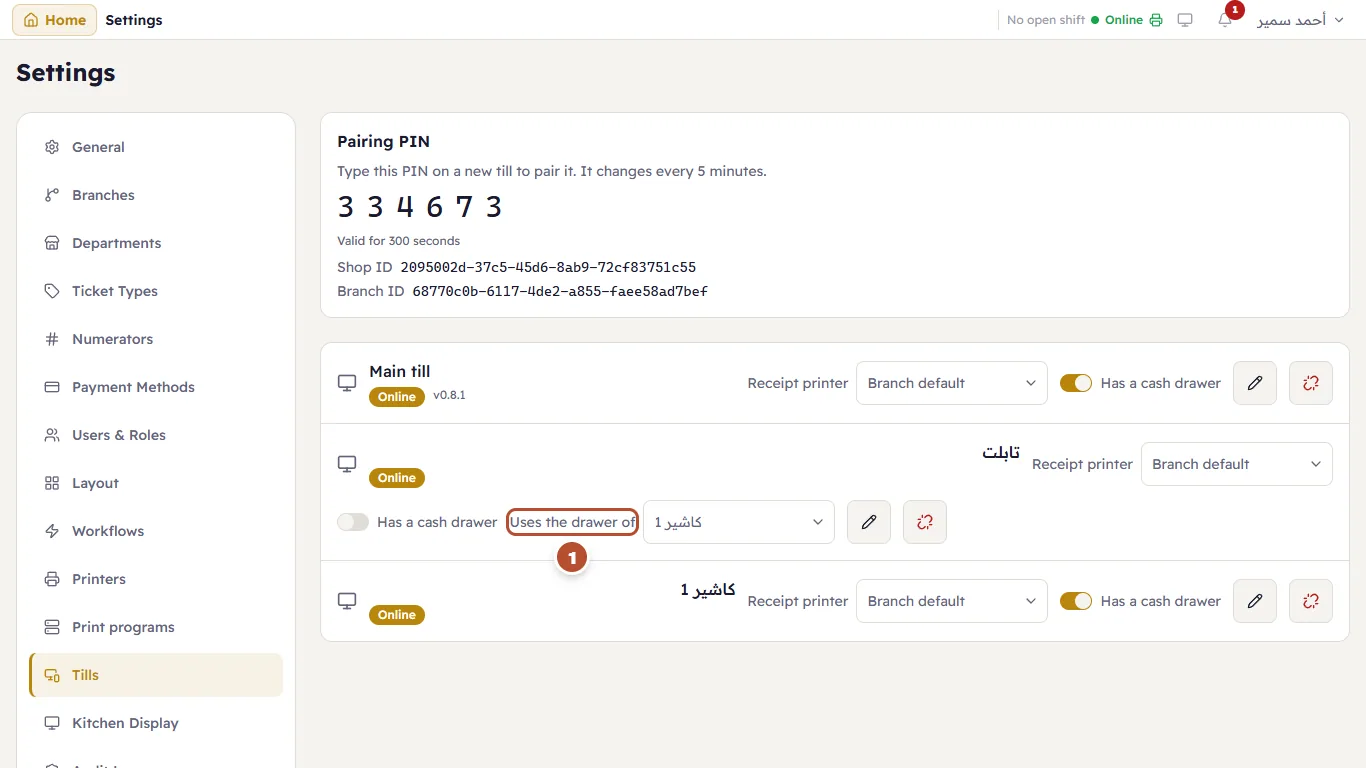
That tablet opens and closes the other till's shift after confirming it is another device. If you revoke the till whose drawer it uses, it shows «Needs a drawer» until you choose another.
From the office
A session with no till (a browser in the office) has no drawer of its own. On the till screen, choose one of the open drawers from the header — the choice is kept for this tab only:
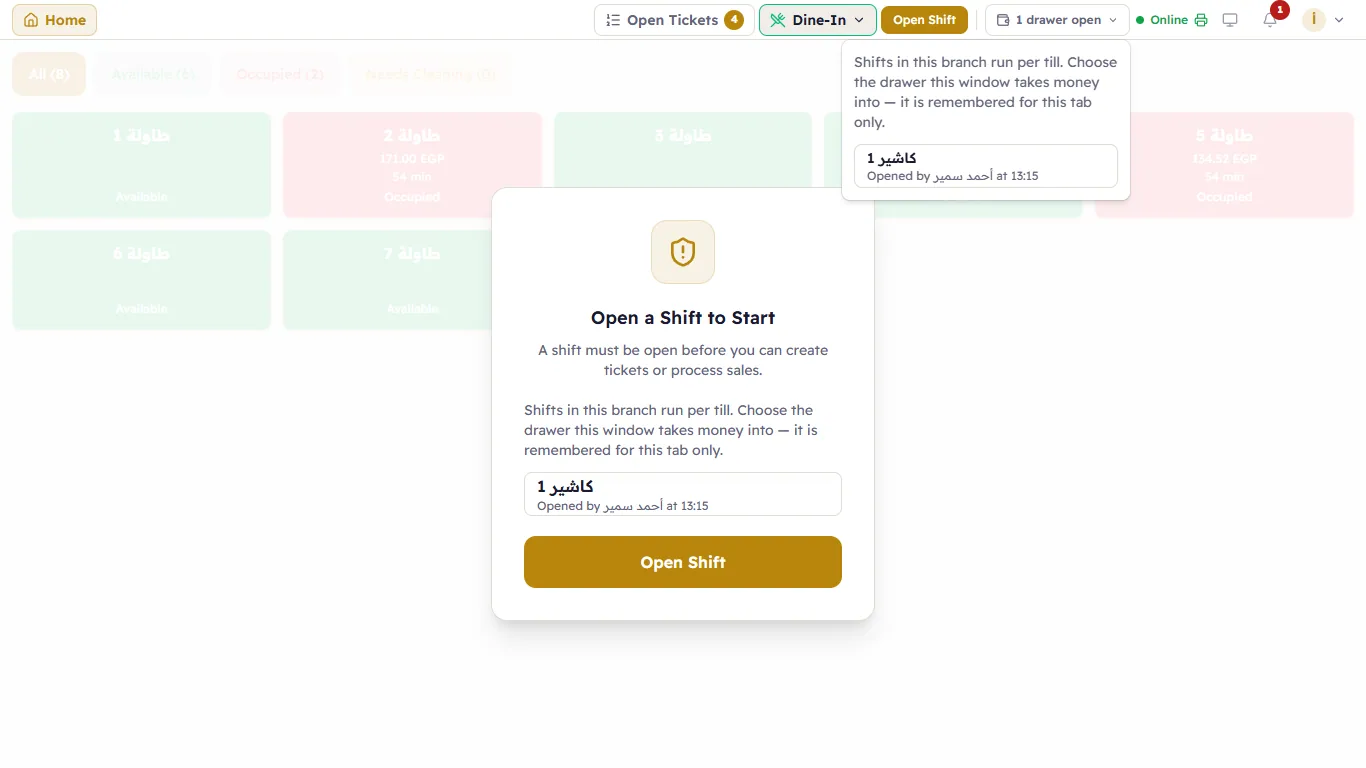
In the other money windows (a customer collection, paying a supplier «From the drawer», refunds) a «Drawer» choice appears when more than one drawer is open, and the only open drawer is chosen for you. With no drawer open, nothing can be paid «From the drawer».
A till whose drawer is closed
A till takes no cash while its drawer is closed: the Cash button in the payment window greys out with the reason, and card, wallet and on account still work. What the message means.
The Z report and the Day summary
Each shift's Z report names its drawer. In Reports → «Shift History» press «Day summary» to see every shift of the branch on a business day:
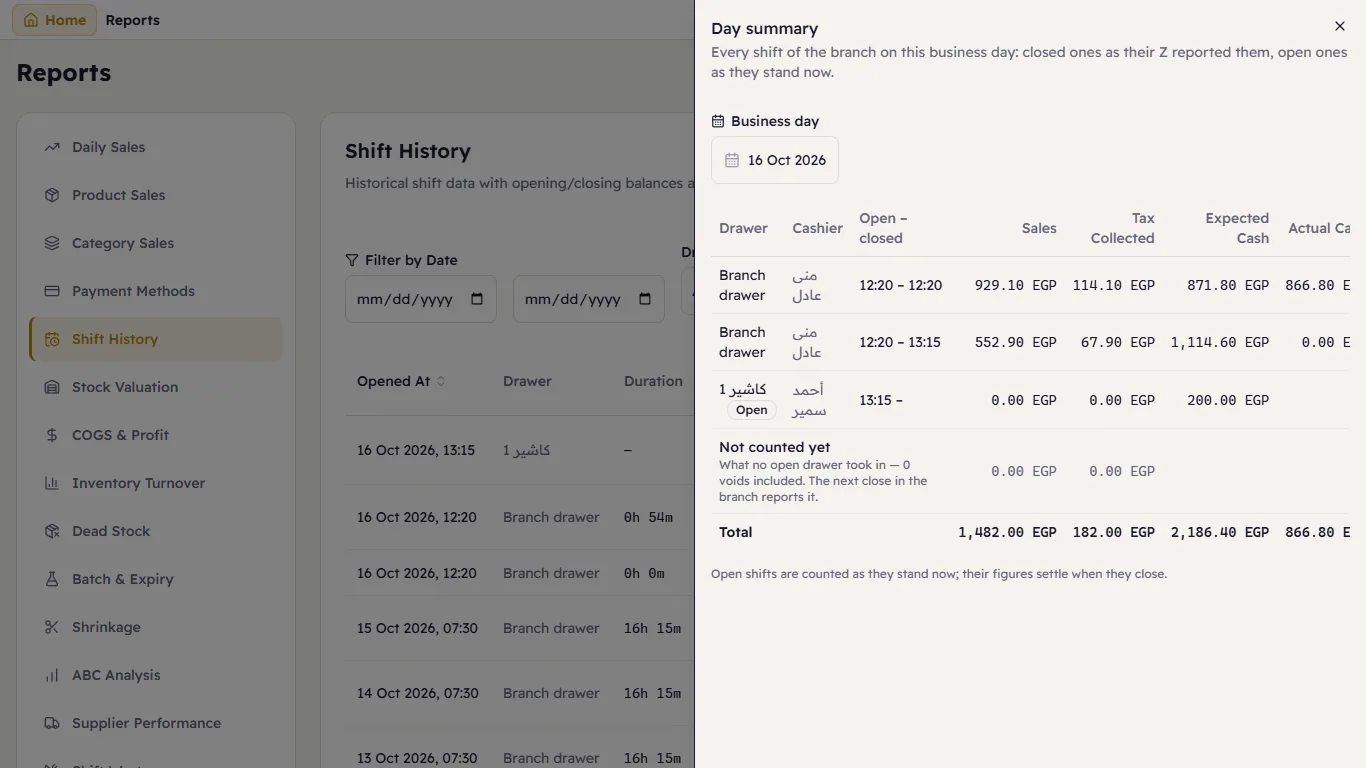
Closed shifts as their Z reported them, open ones as they stand now. The «Not counted yet» row is what no open drawer took in — a void from the office, say — and the next close in the branch reports it.