Cafés and restaurants
Tables, the kitchen, recipes and delivery — how a food shop sets Major up and runs a service.
- Who can do this
- Owner Manager
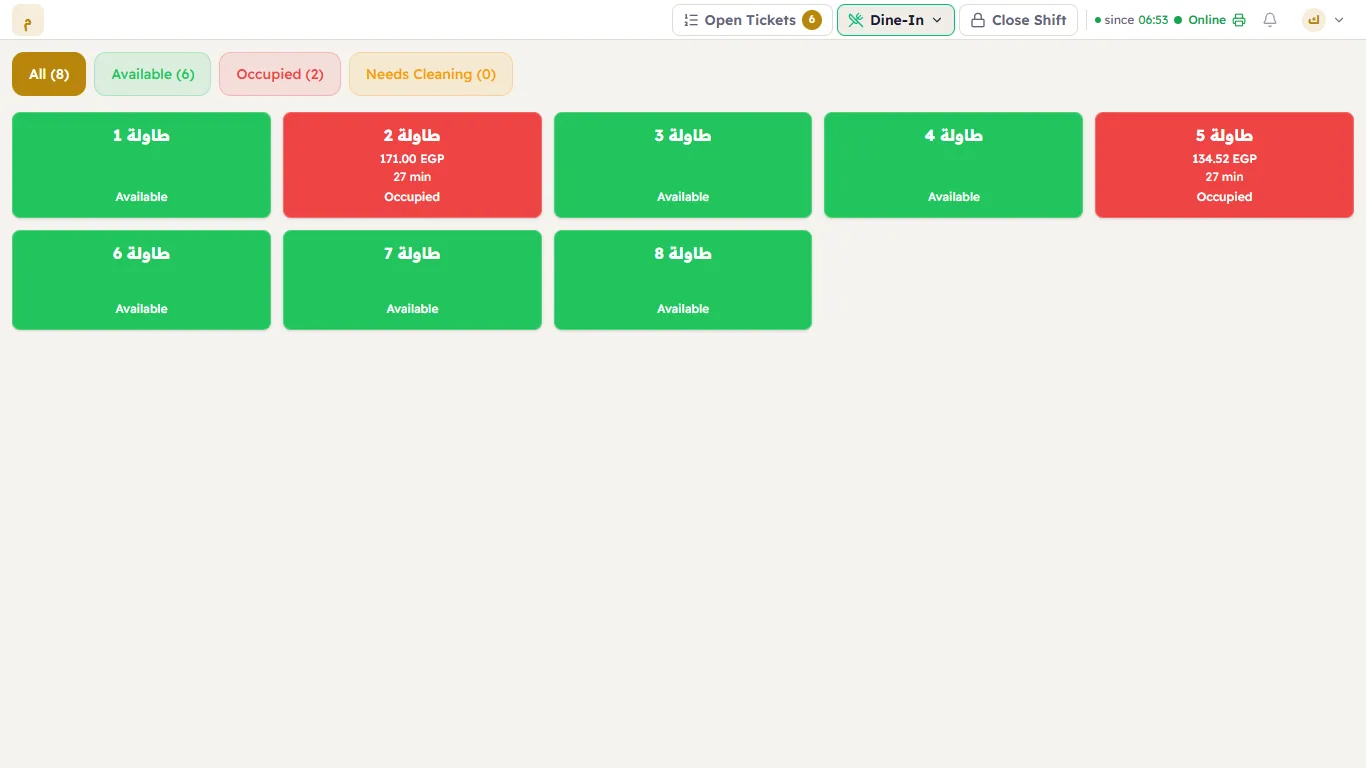
Choose Restaurant / Cafe in the setup wizard with sample data, and Major comes with three departments — Dine-In, Takeaway, Delivery — tables on a floor plan, kitchen stations and sample menu items.
Set up
- The menu — products with sizes and extras, and a recipe for each drink and dish so every sale deducts its ingredients.
- The floor — your tables on a floor plan: a grid, or a drawing of your room.
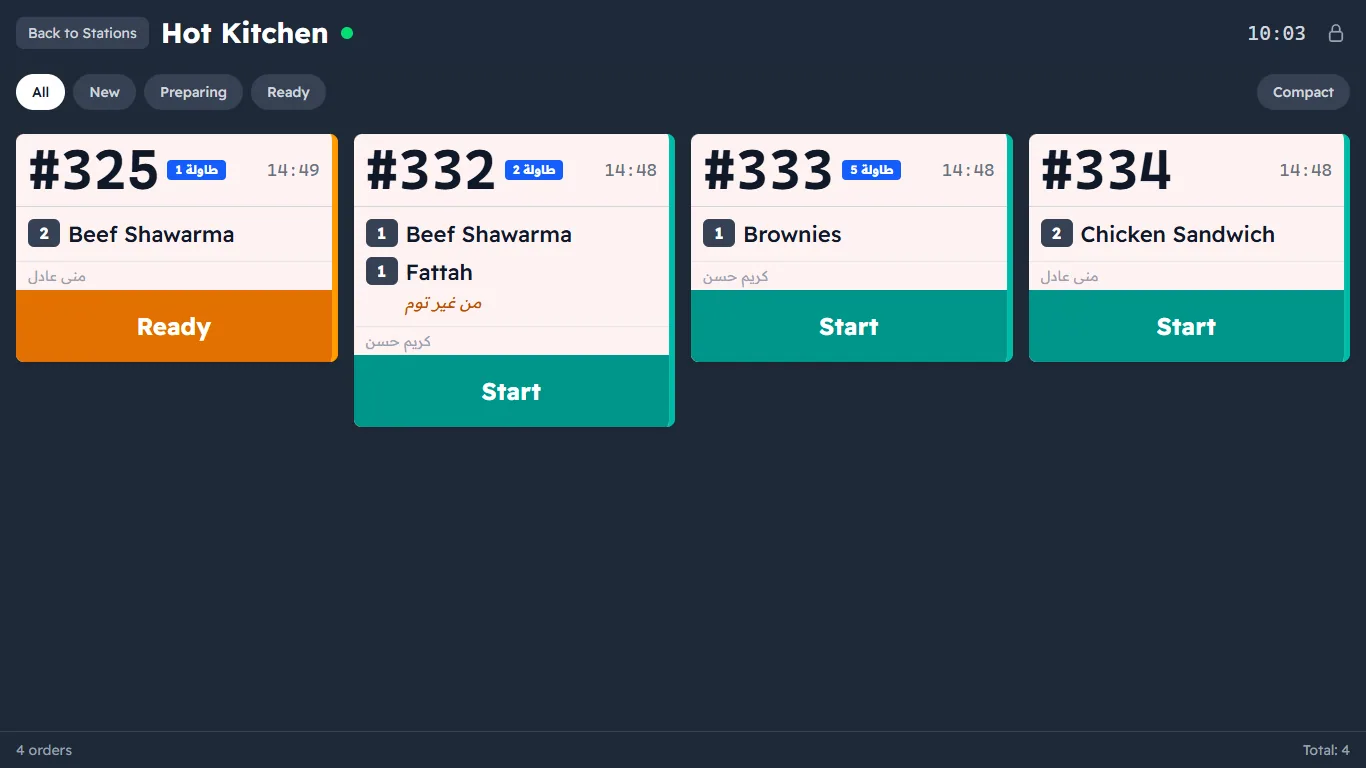
- The kitchen — paper: one kitchen printer per category (Kitchen routing); screens: a kitchen display per station (hot kitchen, cold station, bar).
- Departments — Dine-In opens on the tables, Takeaway on the products, Delivery on the customers
(Departments). Number deliveries apart (
D-0001) with a numerator. - Staff — waiters (open and send table orders), cashiers, the kitchen screen (Roles).
During service
- Seat a table, add items, send them to the kitchen; the kitchen bumps each card from Start to Ready to Served.
- Move or split a check, then take the payment at the table or the counter.
- Takeaway: straight on the products. Delivery: choose the customer first — A delivery order.
After service
The Z report at the close, then COGS & Profit to see what each dish really costs, and Shift waste for what was thrown away.