A delivery order
A delivery order starts with the customer — type their phone number and Major brings up their name and address.
- Who can do this
- Cashier Manager Owner
- Permission needed
- «Open Ticket»
- Before you start
- A Delivery department (it comes with the restaurant sample data, or the owner adds one).
In the Delivery department the sale starts with the customer, not with the items — so every delivery has a customer and an address.
Steps
- Choose Delivery from the department button at the top. The phone search screen appears.
- Type the customer's phone number on the keyboard (or the screen's digits).
- If the customer exists you will see "One customer matches — press Enter to start the order." Press Enter (or tap their name).
- Add the items, send the order to the kitchen, and take payment when the driver comes back with the money — or up front.
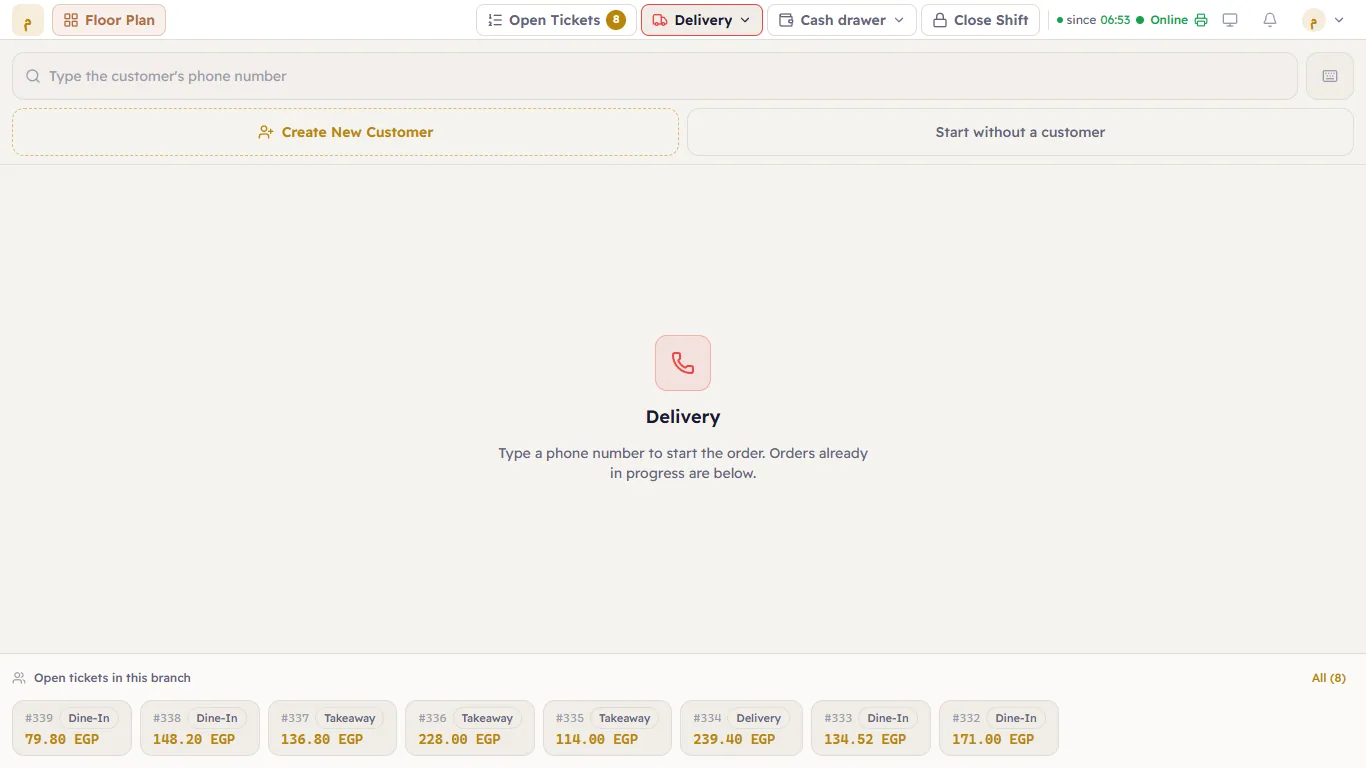
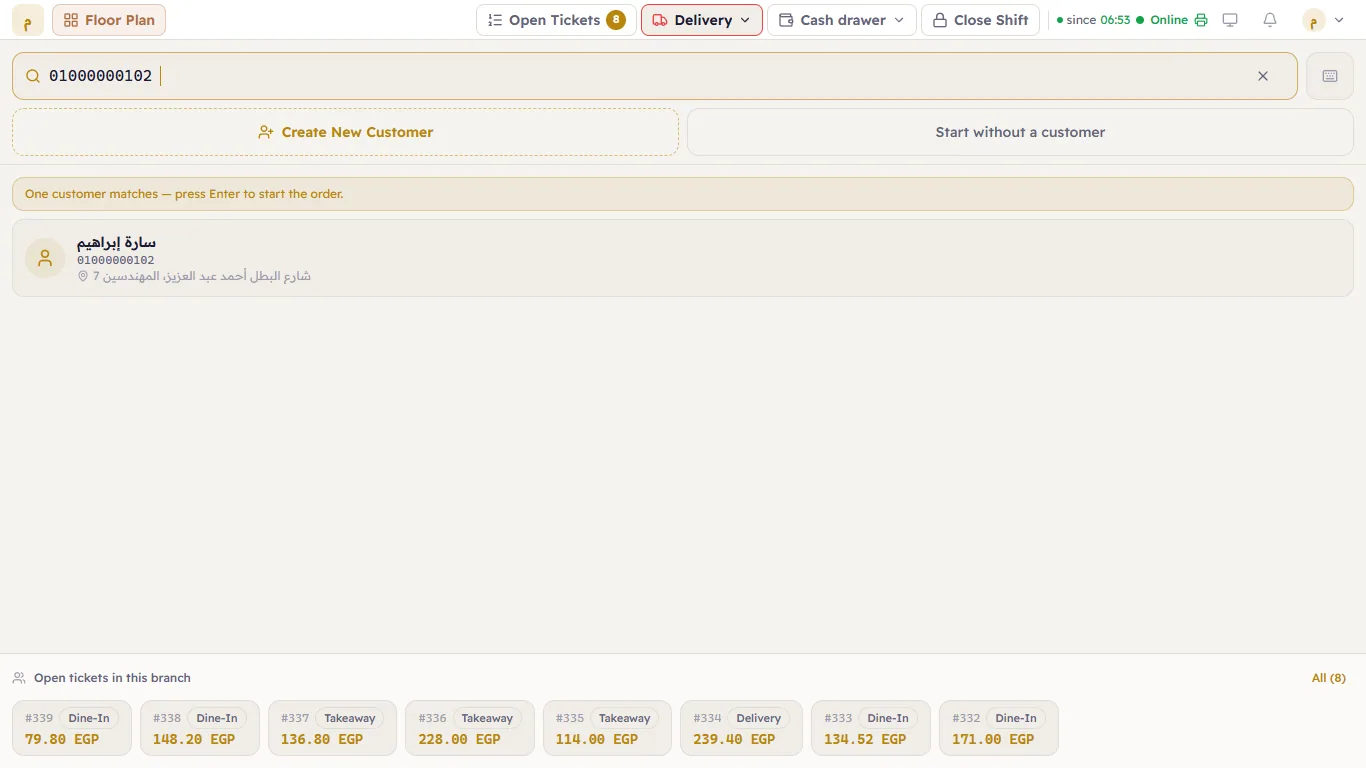
The ticket carries the customer's name and the address:
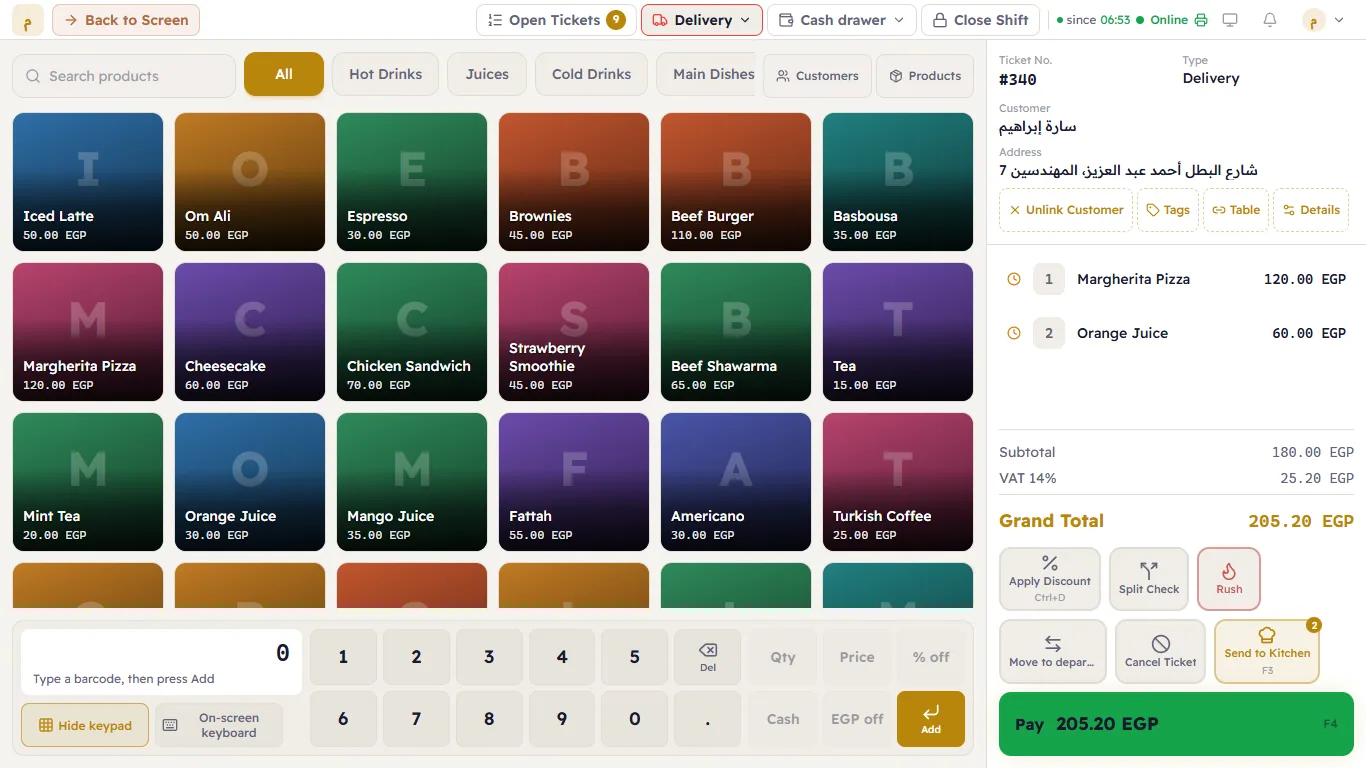
If the customer is new or has no address
- Not found: "No customer matches that number." and a "New customer on …" button — press it and register their name.
- Several customers match: "… customers match — pick one from the list."
- No address on file: "No address on file" shows under the name, and choosing them opens Delivery address — type the street, building, floor and a landmark and press Start the order. That address applies to this ticket only.
"Start without a customer"
For an order the customer will collect themselves and who does not want to leave their details. Note that if the ticket type requires a customer and address, you will need to fill them in from Details before payment.
Open tickets in this branch
Under the search screen, Open tickets in this branch lists every ticket still open, with its type, number and amount. Tap one to open it.