Categories
Split products into categories that appear as buttons above the items on the till, including categories inside categories.
- Who can do this
- Manager Owner
- Permission needed
- «Add Product»
Categories such as "Hot Drinks" and "Desserts" appear as buttons above the items on the till, and are used by the Category Sales report and by Kitchen routing.
Products → Categories:
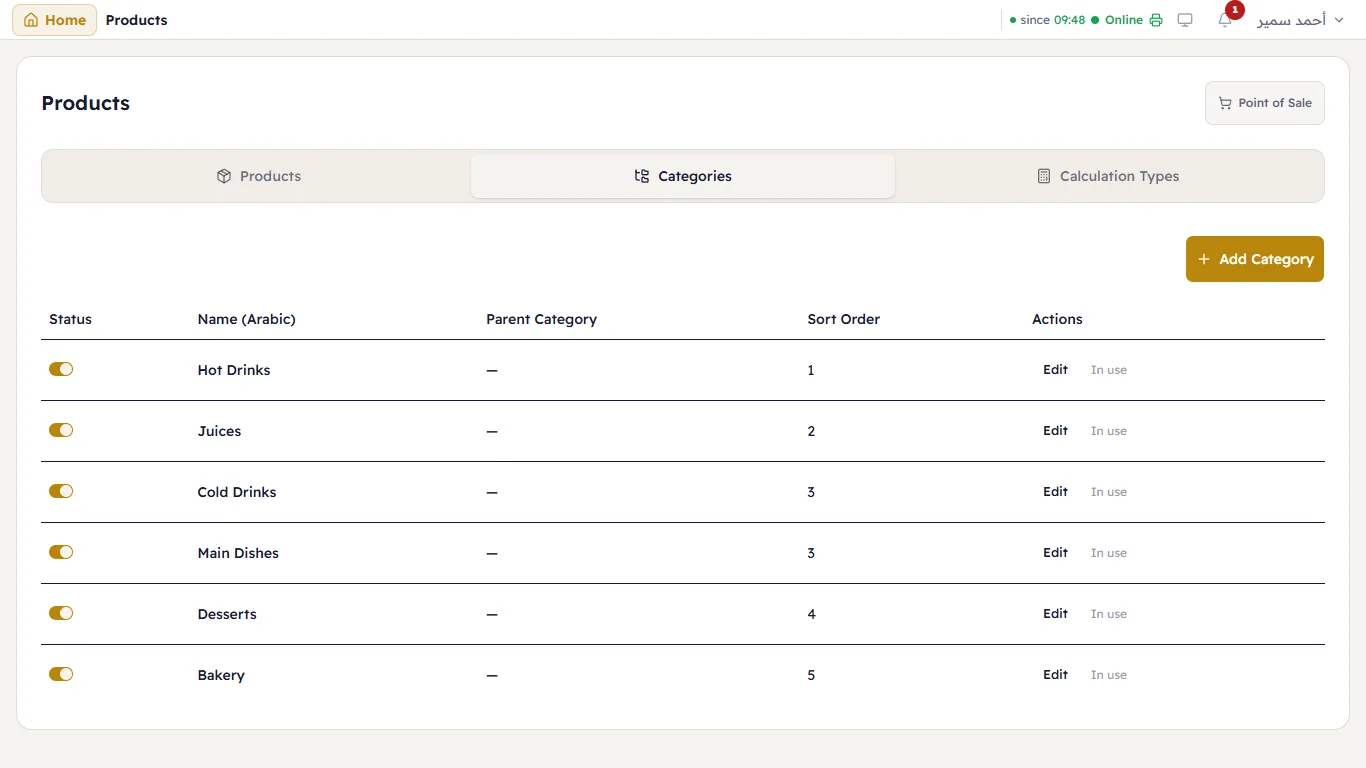
Each category has its on/off switch, its name, a Parent Category if it sits inside another, and a Sort Order (smaller shows first). A category with products is marked In use and cannot be deleted — switch it off instead.
Add a category
- Press Add Category.
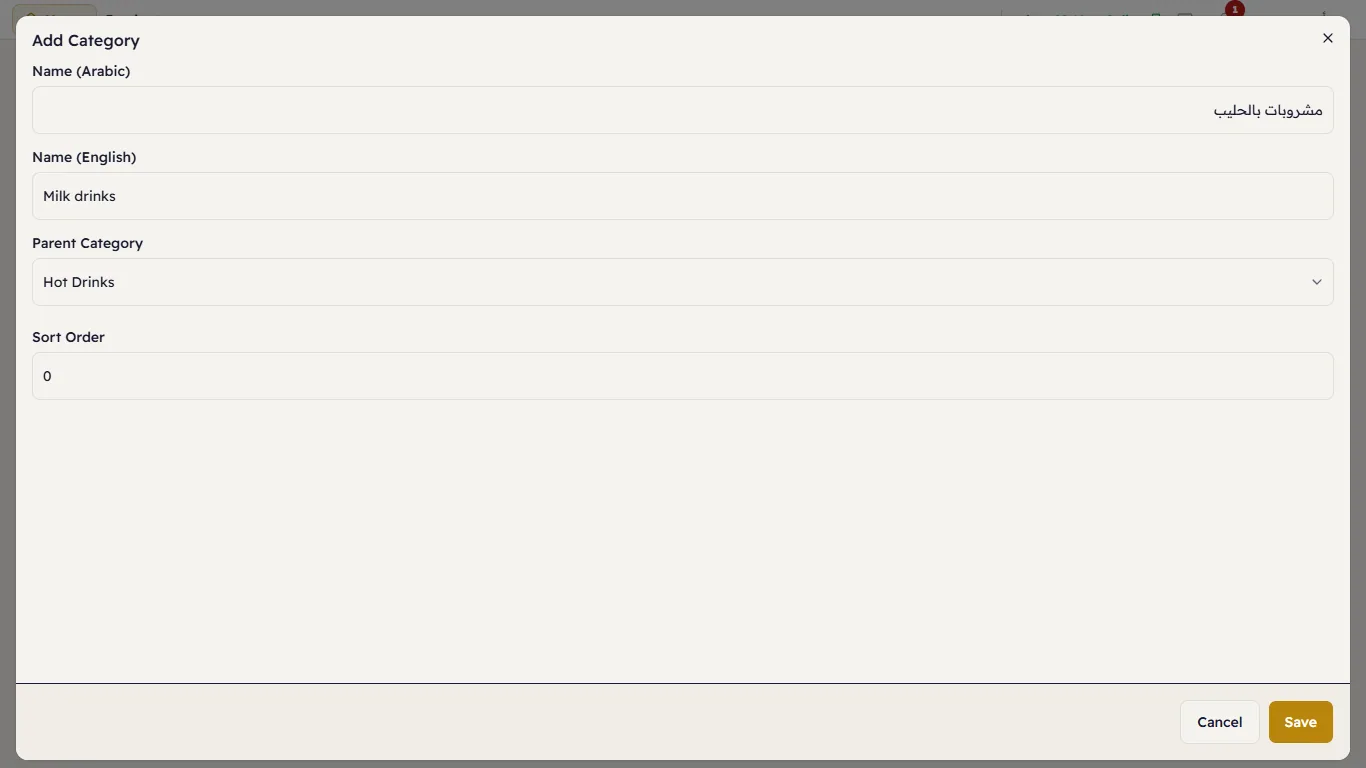
- Type the Arabic and English names.
- If it sits inside another category, choose the Parent Category (for example "Milk drinks" inside "Hot Drinks"); otherwise leave None.
- Sort Order — its place among the categories.
- Press Save.