Suppliers
The companies you buy from, what you owe each one, and everything you do with them from one card.
- Who can do this
- Manager Owner
- Permission needed
- «View Procurement»
Inventory → Suppliers. Each supplier is a card:
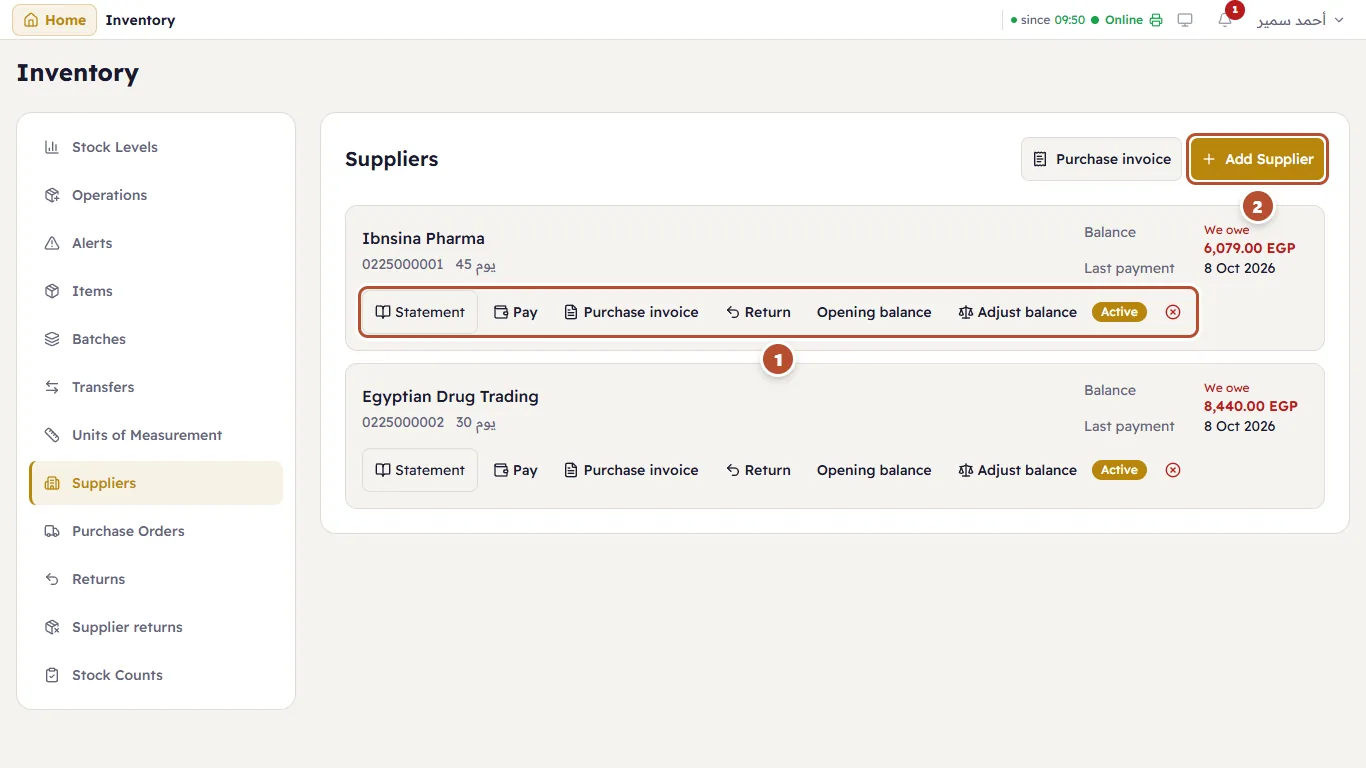
On the card: the name, phone and payment terms, the Balance — in red with We owe when you owe them, or Owes us — and the date of the Last payment.
- The supplier's actions:
- Statement — every invoice, payment and return. See The supplier statement.
- Pay — see Paying suppliers.
- Purchase invoice — goods in, and the debt with them. See Purchase invoices.
- Return — goods back to the supplier. See Returns to suppliers.
- Receive from supplier — when the supplier owes you and pays you back.
- Opening balance and Adjust balance — see Paying suppliers.
- Add Supplier.
Add a supplier
Press Add Supplier and type the name in Arabic and English, the contact person, phone, email, address and the payment terms (30 days, say):
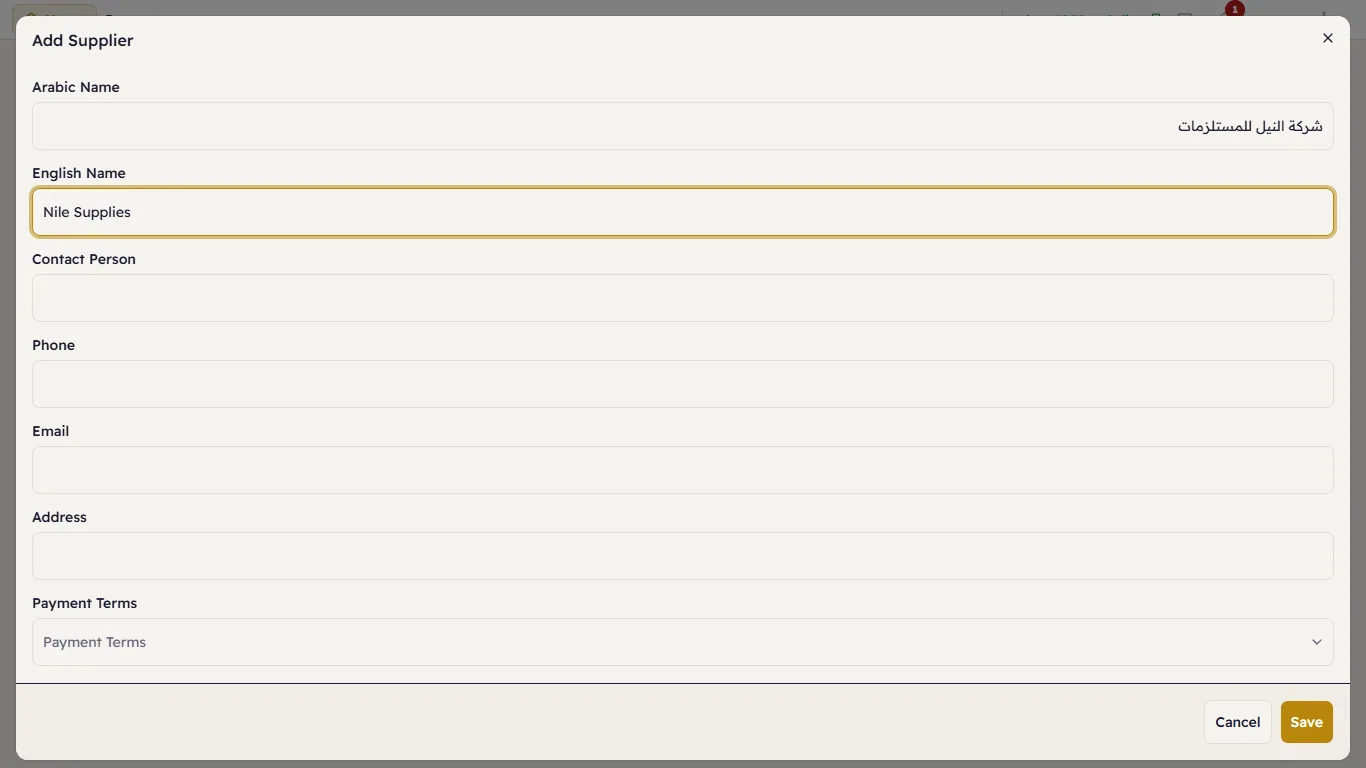
Press Save. Purchase invoice at the top of the page starts an invoice without choosing a supplier first.