Stock levels
How much of each item you have in each store, what it is worth, and what is running low.
- Who can do this
- Manager Owner
- Permission needed
- «View Inventory»
Inventory on the Home screen opens on Stock Levels. The side list on the right takes you to the rest of the inventory: Operations, Alerts, Items, Batches, Transfers, Units of Measurement, Suppliers, Purchase Orders, Returns, Supplier returns and Stock Counts.
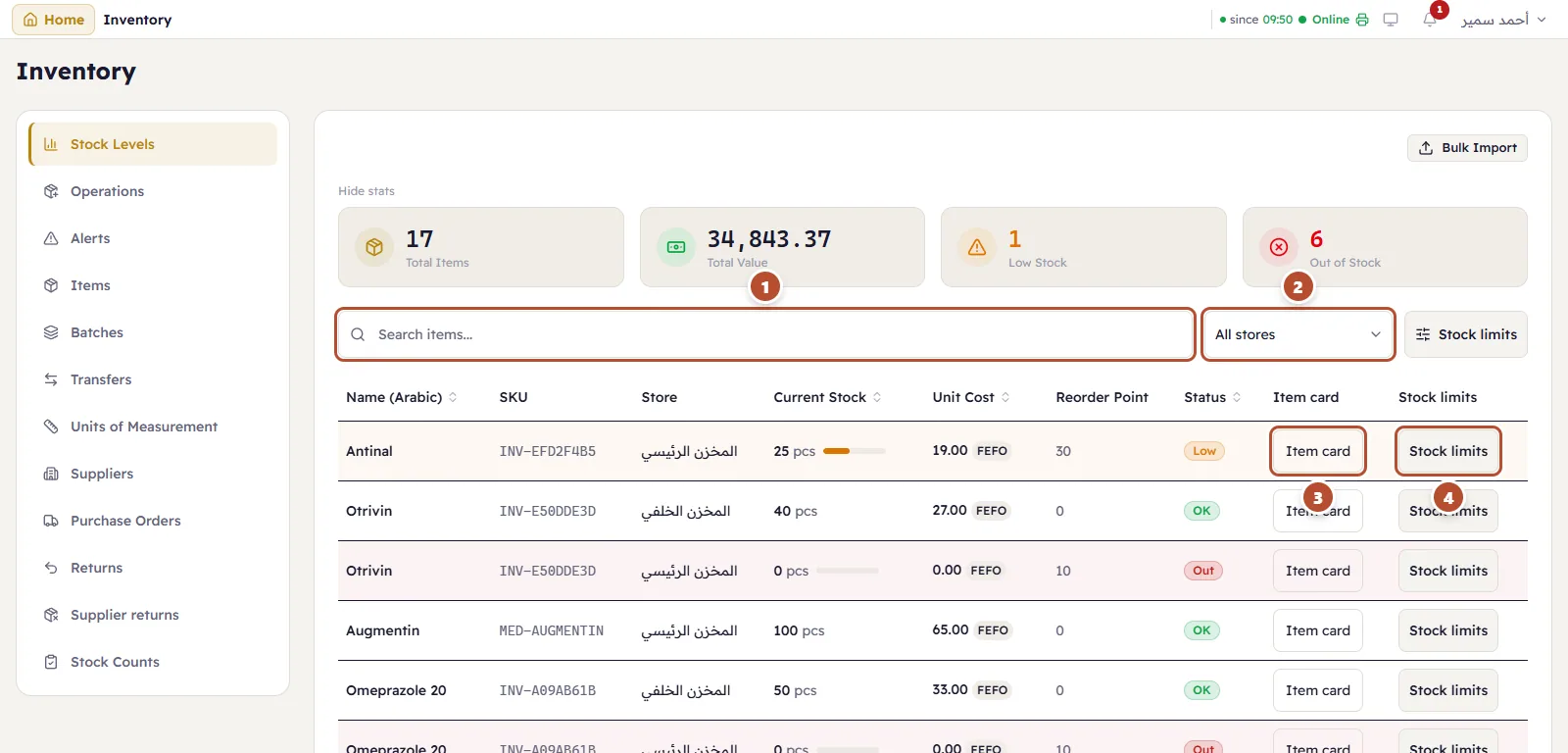
The cards at the top: Total Items, Total Value (quantity × cost), Low Stock and Out of Stock. Hide them with Hide stats.
- Search items… by name or code.
- Store — appears once a branch has more than one store (a back store, say): show one store or all of them.
- Item card — every movement of the item, with the balance after each one. See The item card.
- Stock limits — the item's minimum, maximum and reorder point in that row's store.
Each row shows the item's Current Stock with a bar, its Unit Cost, its costing method (FEFO, FIFO…), the Reorder Point and a Status: OK, Low (at or under the reorder point) or Out.
Stock limits
Press Stock limits on a row:
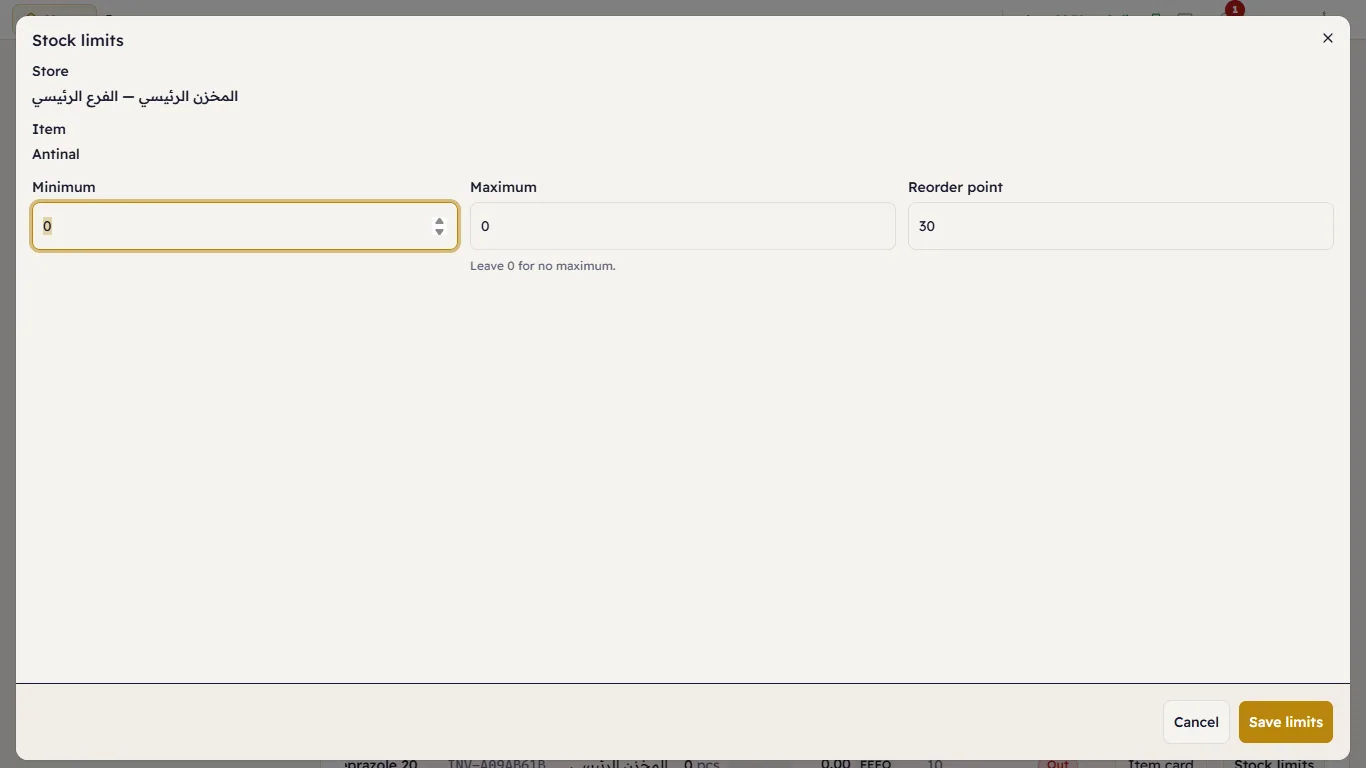
Type the Minimum, the Maximum (leave it 0 if there is no maximum) and the Reorder point — the quantity at which Major warns you to buy more — and press Save limits. Limits belong to one store: the same item can have different limits in the shop floor and in the back store.
Bulk import
Bulk Import loads many items with their quantities from a CSV file in one go. To start the shop's stock from zero, see Opening stock.