The item card
Every movement of one item over a period, with the balance after each one — and a check that it adds up.
- Who can do this
- Manager Owner
- Permission needed
- «View Inventory»
The item card (stock ledger) answers "where did it go?". Open it from Item card on the item's row in Stock levels or Items:
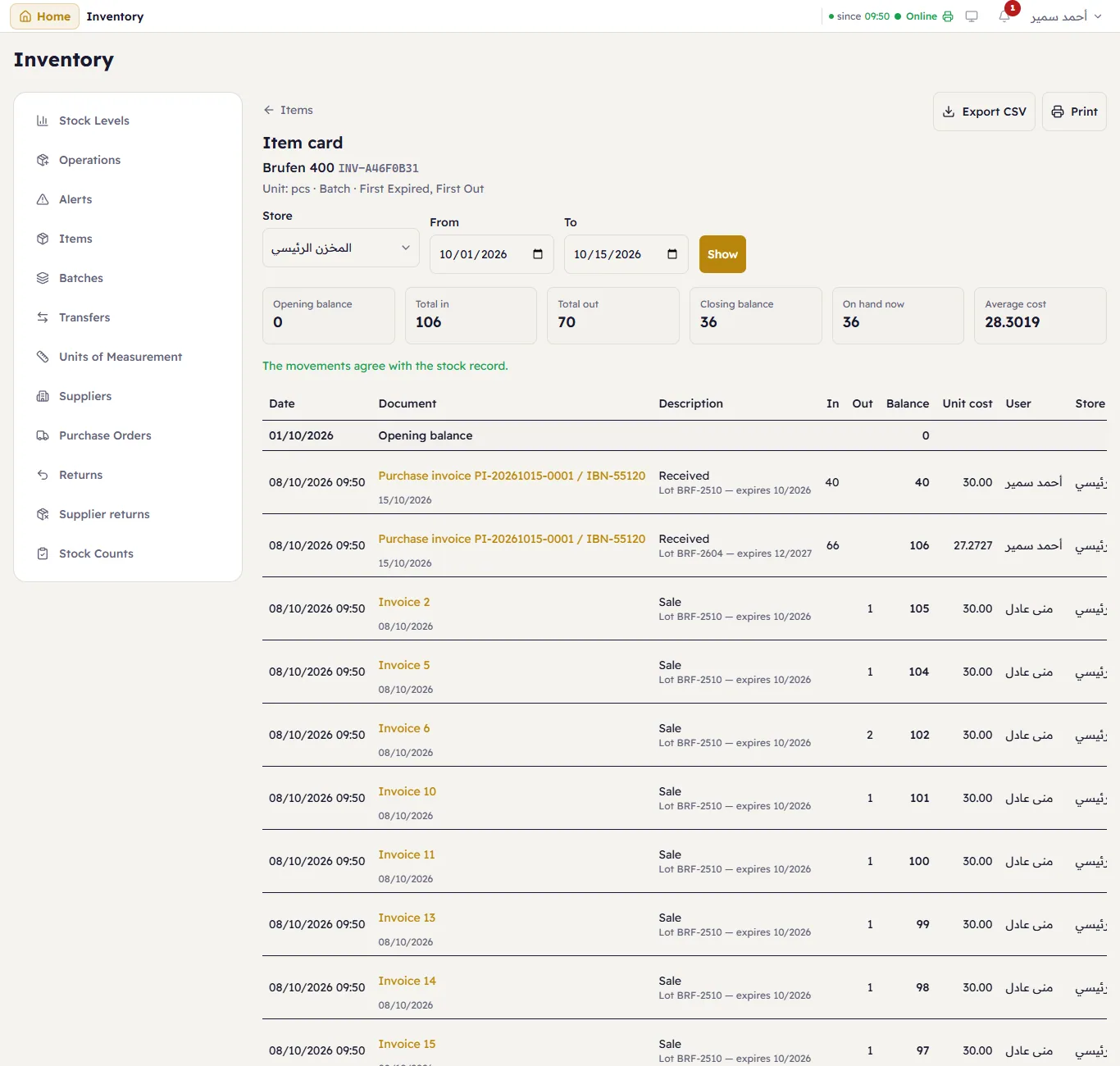
At the top, choose the Store (or all), the period From and To — business days, the current month by default — and press Show.
The figures: Opening balance, Total in, Total out, Closing balance, On hand now and the Average cost. Under them, Major says whether the movements agree with the stock record.
Each line is one movement: the date, the Document (an invoice number, a purchase invoice, a transfer — press it to open it), the description (sale, receipt, with the batch and expiry), in, out, the balance after it, the unit cost, the user and the store.
Export CSV saves the card; Print prints it on A4.