Purchase orders
Order goods from a supplier, approve the order, and receive it — with an invoice, or line by line.
- Who can do this
- Manager Owner
- Permission needed
- «Manage Procurement»
A purchase order records what you ordered before it arrives. Inventory → Purchase Orders:
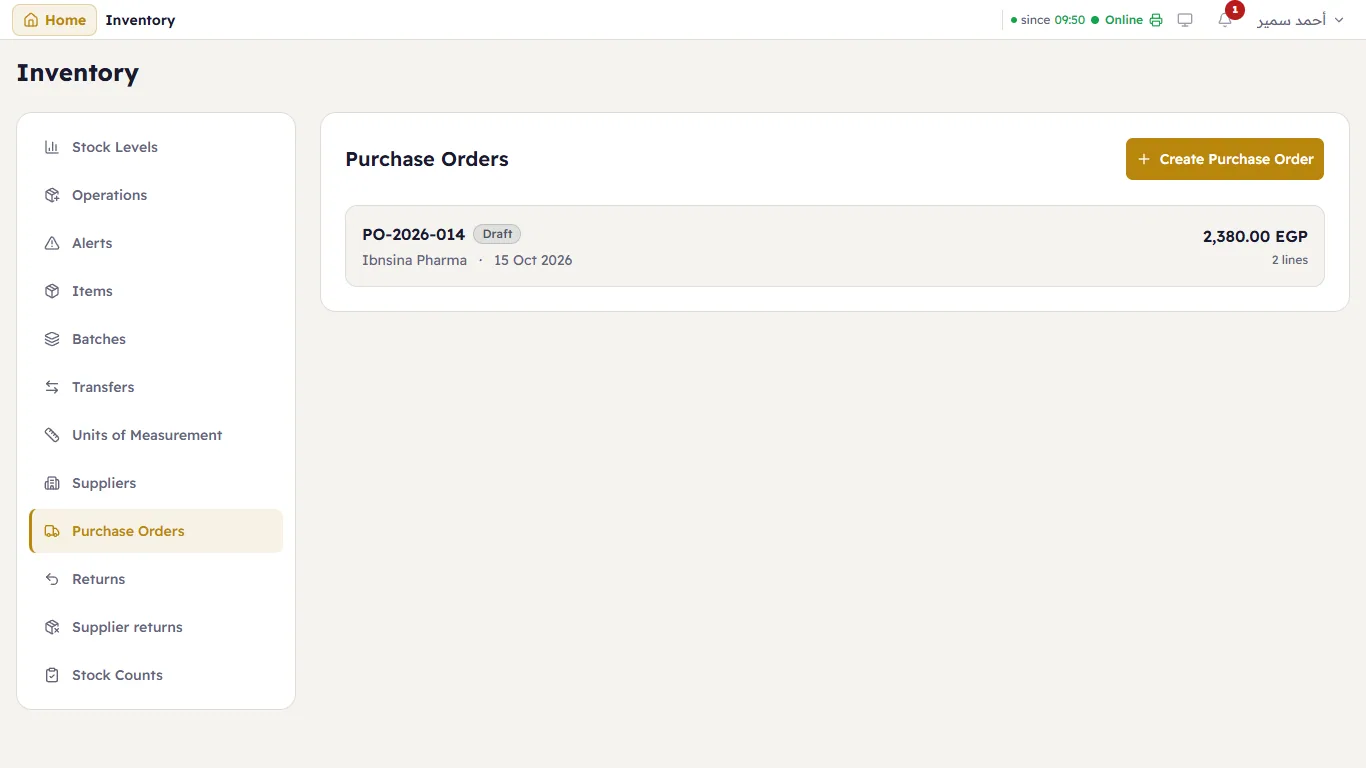
Each order shows its number, supplier, date, status and total.
Create an order
Press Create Purchase Order:
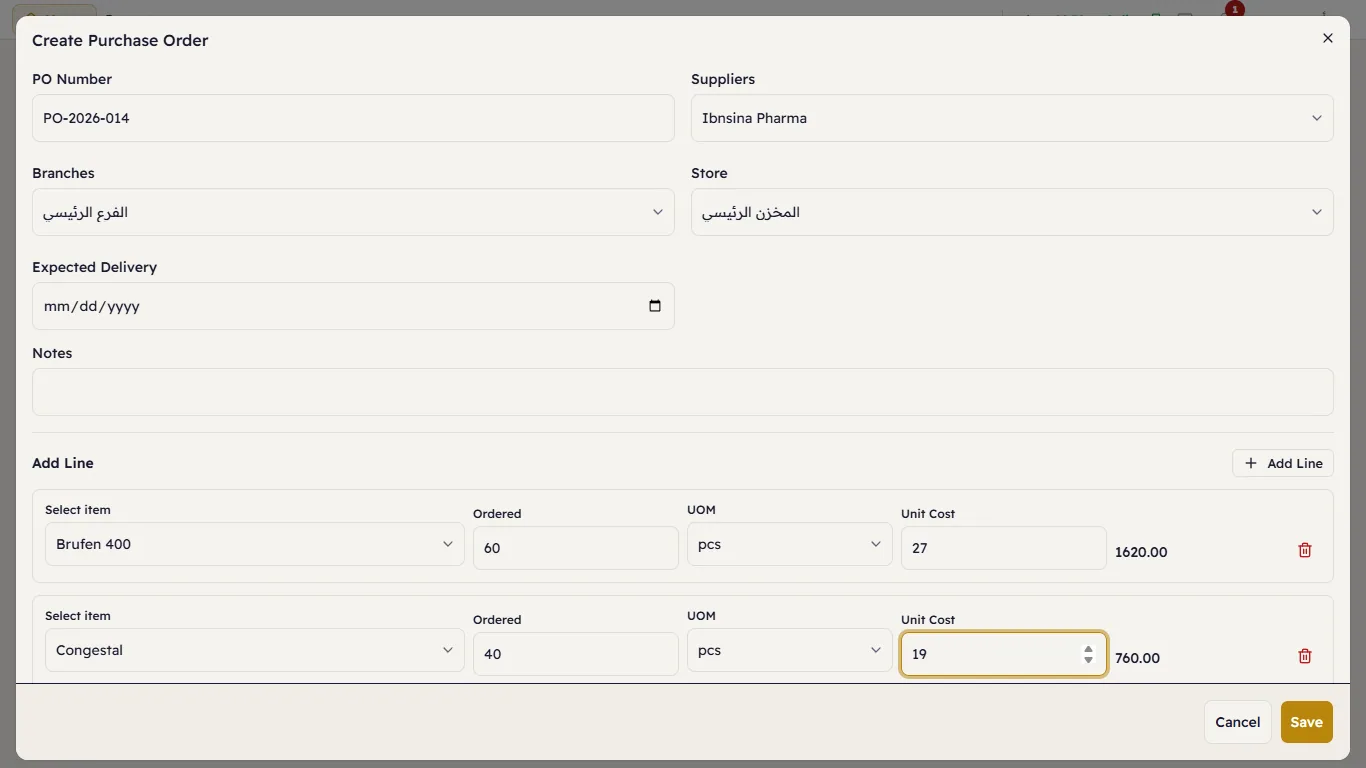
Choose the Supplier, the Branch and the Store, the Expected Delivery date and notes. You do not type a number: Major numbers the order when you save it (PO-20261015-0001, then PO-20261015-0002…), the way it numbers invoices and returns. Under Add Line, each line is an item, the quantity Ordered, the Unit (it starts on the item's base unit) and the Unit Cost. Add Line for another. Press Save — the order is a Draft.
Approve and receive
Press the order to open it:
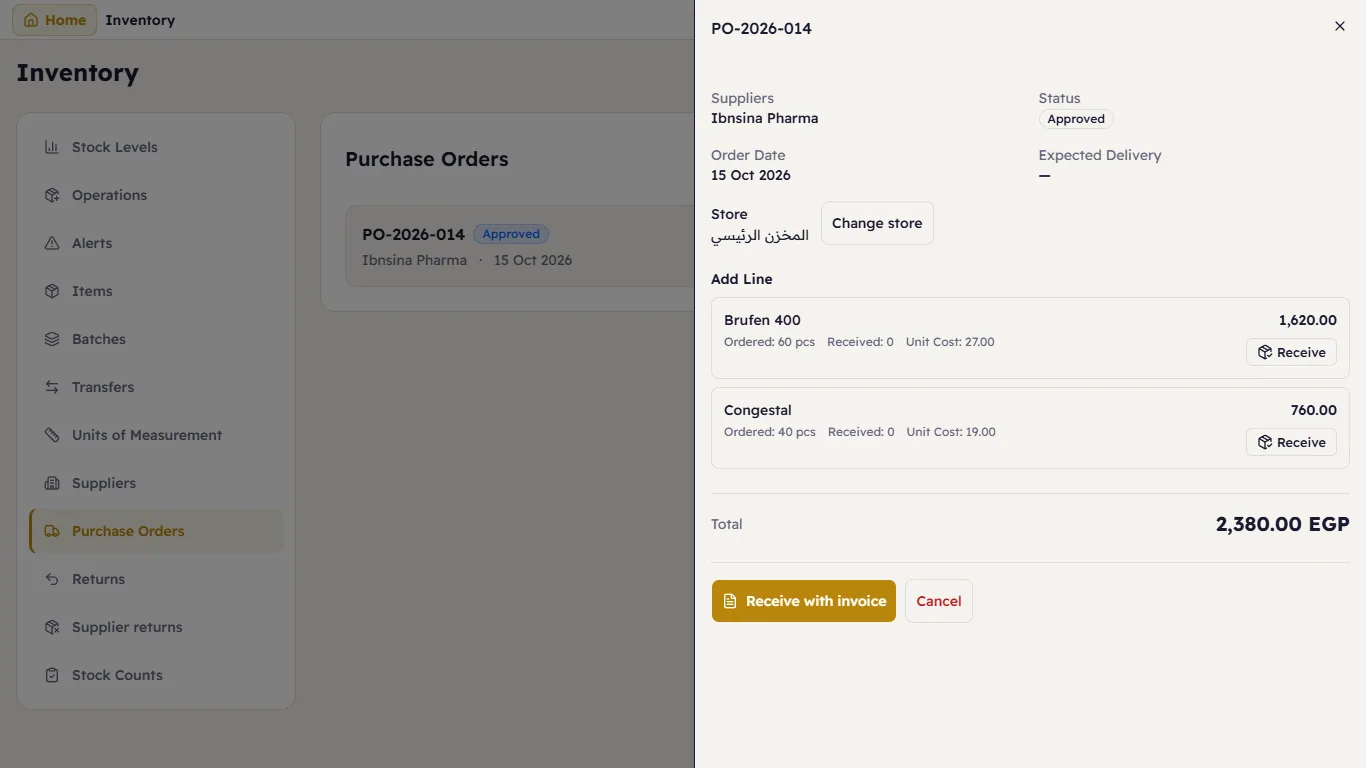
- Approve — the order is now Approved.
- When the goods arrive:
- Receive with invoice — opens a purchase invoice filled from the order. Stock and the supplier's account move together. This is the usual way.
- Receive on one line — stock only, no money (when the invoice comes later).
- The order becomes Partially Received or Received. Close an order you will not receive any more of; Cancel one you no longer want.
Change store moves the order to another store until anything has been received against it.