Payment: cash, card, wallets, and paying with more than one method
Take payment by any method, give change, and split a payment across two methods.
- Who can do this
- Cashier Manager Owner
- Permission needed
- «Receive Payment»
- Before you start
- The shift is open.
Take payment for the whole ticket
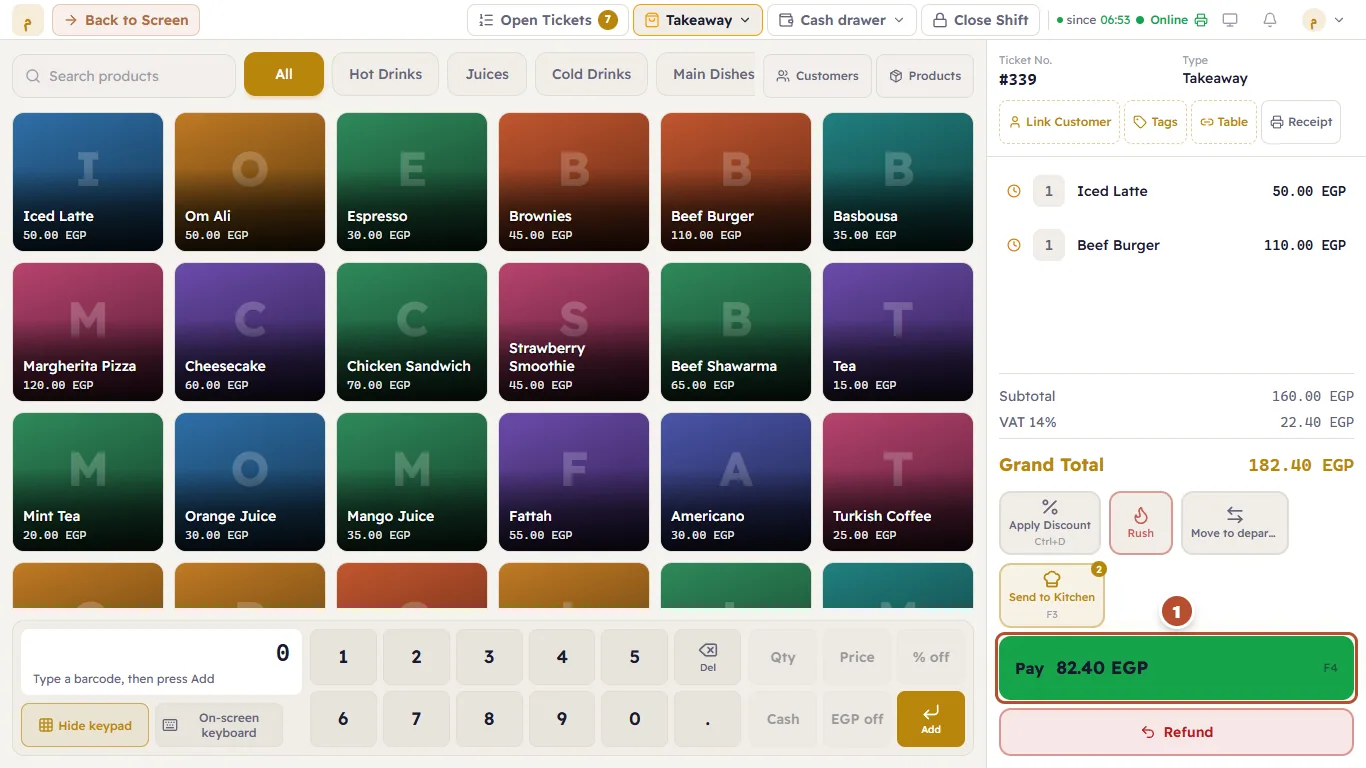
- Press Pay (the green button under the ticket, showing the amount due) or F4.
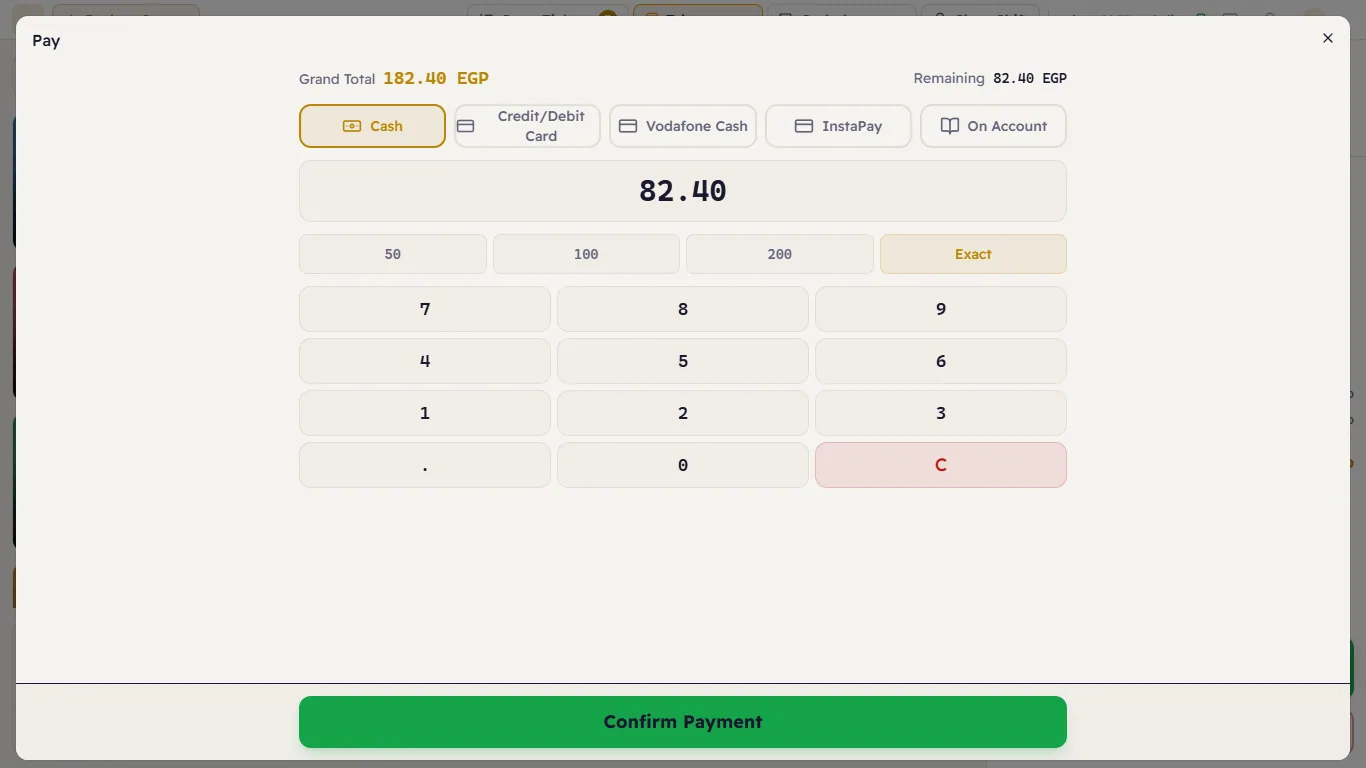
- Choose the method: Cash, Credit/Debit Card, Vodafone Cash, InstaPay or On Account.
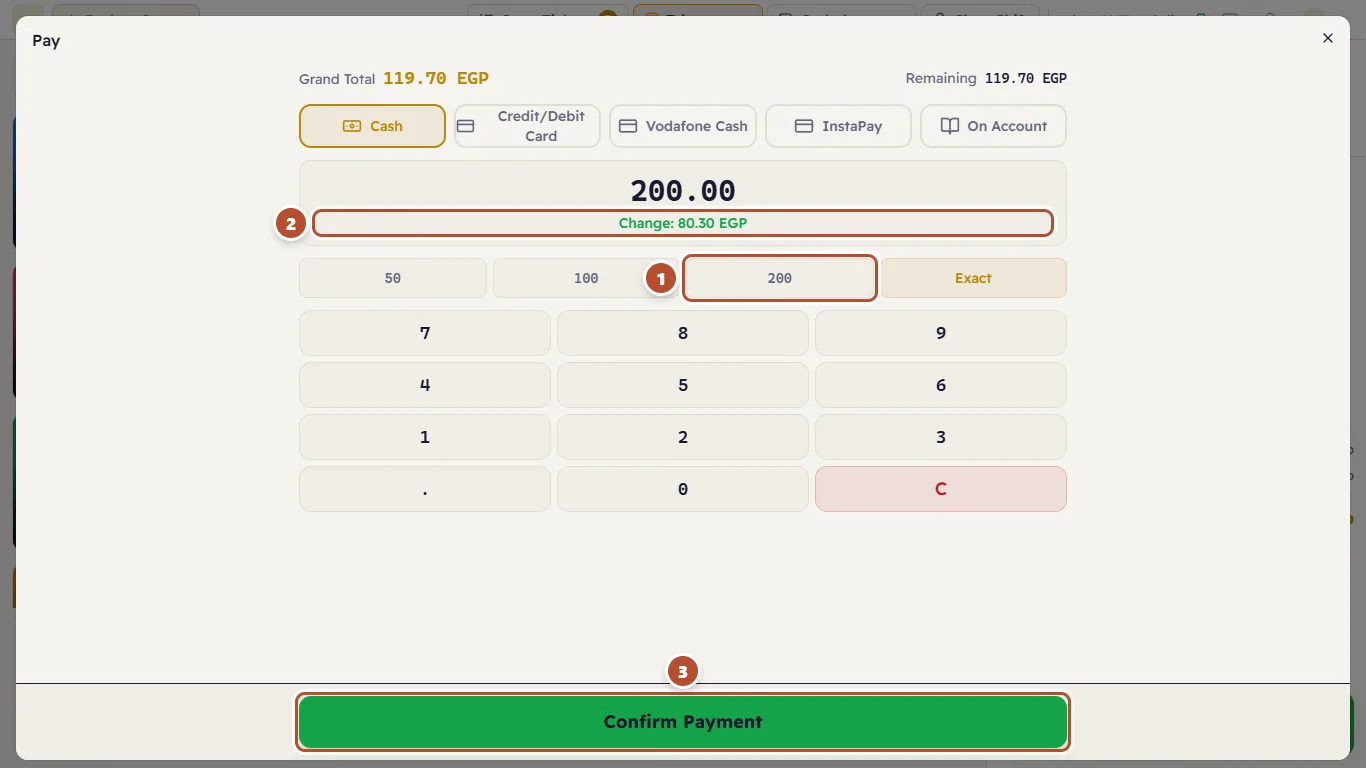
- Enter the amount the customer handed you: with the digits, the 50 / 100 / 200 buttons, or Exact when they paid the exact amount.
- Press Confirm Payment.
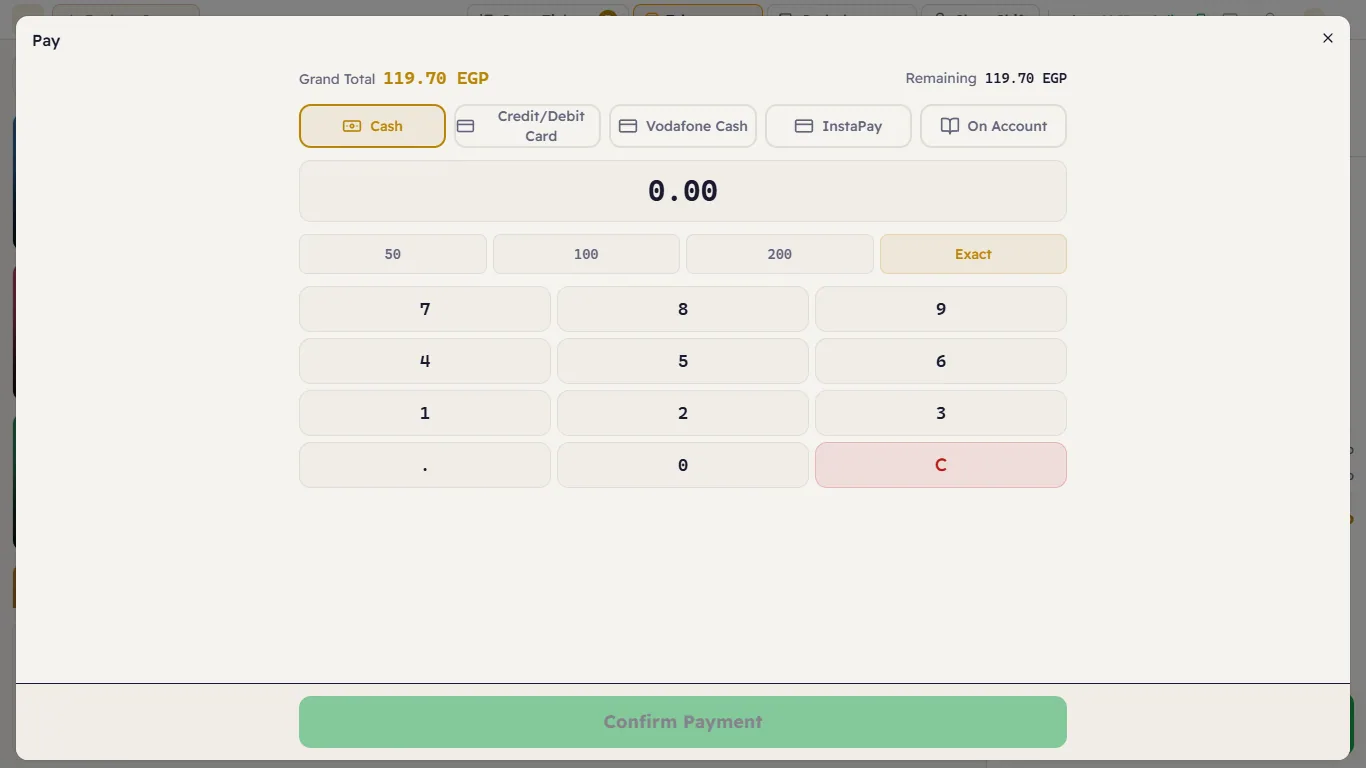
At the top of the window: the Total (what the ticket costs) and Remaining (what is still unpaid).
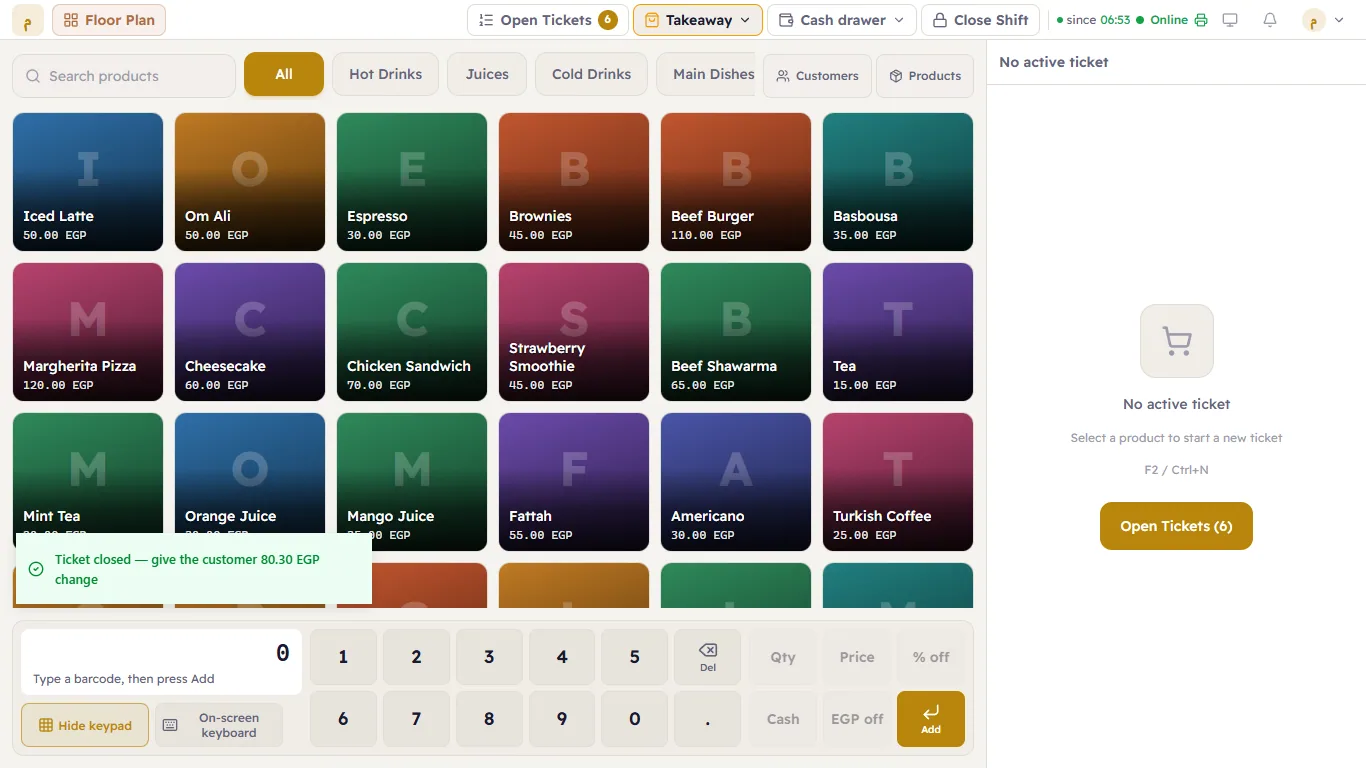
If the customer hands you more cash than needed, Major works out the Change and shows it in green (2):
Paying with more than one method
The customer wants to pay part by card and the rest in cash:
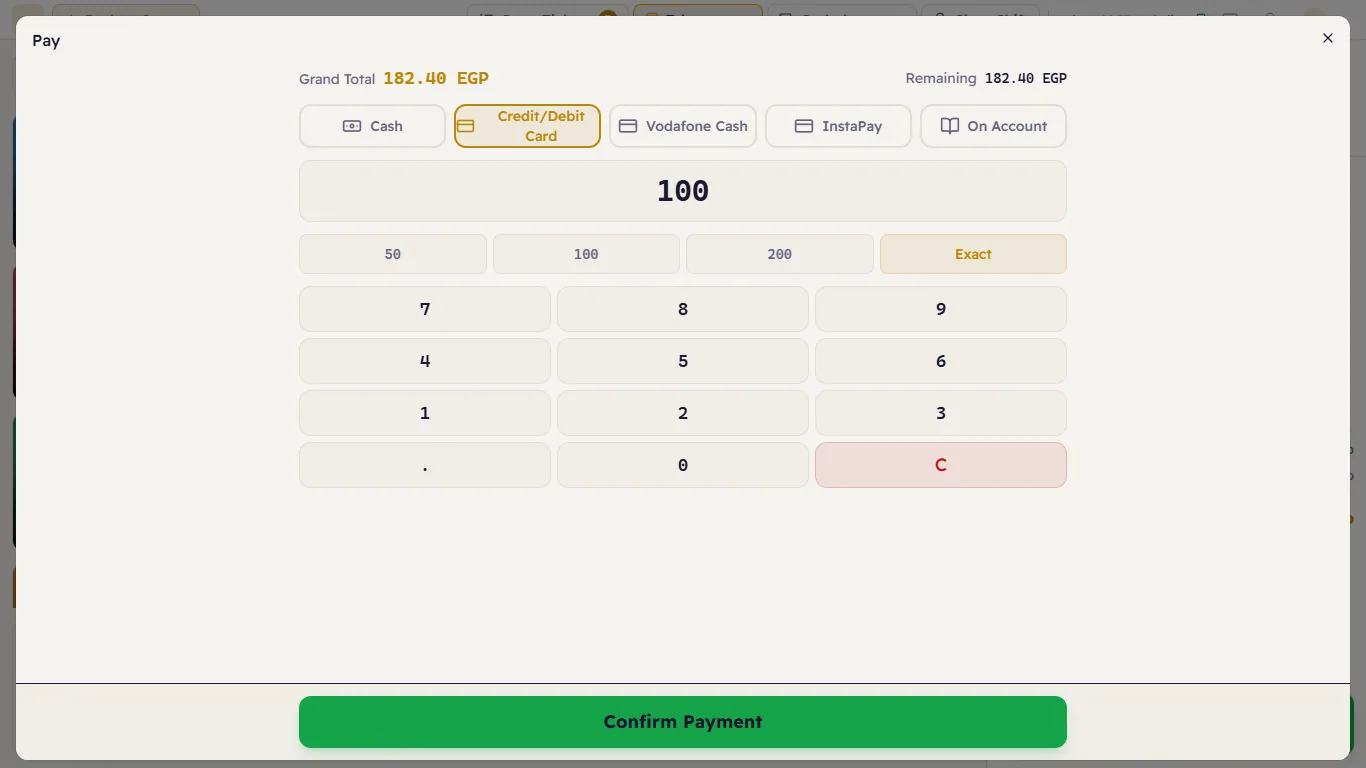
- Press Pay and choose Credit/Debit Card.
- Clear the amount with C, type the card part (for example 100) and press Confirm Payment.
- The window closes and the ticket stays open; Pay now shows only the remaining amount (1).
- Press Pay again, choose Cash, then Exact (or the amount handed over), and Confirm Payment.
How the methods differ
| Method | Goes into the drawer? |
|---|---|
| Cash | Yes — it counts towards the drawer's money at the end of the shift. |
| Credit/Debit Card, Vodafone Cash, InstaPay | No — they appear on their own in the shift report, not in the cash. |
| On Account | No — it is booked as a debt on the customer (see Selling on account). |
The owner can add or switch off payment methods in Payment methods.
If something goes wrong
- Confirm Payment is grey — the amount is zero. Enter the amount or press Exact.
- The connection dropped while paying — do not press Pay again straight away. When the connection is back, open the ticket and look at Remaining: if the payment was recorded it has gone down, so do not take it again.
- "The shift was closed while this was being recorded, so nothing was saved. Open a shift and try again." — someone closed the shift from another till while you were paying, so the payment was refused rather than landing in a closed drawer. Open a new shift and take the payment.