Open the shift
The first thing of the day: open the shift and enter the money in the drawer.
- Who can do this
- Cashier Waiter Manager Owner
- Permission needed
- «Open Shift»
You cannot sell without an open shift. A shift starts with the money in the drawer (the Opening Balance) and ends when you close it and count the money (see Close the shift).
Steps
When you open the till and no shift is open, you will see "Open a Shift to Start" in the middle of the screen.
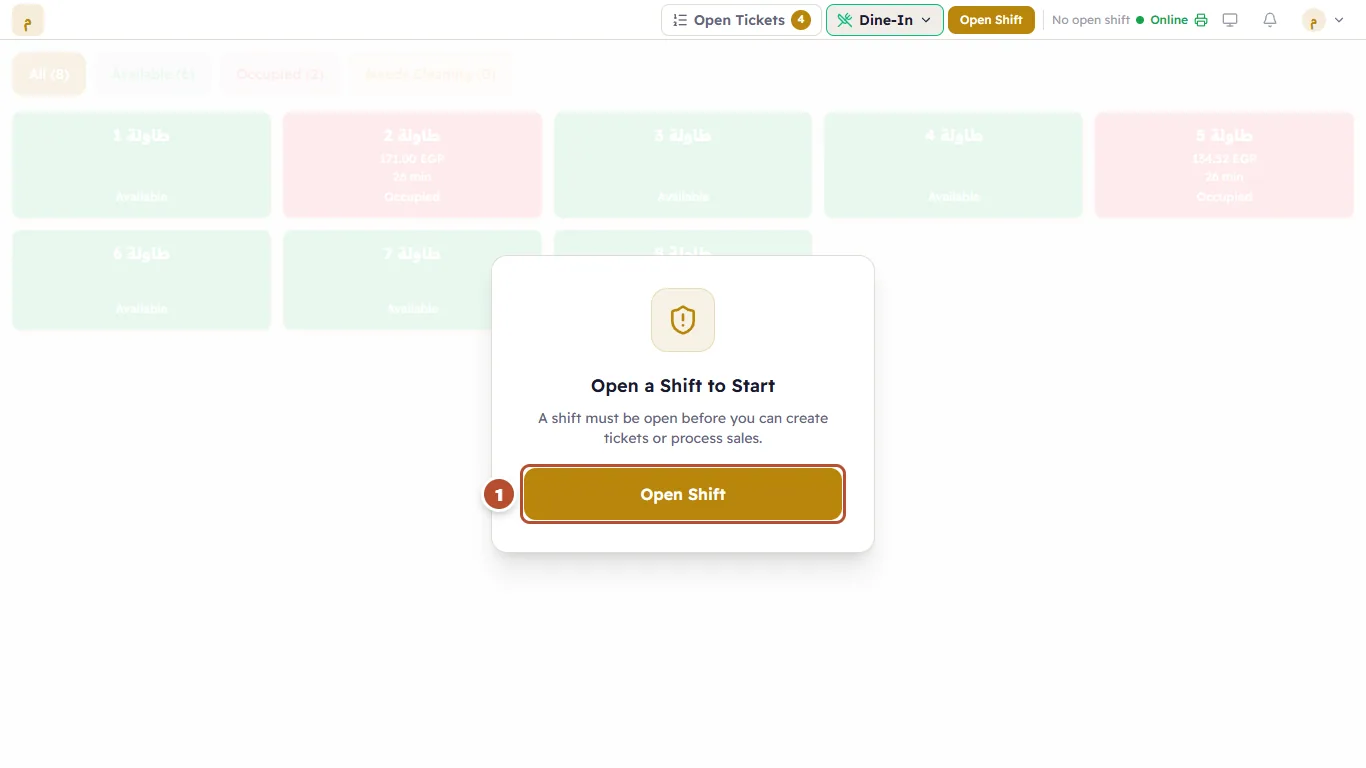
- Press Open Shift (1).
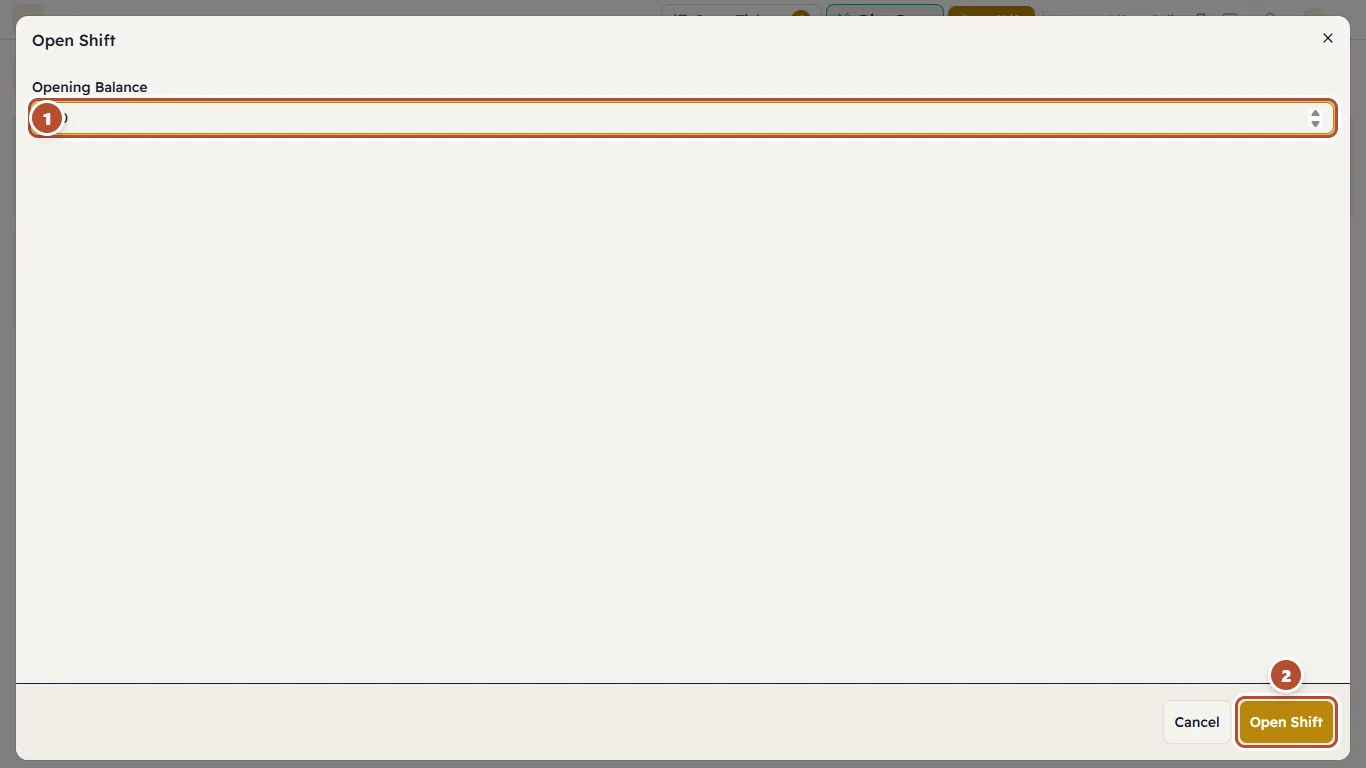
- Count the money in the drawer and enter the amount in Opening Balance (1). If the drawer is empty, enter 0.
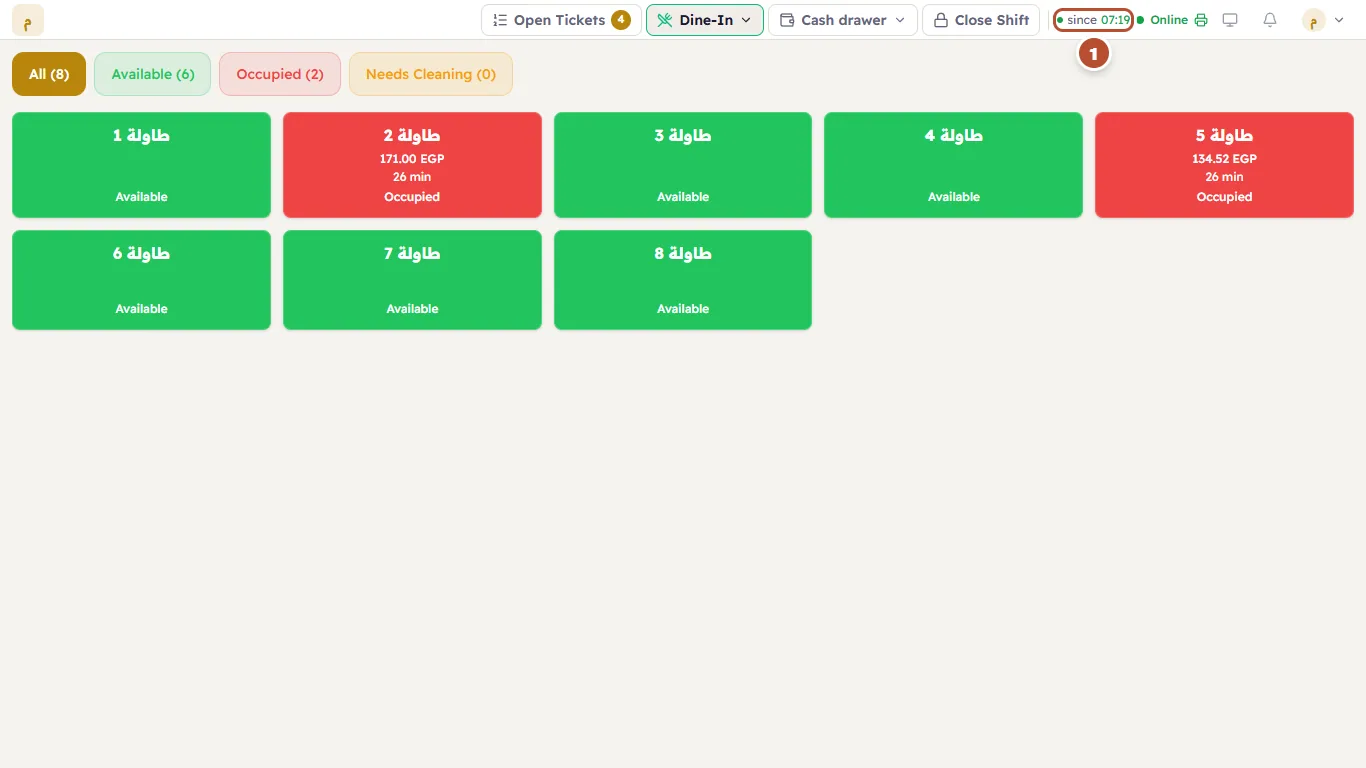
- Press Open Shift (2).
If you do not have permission
If your account cannot open a shift, instead of the button you will see: "You are not allowed to open a shift. Ask a manager to open one for this register." A manager opens it from any device and you carry on with it.