Split a ticket
Split a ticket's items across two tickets — for example so each person at the table pays their own.
- Who can do this
- Waiter Cashier Manager Owner
- Permission needed
- «Move Items»
- Before you start
- The ticket has at least two items and no payment on it.
- Open the ticket and press Split Check.
- Tick the items that go to the new ticket. The bottom shows how many are selected and their total.
- Press Split.
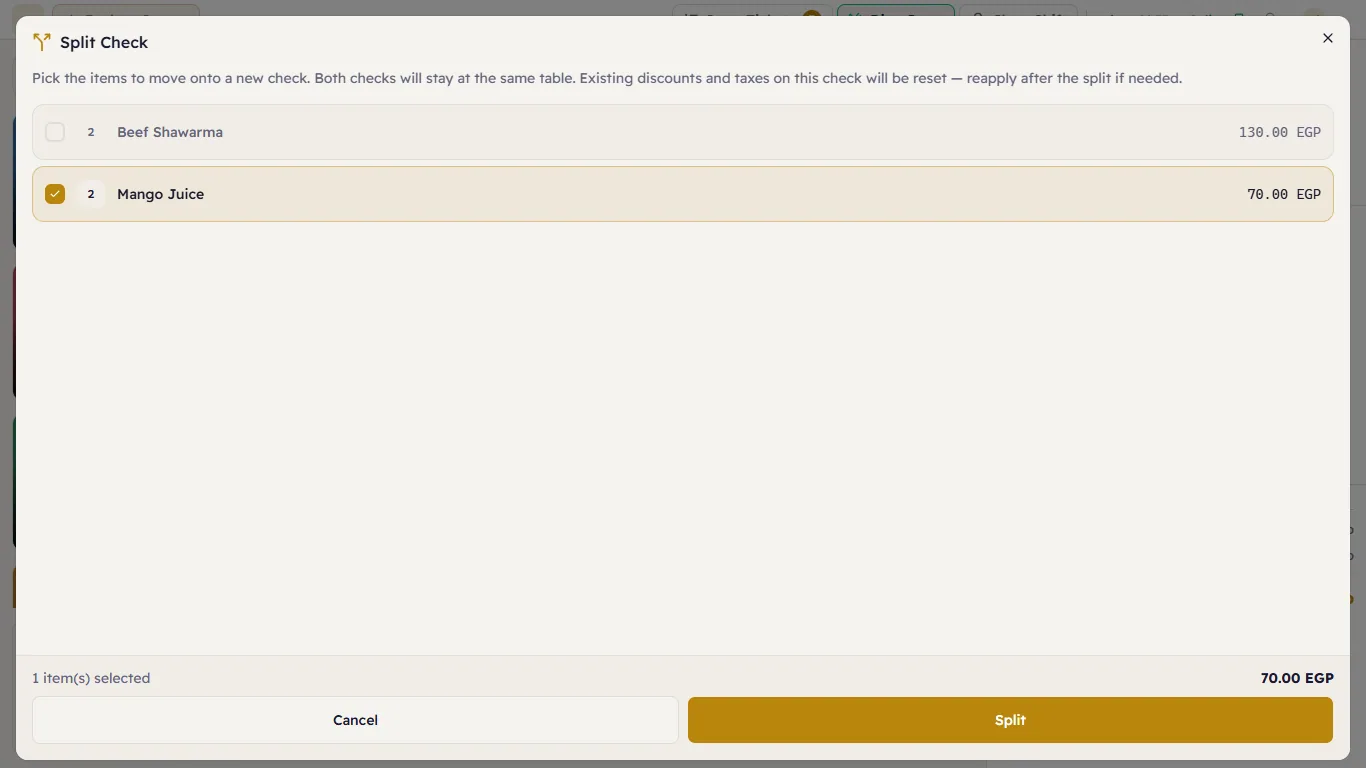 Choosing the items that move to a new ticket
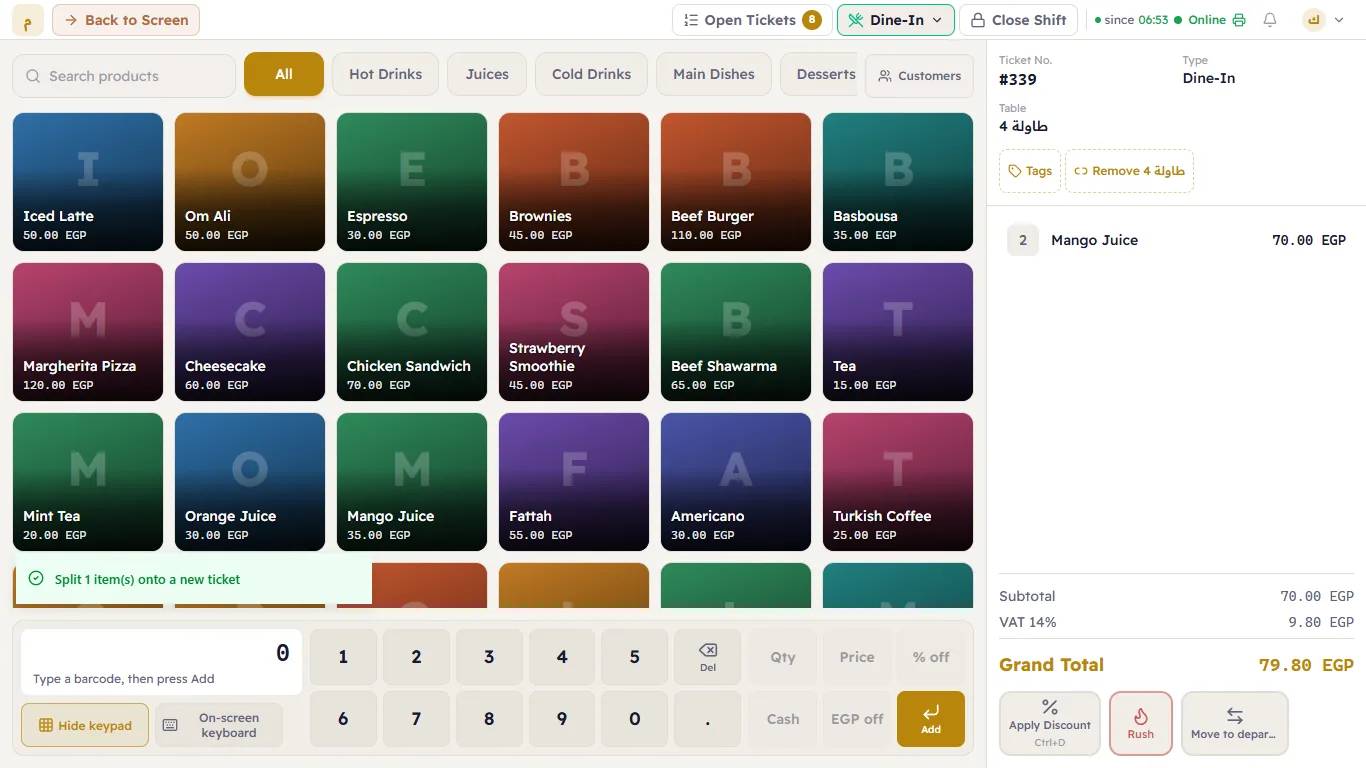 The new ticket after the split