Stock counts
Count the shelf, record what you found, and approve the count to correct the stock.
- Who can do this
- Manager Owner
- Permission needed
- «Manage Procurement»
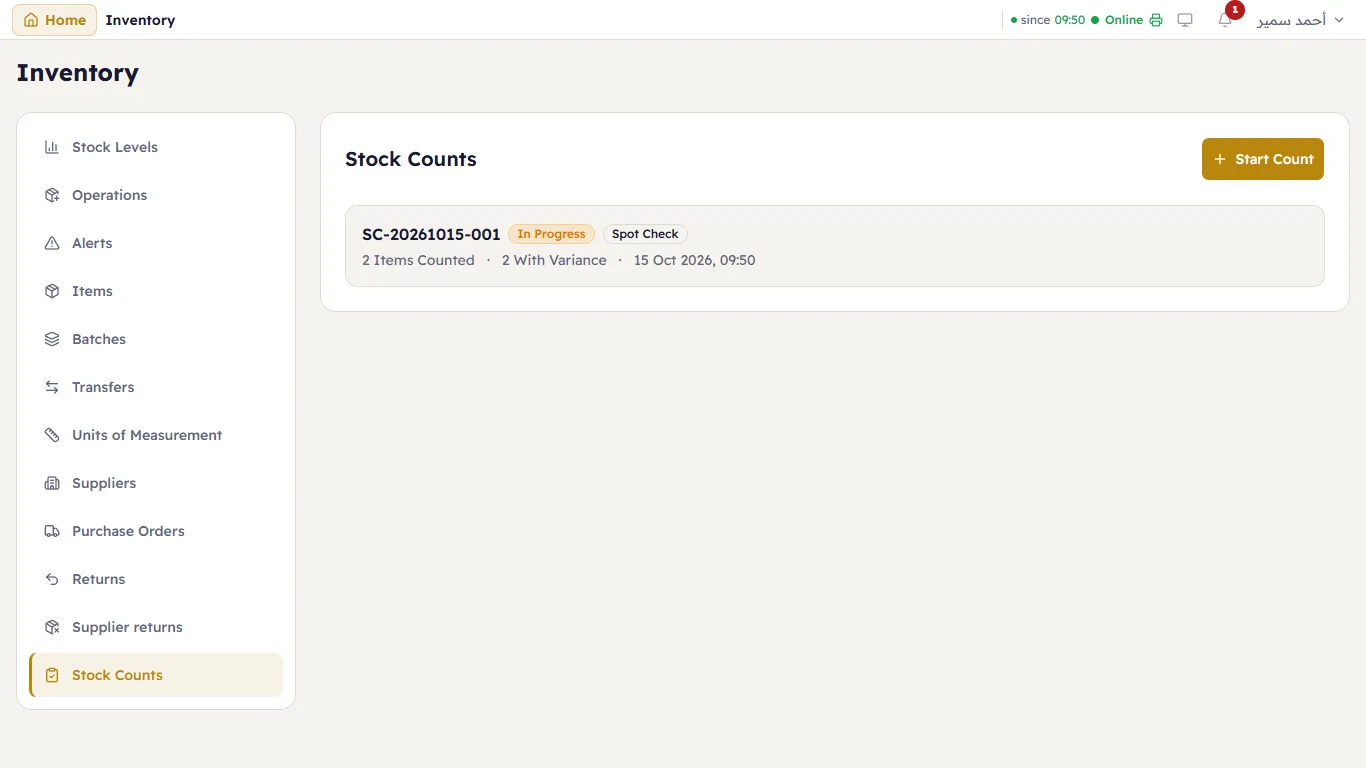
Inventory → Stock Counts lists your counts with their number (SC-…), type, status and progress:
Count
Press Start Count, choose the store and the Count Type: Full Count, Cycle Count (a few items each time) or Spot Check.
Open the count. In Add Item choose the item, type the quantity you counted, and press Add Item. The table shows the System quantity, the Physical one and the Variance.
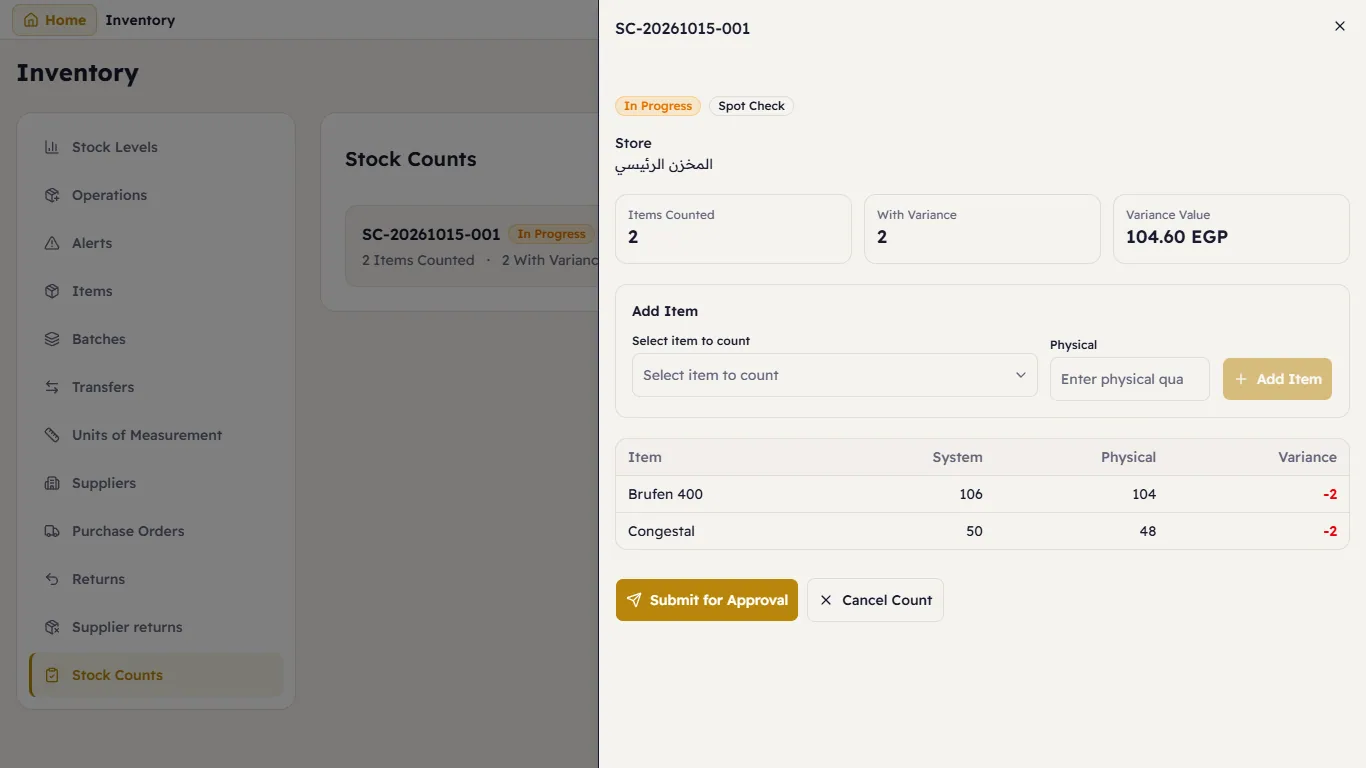
A count in progress When you have counted everything, press Submit for Approval.
The manager reviews it and presses Approve & Adjust Stock — Major corrects each item to what was counted. The Variance Value shows what the difference is worth.
Cancel Count drops it without changing anything.