Roles and permissions
A role is a set of permissions you give to staff in one go — edit the existing roles or create new ones.
- Who can do this
- Owner
- Permission needed
- «Manage Roles»
Instead of setting permissions person by person, you make a role and give it to people. Settings → Users & Roles → Roles:
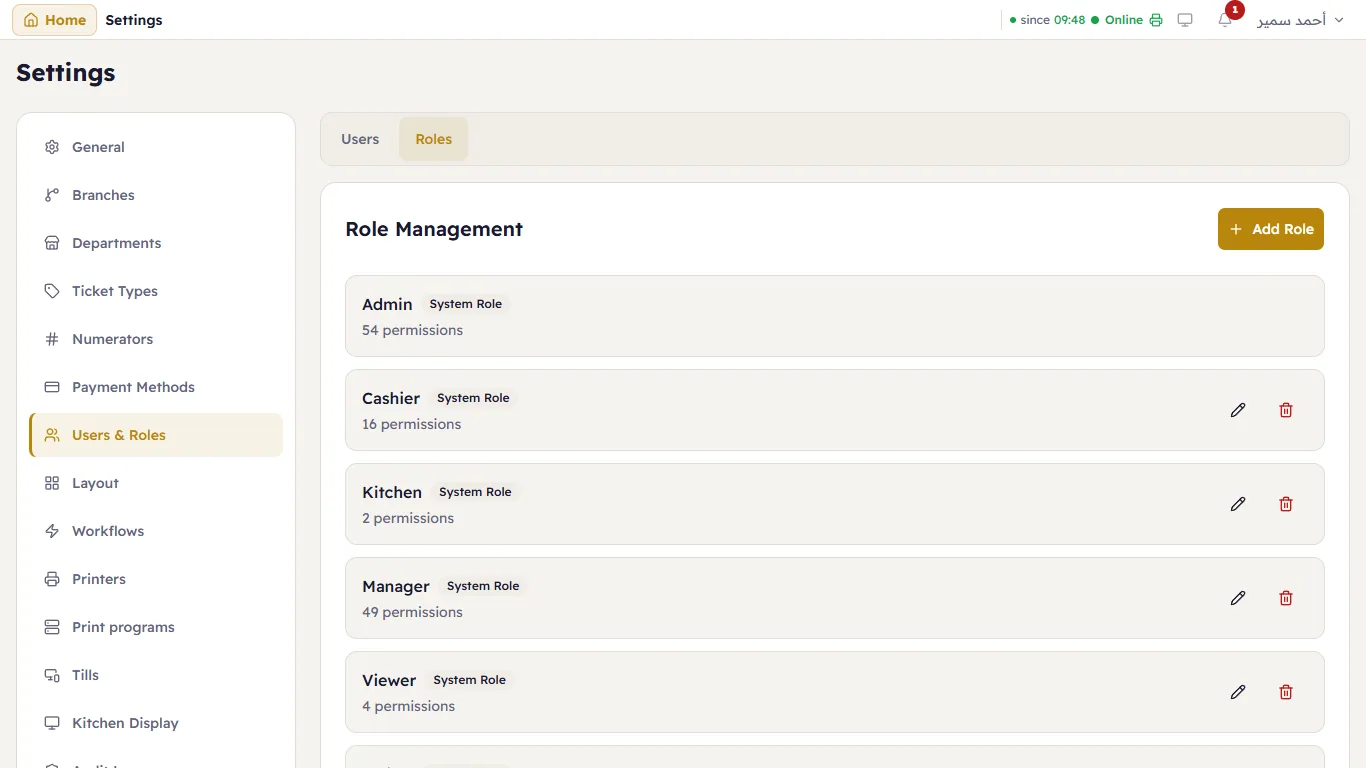
The ready-made roles
| Role | What it does |
|---|---|
| Admin | Everything. Cannot be edited. |
| Manager | Everything except managing staff and roles, and system updates. |
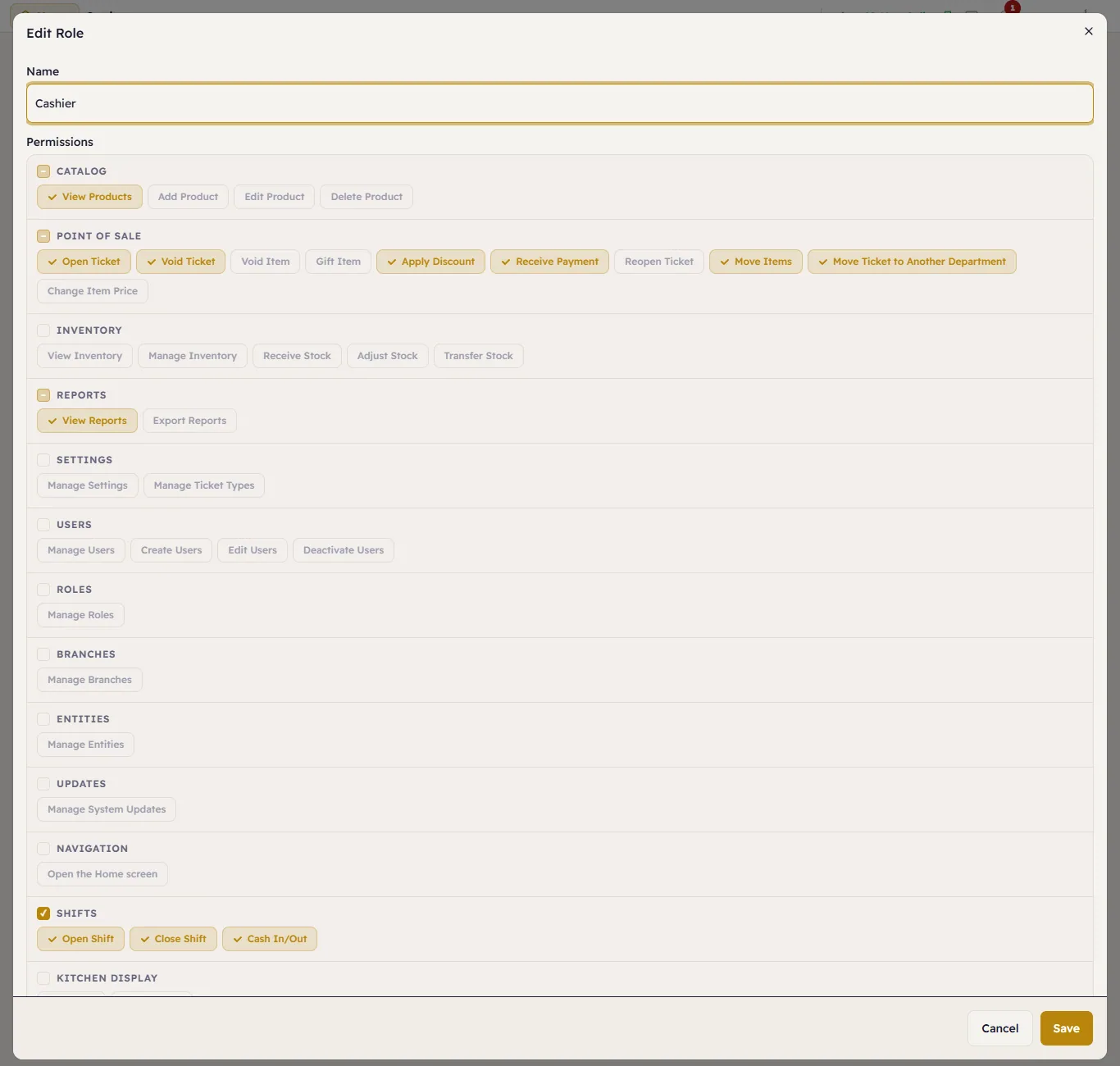
| Cashier | Selling, payment, the shift and drawer, customers and returns. Does not see the Home screen — the till is their work. |
| Viewer | Sees products, stock and reports without changing anything. |
| Waiter and Kitchen | Come with the restaurant sample data: the waiter opens and sends table orders; the kitchen sees the kitchen display only. |
Each ready-made role is marked System Role with its number of permissions.
Edit a role or create one
Press the pencil next to a role, or Add Role. Type the Name, and under Permissions tap a permission to turn it on or off. Tapping a group's name (such as "Shifts") selects or clears the whole group. Press Save.