Getting the shop ready
The till opens only when the shop has what it needs to sell — the list says what is missing.
- Who can do this
- Owner Manager
A till with nothing to sell would only cause mistakes, so Major keeps the till locked until the required steps are done:
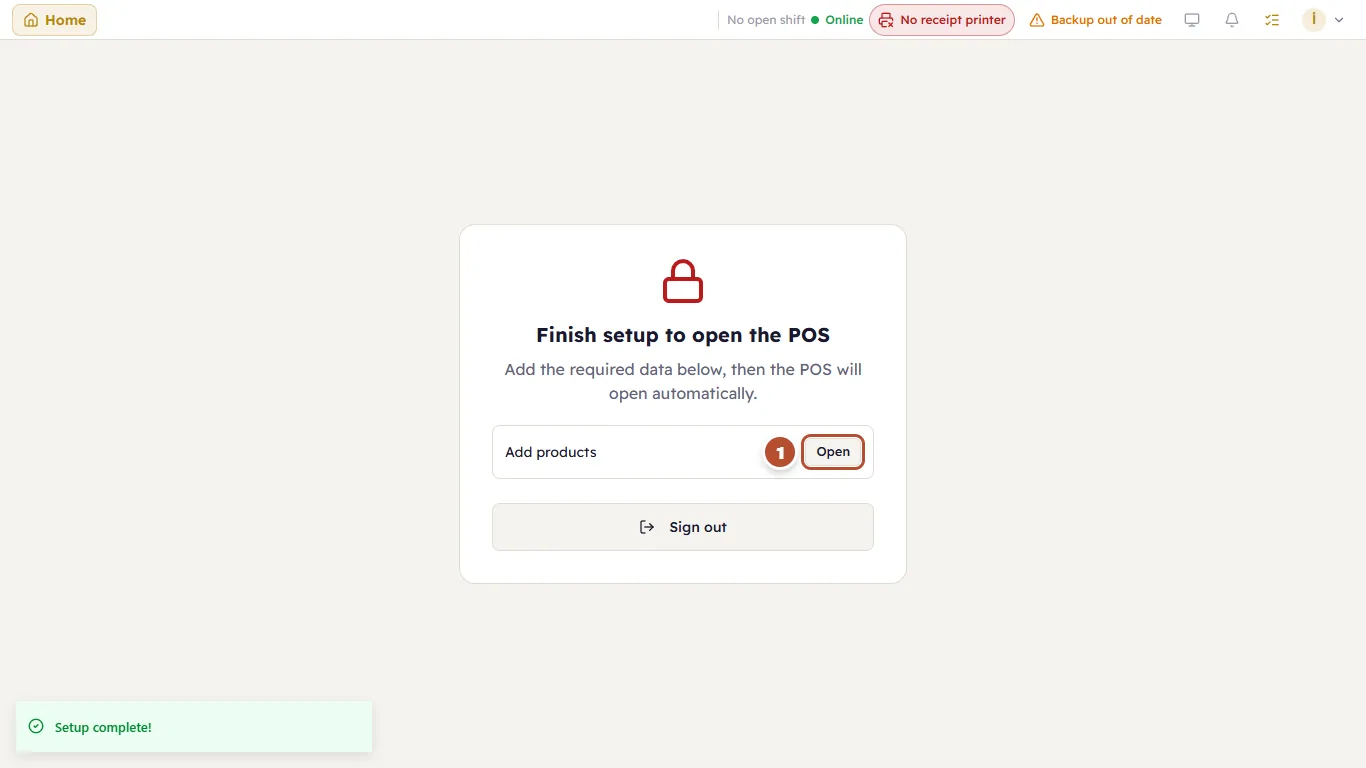
Each missing step has Open (1), which takes you to the right screen. Do the step and the till opens by itself.
The Getting your store ready list shows every step, the required ones and the recommended ones, with your progress:
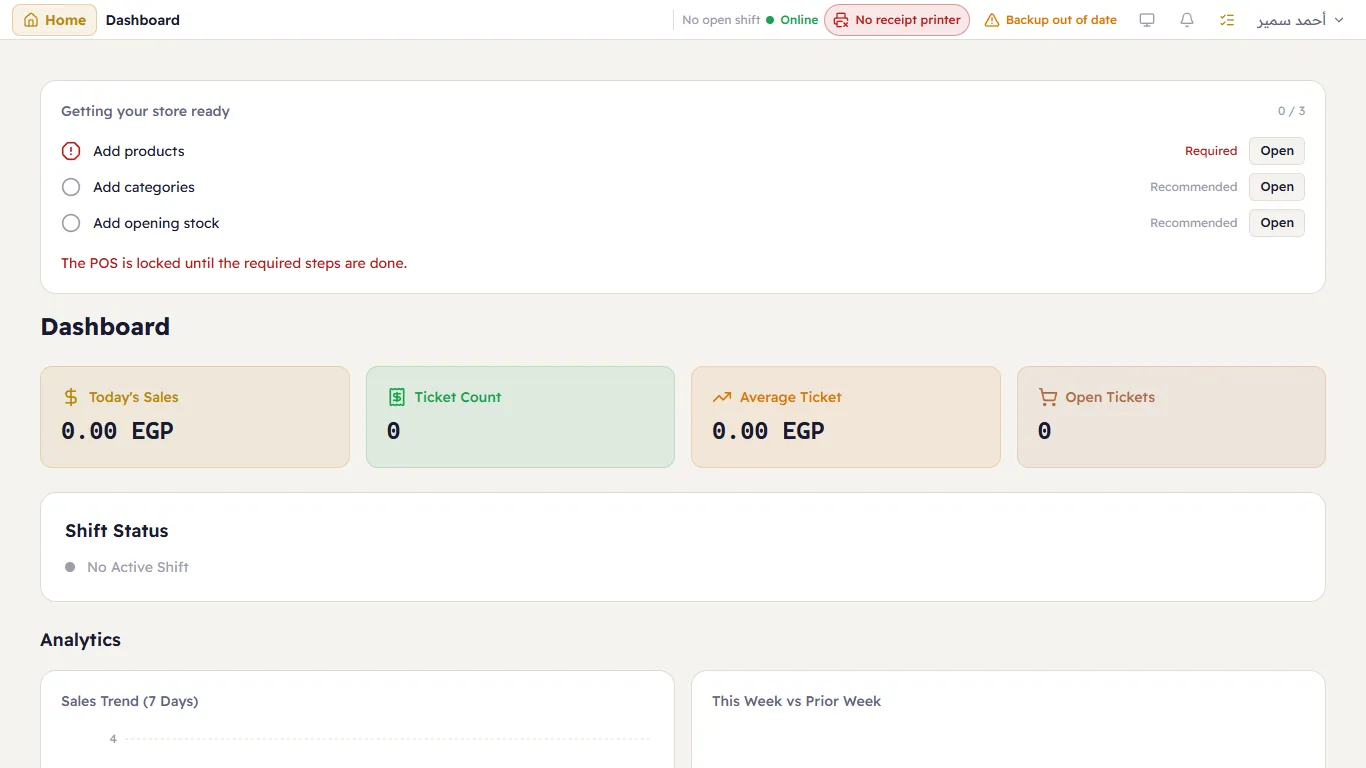
| Step | Required for | Recommended for |
|---|---|---|
| Add products | every shop | — |
| Add opening stock | pharmacies and electronics shops (lots and serials must be known before selling) | every other shop |
| Add categories | — | every shop |
| Add tables | — | restaurants and cafés |
Reopen the list any time with the checklist button in the header; it disappears once everything is done.