Calculation types — VAT, service charge and quick discounts
The tax on every ticket, the service charge, and the quick-discount buttons cashiers see.
- Who can do this
- Manager Owner
- Permission needed
- «Add Product»
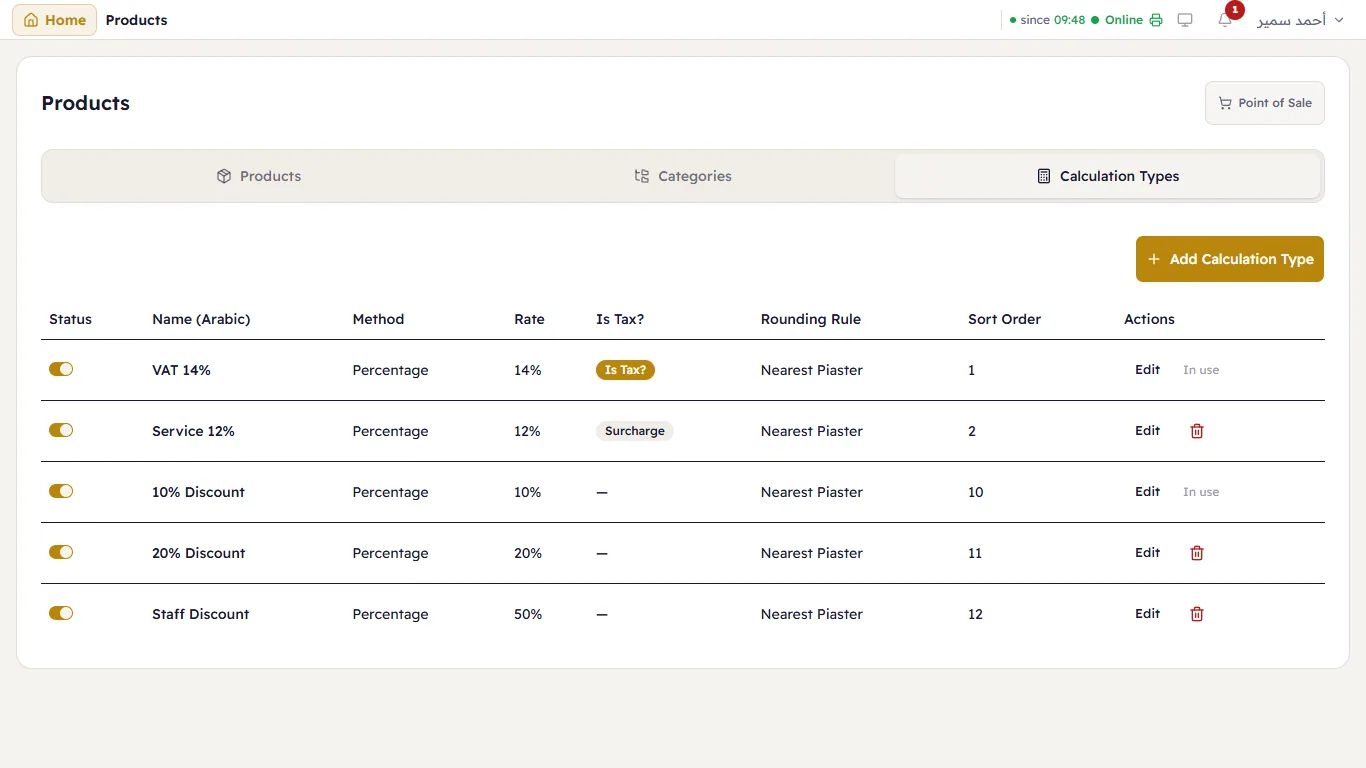
Calculation Types are everything worked out on a ticket besides the items: VAT, the service charge and the ready-made discounts. Products → Calculation Types:
| Type | Meaning |
|---|---|
| VAT 14% (marked Is Tax?) | Applied by itself on every ticket. |
| Service 12% (marked Surcharge) | A charge added to the ticket — shown to cashiers under Charges. |
| 10% Discount, 20% Discount, Staff Discount | Quick discounts — shown to cashiers under Quick Discounts. |
Edit or add a type
Press Edit next to a type, or Add Calculation Type:
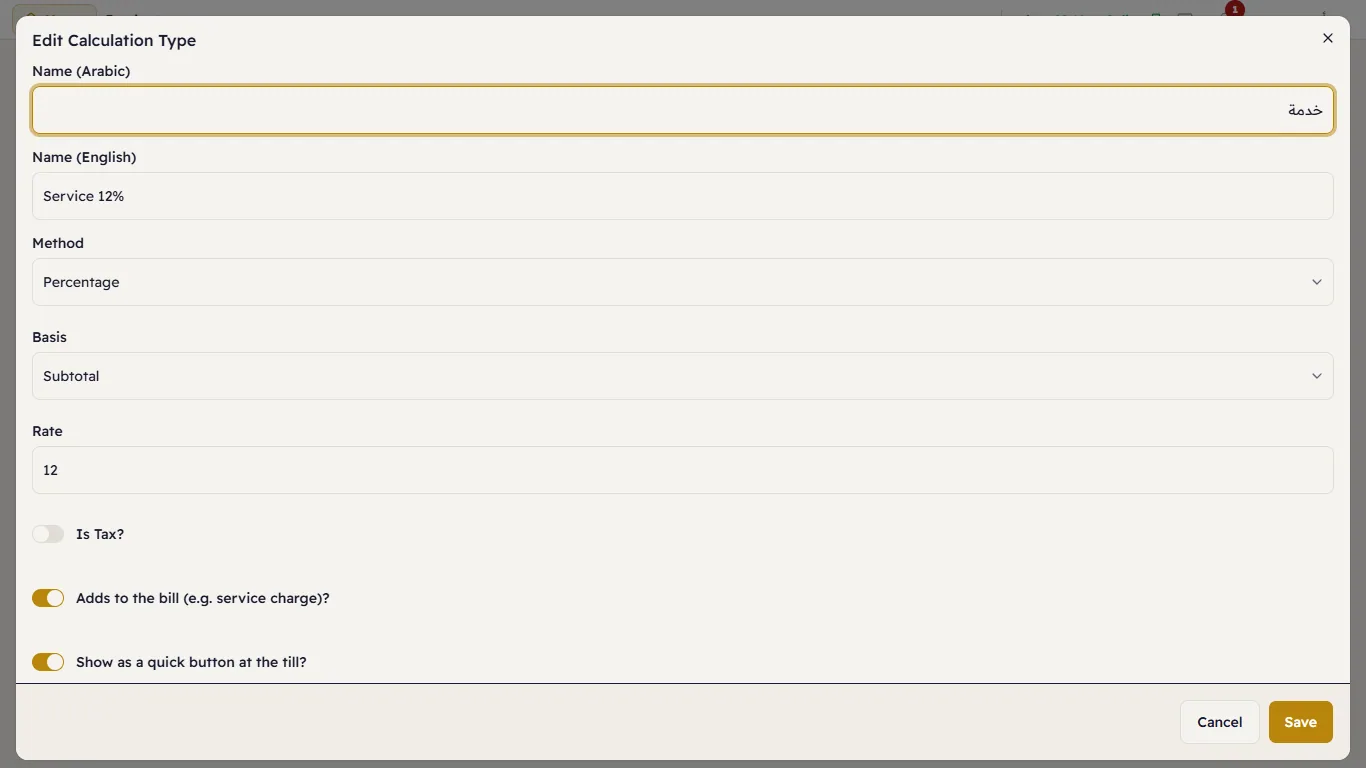
- The name in Arabic and English — this is what appears on the ticket and the receipt.
- Method: Percentage, Fixed Amount or Rate Per Unit.
- Basis: on the Subtotal, on the item price, or on the previous calculation.
- Rate: for example 12 (12%).
- Is Tax?: for the tax only.
- Adds to the bill (e.g. service charge)?: for the service charge and any other charge. Off means it is a discount.
- Show as a quick button at the till?: offered to cashiers in the discount window.
- Rounding Rule: such as Nearest Piaster.
A type is switched on and off with the switch at the start of its row. A switched-off type cannot be put on new tickets, but one already on a ticket keeps calculating correctly.