Tags, Rush, and ticket details
Mark a ticket with a tag (such as the delivery app it came from), make it urgent, and fill in the customer, address and time.
- Who can do this
- Cashier Waiter Manager Owner
- Permission needed
- «Open Ticket»
Tags
A tag is a word that marks a ticket so you can find or tell it apart later — for example the delivery app the order came from ("Talabat", "Mrsool"), or "Booking".
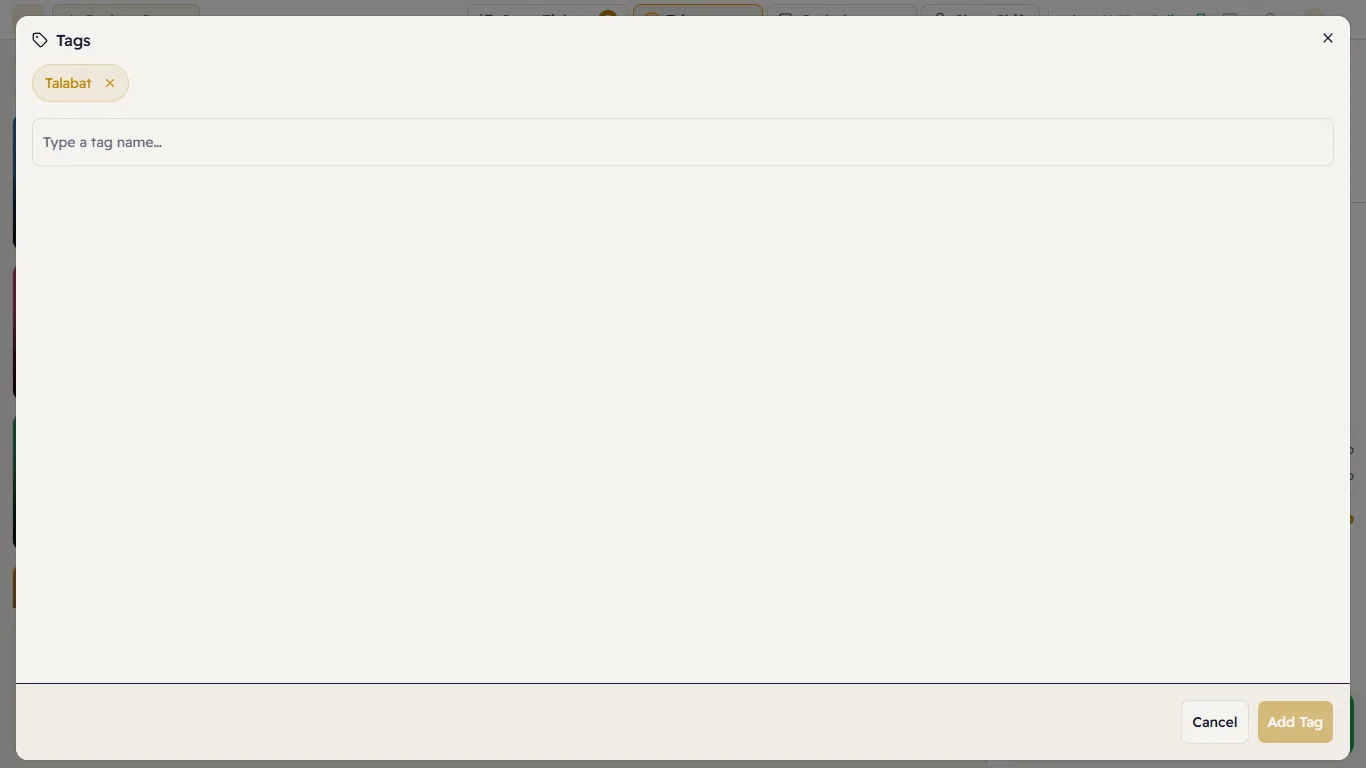
- Press Tags above the ticket.
- Type the tag in "Type a tag name…" and press Add Tag (or Enter). You can add several.
- To remove a tag, press the ✕ next to it.
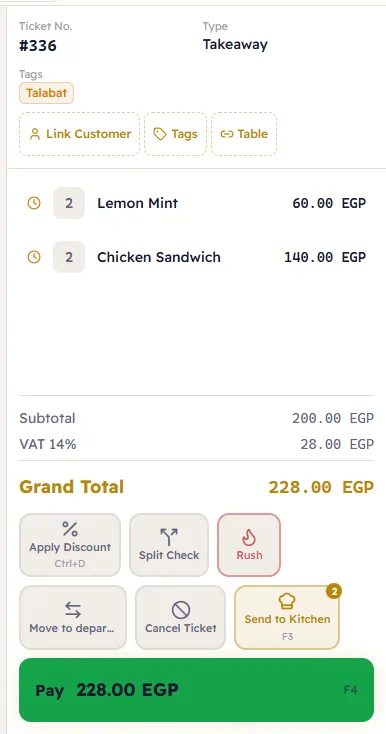
Tags show on the ticket under Tags:
Rush
The Rush button under the ticket marks the order as urgent on the kitchen display, so the kitchen starts it first. Press it again to take it off.
Ticket details (customer, address, time)
Some ticket types need information before payment — a delivery needs a customer and an address, a booked order needs a time. On those tickets a Details button appears above the ticket, with a warning when something is missing. Press Details, fill it in and press Save.
If you try to pay with details missing, Major opens Details by itself so you can complete them.