Receipt templates
Design the receipt and the kitchen ticket — blocks, logo, footer, QR code — with a preview of the real paper.
- Who can do this
- Owner
- Permission needed
- «Manage Settings»
Settings → Printers → Templates:
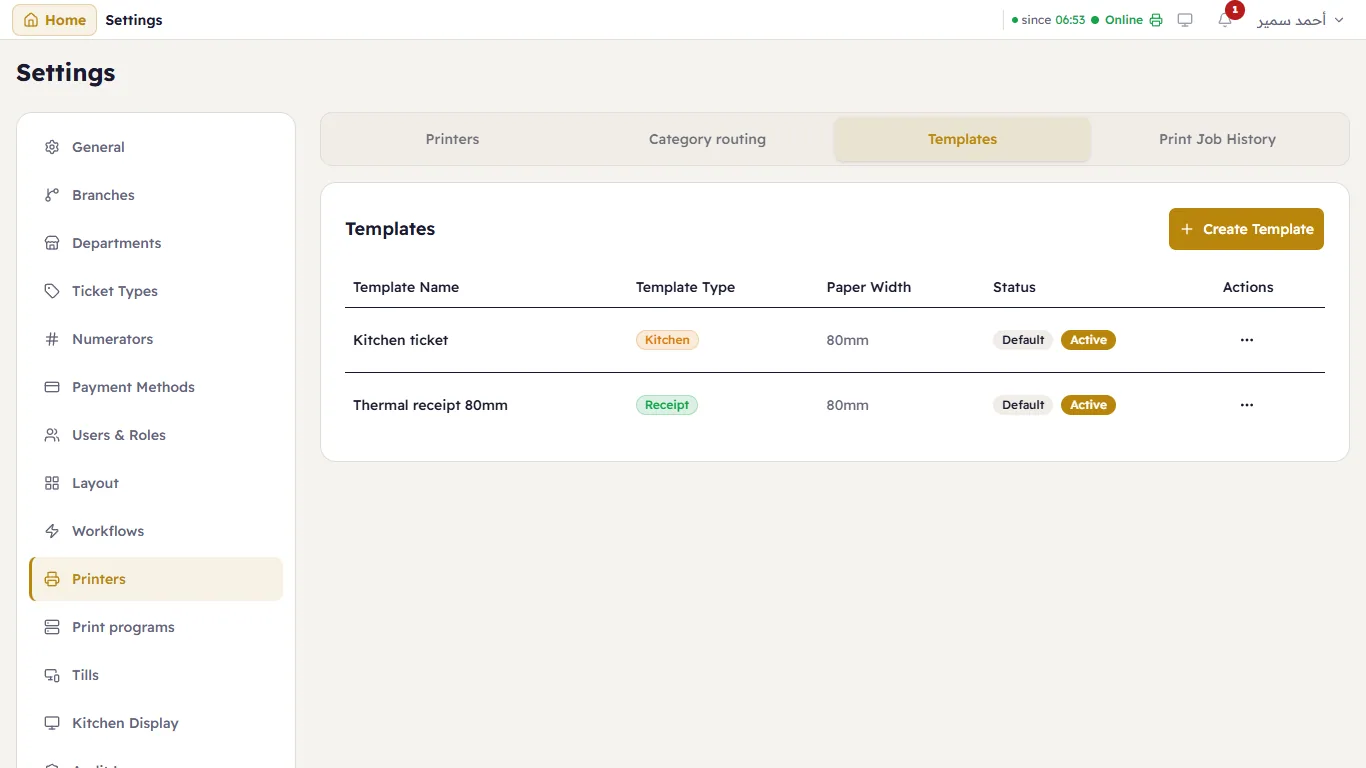
A new shop has two: Thermal receipt 80mm and Kitchen ticket. Create Template makes a new one; … on a row edits, duplicates or deletes it.
The editor
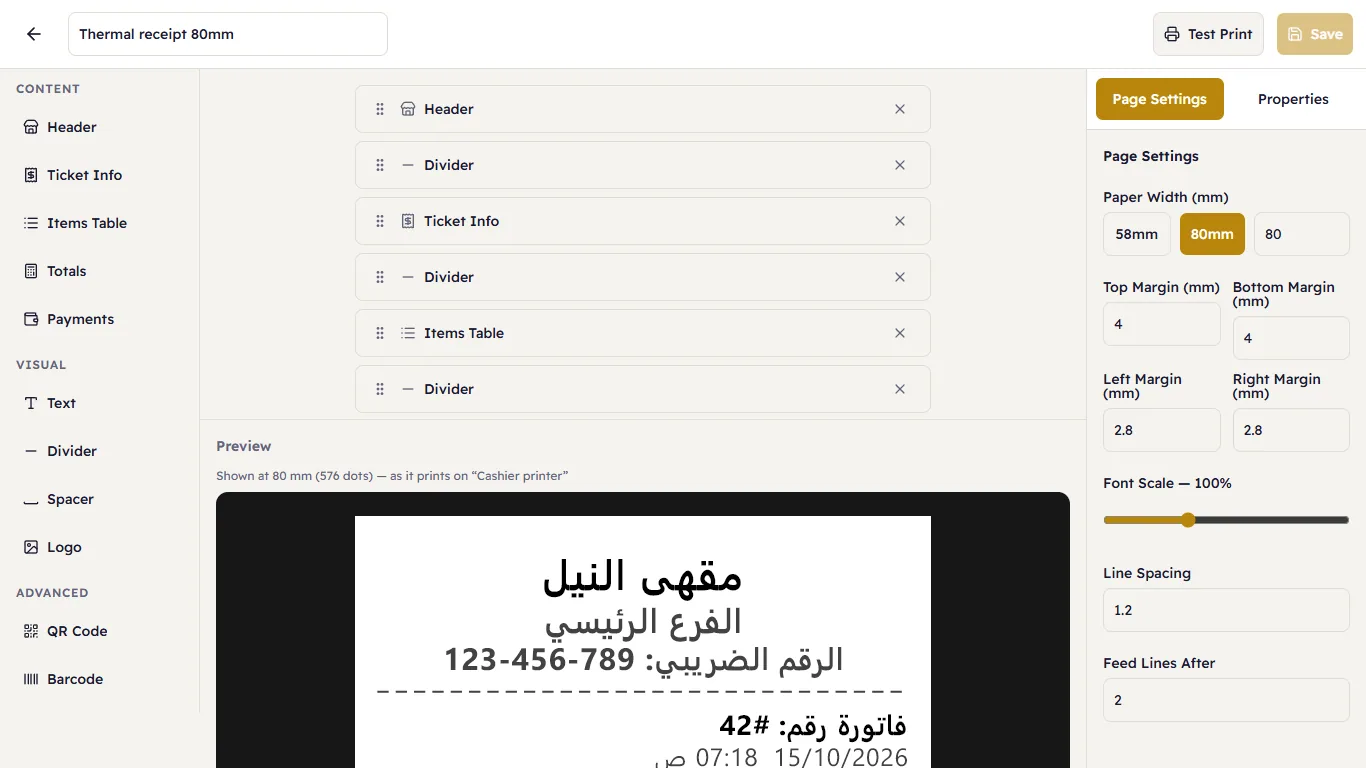
- On the right, the blocks to add — Content: Header, Ticket Info, Items Table, Totals, Payments; Visual: Text, Divider, Spacer, Logo; Advanced: QR Code, Barcode.
- In the middle, the template's blocks in order: drag to reorder, × to remove, press one to edit it. Under them, the Preview — drawn by the same renderer as the paper, at the width of the printer a test print goes to.
- On the left, Page Settings (paper width, margins, Font Scale, Line Spacing, Feed Lines After) and Properties of the selected block (what it shows, alignment, size, bold).
Test Print prints it on the printer; Save saves it.