The receipt and reprinting
Where and when the receipt prints, seeing it on screen, and printing another copy.
- Who can do this
- Cashier Manager Owner
- Permission needed
- «Receive Payment»
The receipt prints by itself
As soon as a ticket is fully paid, Major prints one receipt on the receipt printer of the till the sale was made on. If the cash drawer is connected to that printer, it opens with the receipt.
This is a receipt Major actually printed on an 80 mm printer:
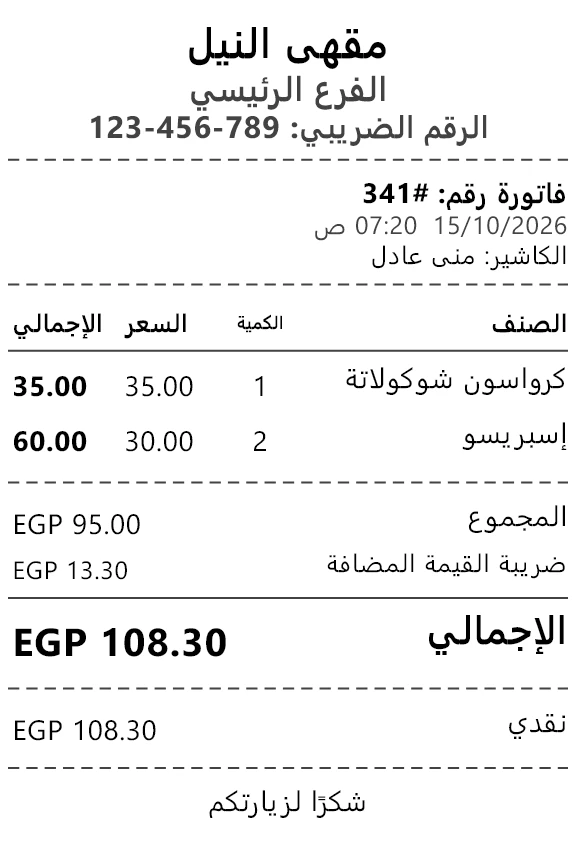
The receipt's look (logo, shop name, footer text, paper size) is set in Receipt templates, and its language comes from the template, not from the screen's language — the sample shop prints in Arabic. The printer each till's receipt goes to is set in Tills.
See the receipt on screen
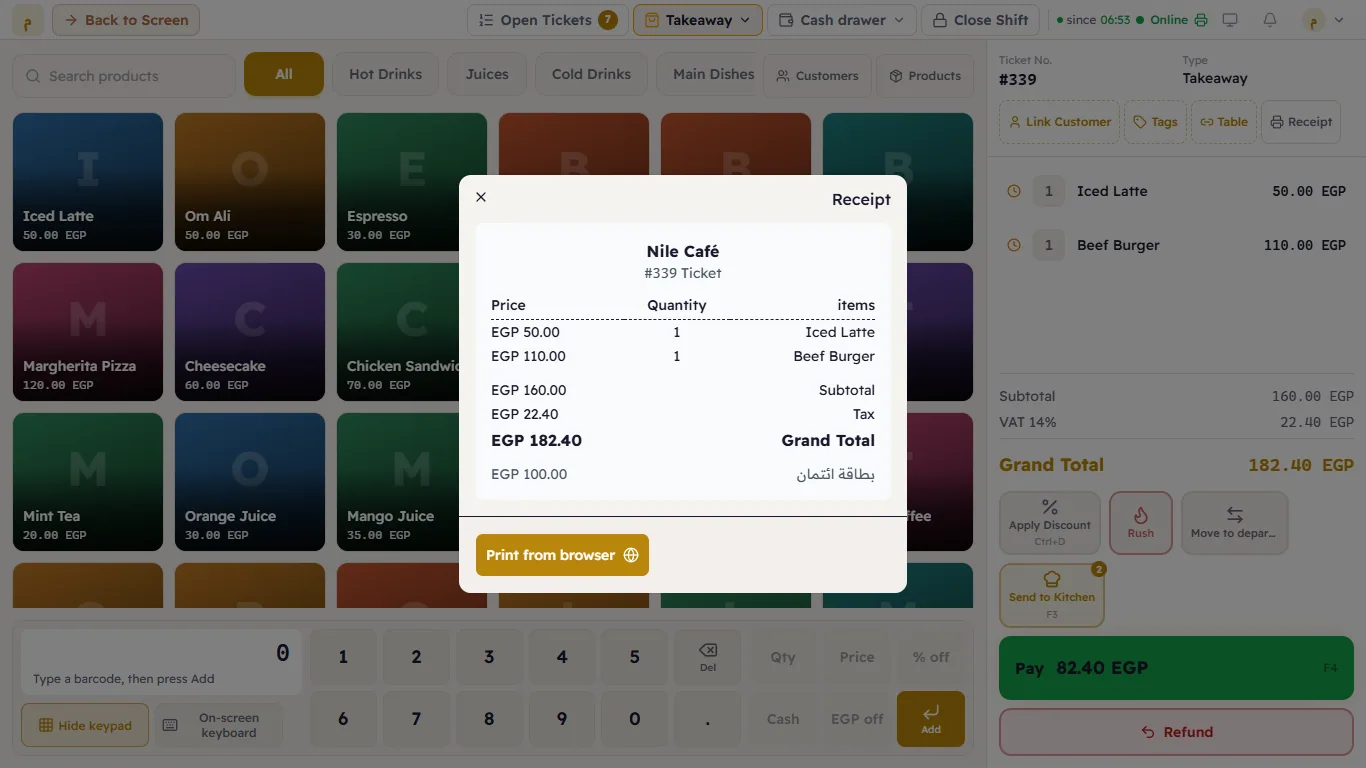
While a ticket is open and has a payment on it (part-paid, for example), a Receipt button appears above the ticket. It shows the receipt on screen, with Print from browser if you want it on an ordinary printer.
Another copy of an old receipt
Open Orders, find the ticket, open it and print the receipt from there. The copy is marked «نسخة - COPY» so it is never mistaken for a new receipt.
If the receipt did not print
| What happens | Meaning | What to do |
|---|---|---|
| Print program isn't running at the top, and a notification "The receipt for ticket #… is waiting" | The printer's computer has the till app closed. The receipt is waiting, not lost. | Open the till app on that computer — the receipt prints by itself. |
| A red No receipt printer at the top | No receipt printer is active in this branch. | A manager adds one in Printers. |
| The printer prints nothing at all | Paper, power or cable. | See Troubleshooting. |