Add many products at once (grid or CSV)
Type products in a grid, or import them from a spreadsheet saved as CSV.
- Who can do this
- Manager Owner
- Permission needed
- «Add Product»
With a big menu or a shop with hundreds of items, don't add them one by one. Open Add products (from the getting- started list after setup, or from Products).
With the grid
- In Quick add (grid) each row is a product: Name (Arabic), Name (English), Price, Category, Barcode.
- Need more rows? Press Add row.
- Press Save all.
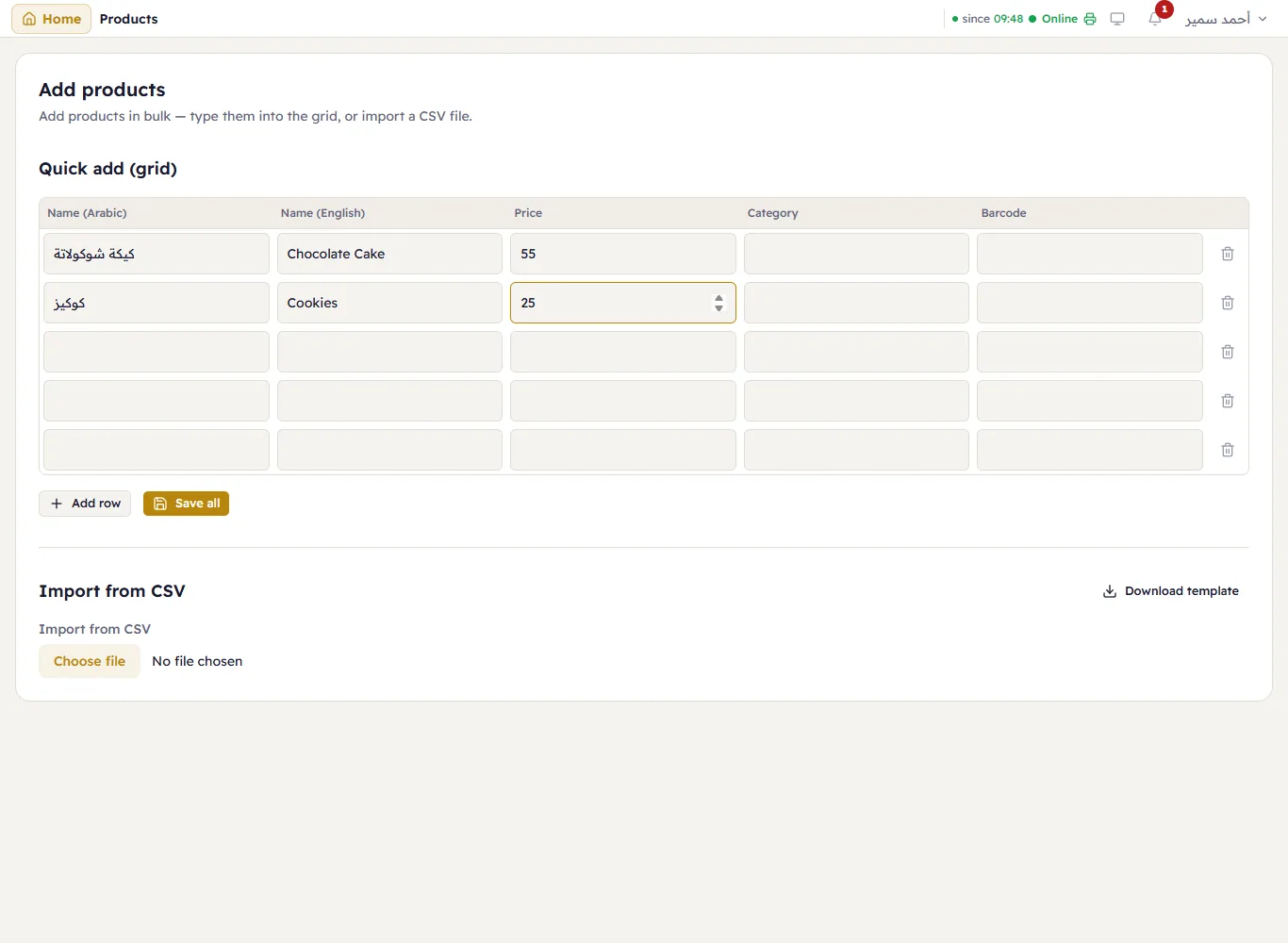
Major tells you how many products were added and how many had a problem; rows with a problem stay so you can fix them.
With a CSV file
- Press Download template — you get a file with the headers
NameAr,NameEn,Price,Category,Barcode. - Open it in Excel and fill one product per row. Save it as CSV UTF-8 (so Arabic stays intact).
- Under Import from CSV, choose the file. A Preview shows the number of rows.
- Press Import from CSV.