Collecting customer payments and adjusting balances
A customer who owes money pays part or all of it, or you correct their balance with an adjustment.
- Who can do this
- Cashier Manager Owner
- Permission needed
- «Collect Customer Payments»
Collect a payment
The customer came to pay towards what they owe:
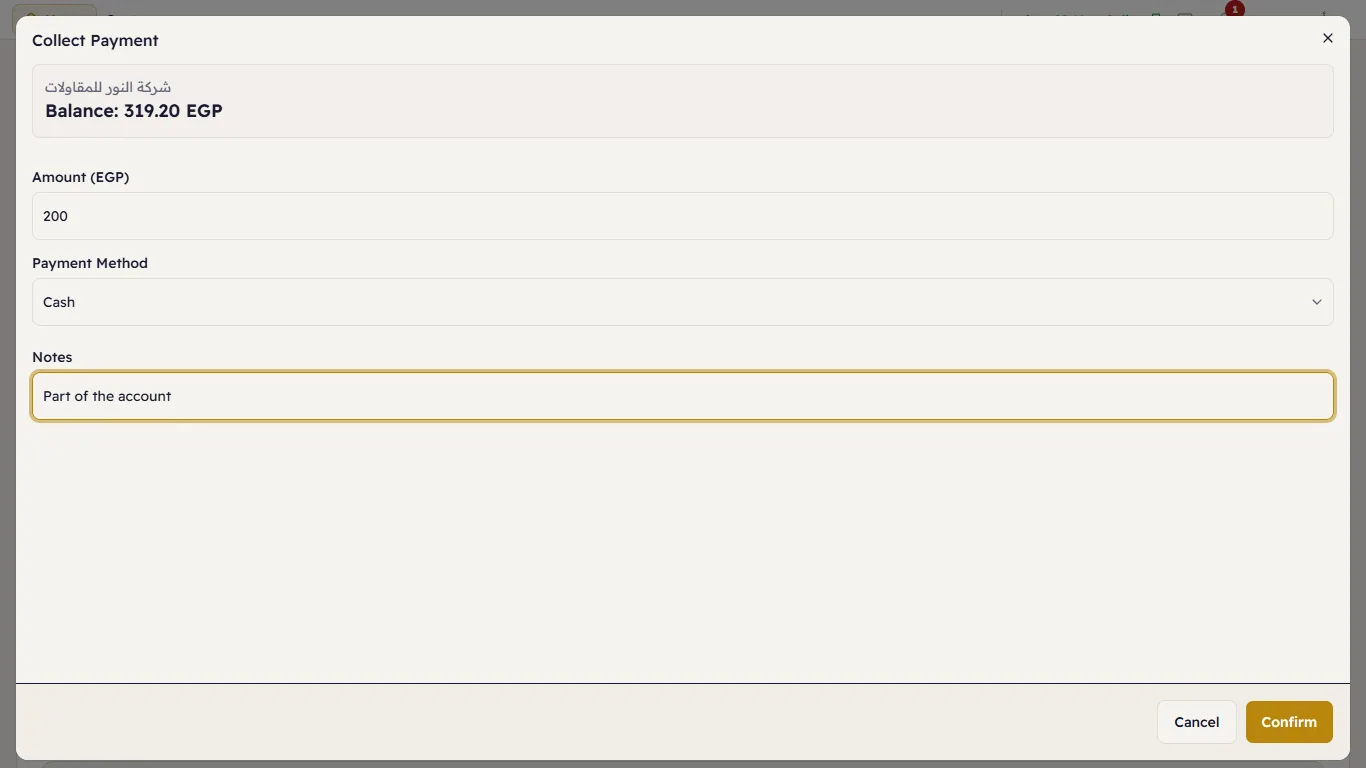
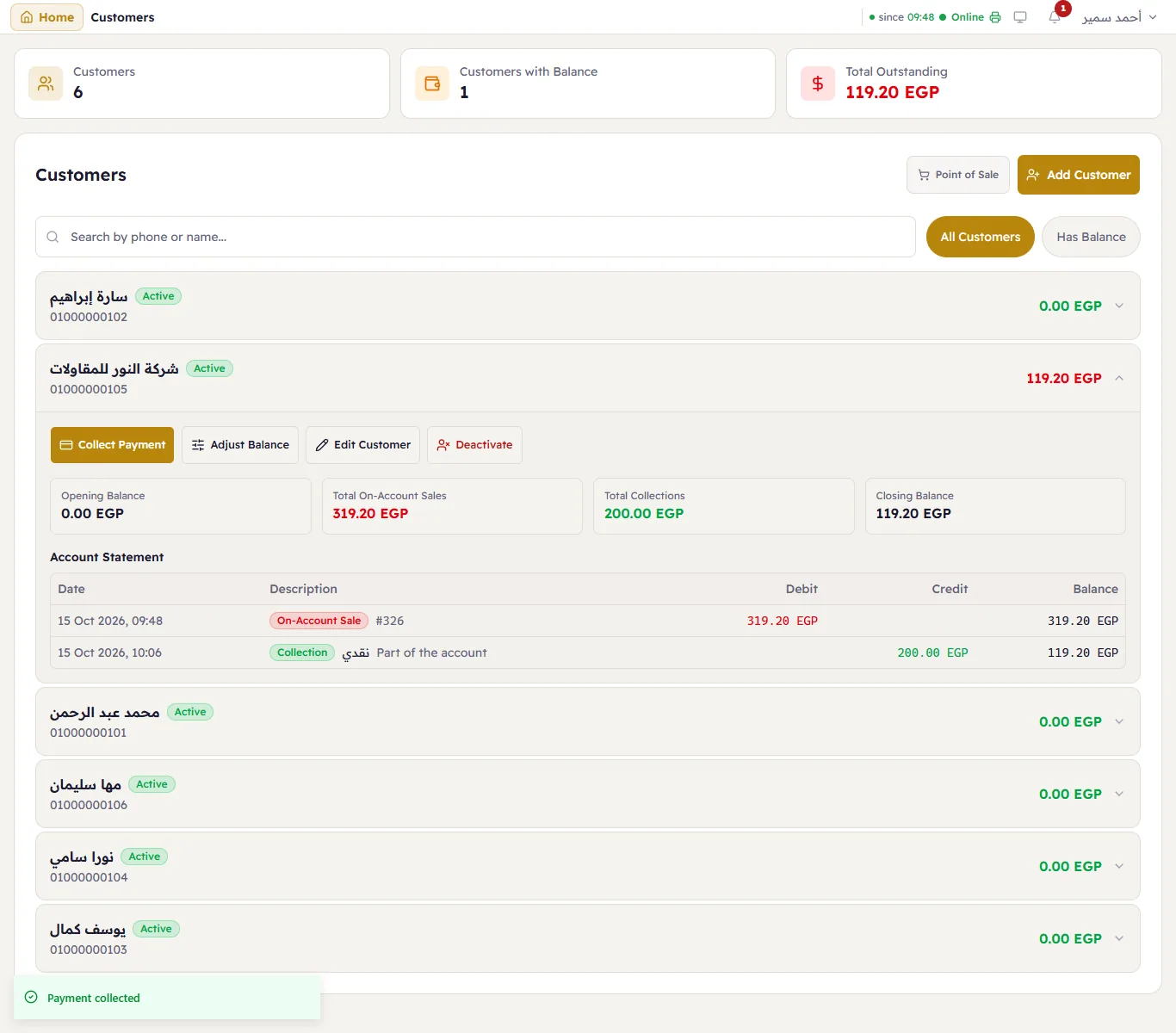
- Customers → tap the customer → Collect Payment.
- Enter the Amount, choose the Payment Method (cash, card…), and optionally Notes.
- Press Confirm.
Adjust the balance
When the balance needs correcting without money — writing off pennies, or an old balance from before Major:
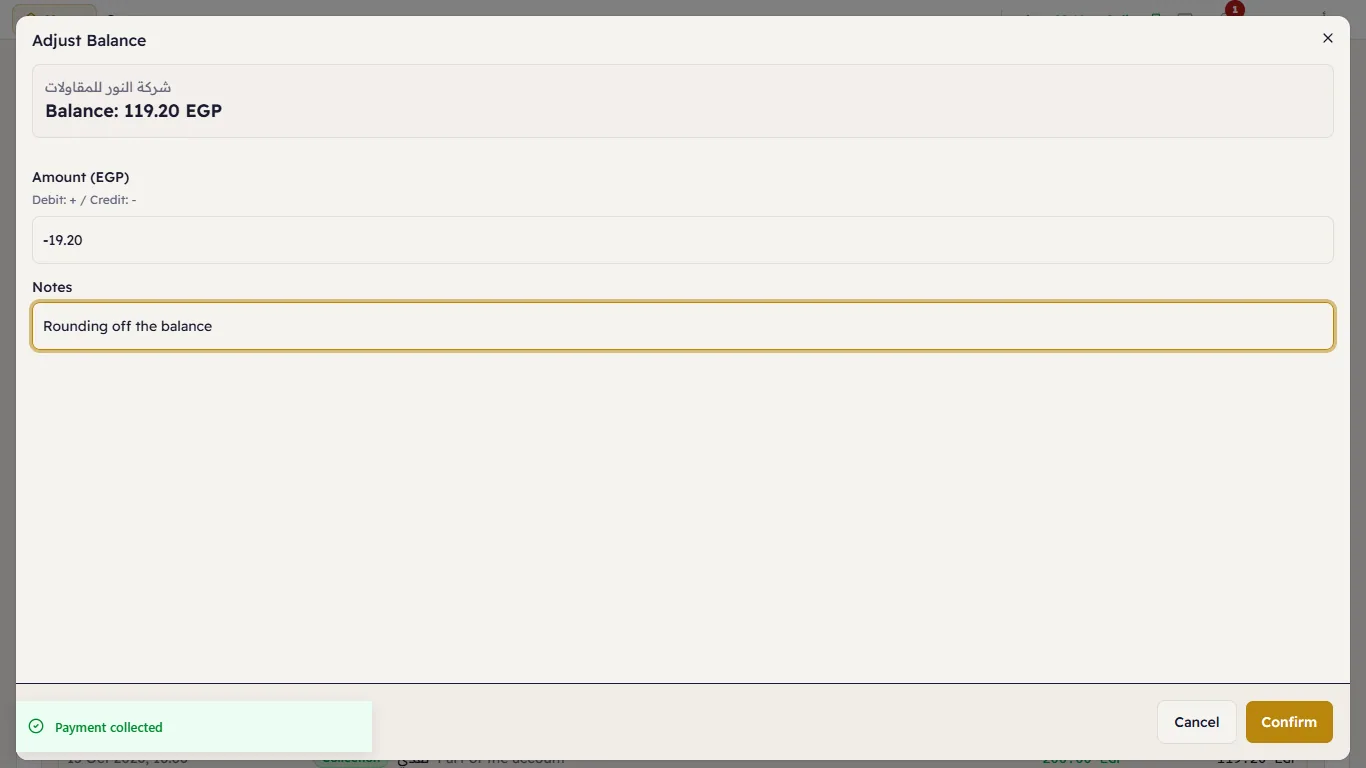
- Press Adjust Balance.
- Enter the amount: positive (+) raises what the customer owes (debit), negative (−) lowers it (credit).
- Write the reason in the notes (required) and press Confirm.