Refunds (giving money back)
Give money back to a customer — on an open ticket, or on a sale that was closed.
- Who can do this
- Manager Owner Cashier
- Permission needed
- «Receive Payment»
A refund in Major is a money movement only: it gives an amount back to the customer and lowers the money in the drawer (if cash). It does not reopen the ticket and does not put goods back in stock. There are two ways, depending on the ticket:
| The ticket is… | The way |
|---|---|
| still open with a payment on it (or opened again) | The Refund button under the ticket on the till — steps below. |
| closed and the customer brought something back | Returns for a manager (Customer returns) — records the return, gives the money back, and decides whether the goods go back into stock. |
The customer returned an item after paying
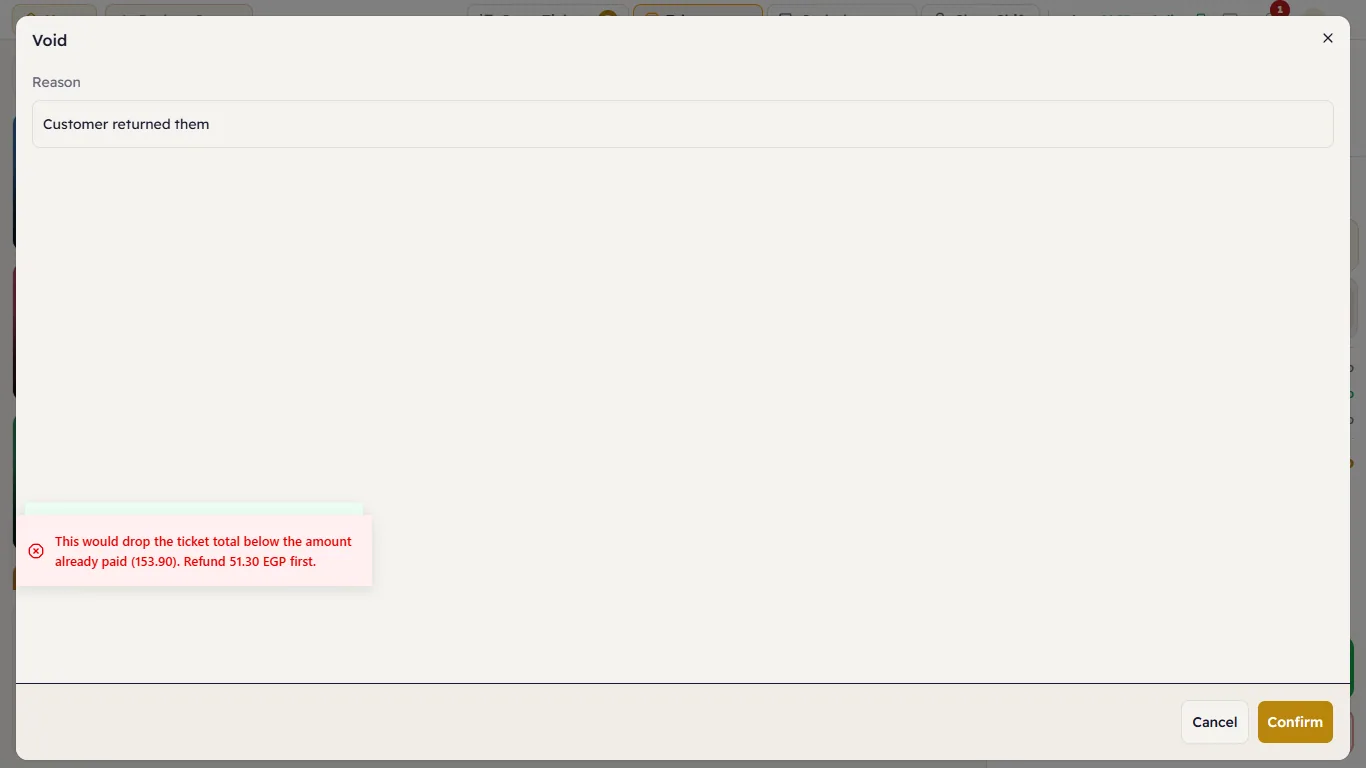
Example: the customer paid 153.90 and brought back the Turkish coffees. A manager reopens the ticket (Reopen), then refund first, then void the item.
If you try to void the item first, Major refuses and tells you the amount to refund:
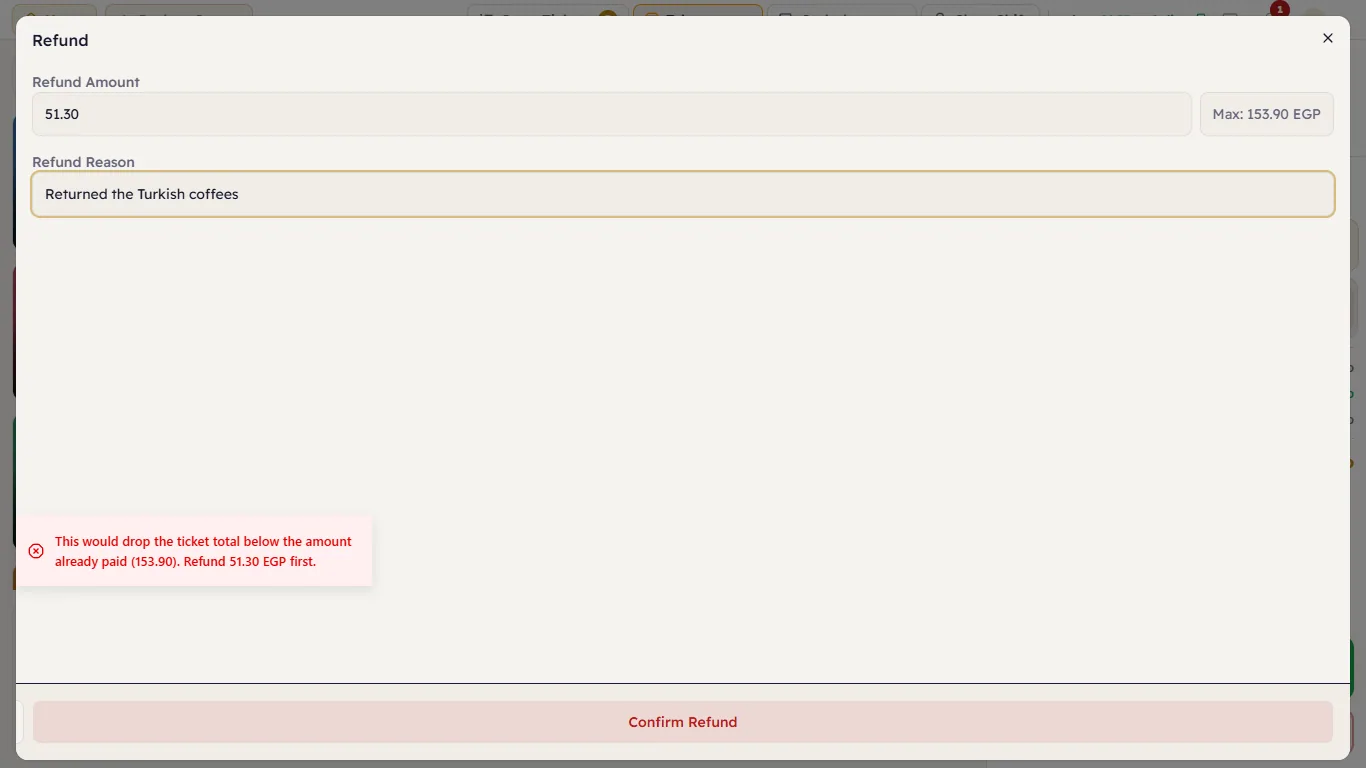
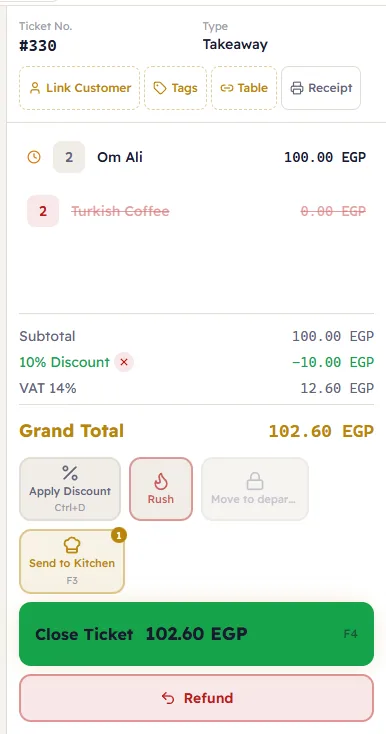
- Press Refund (the red button under Pay).
- Enter the Refund Amount (the maximum you can refund is shown next to it) and the Refund Reason.
- If the customer paid with more than one method, choose Refund to (default: account and card first, cash last).
- Press Confirm Refund.
- Select the returned item, press Void and give the reason.
- Press Close Ticket.
Rules
- You cannot refund more than was paid.
- The reason is required.
- A cash refund lowers the drawer's Expected Cash — take the money out of the drawer for real.
- Refunding an on-account sale lowers the customer's debt instead of paying out cash.
- It needs the "Receive Payment" permission; the first way also needs "Reopen Ticket" to open the ticket.