Financials
Every money movement — sales, refunds, drawer cash in and out, customer payments and charges — in one list.
- Who can do this
- Manager Owner
- Permission needed
- «View Reports»
Financials on the Home screen:
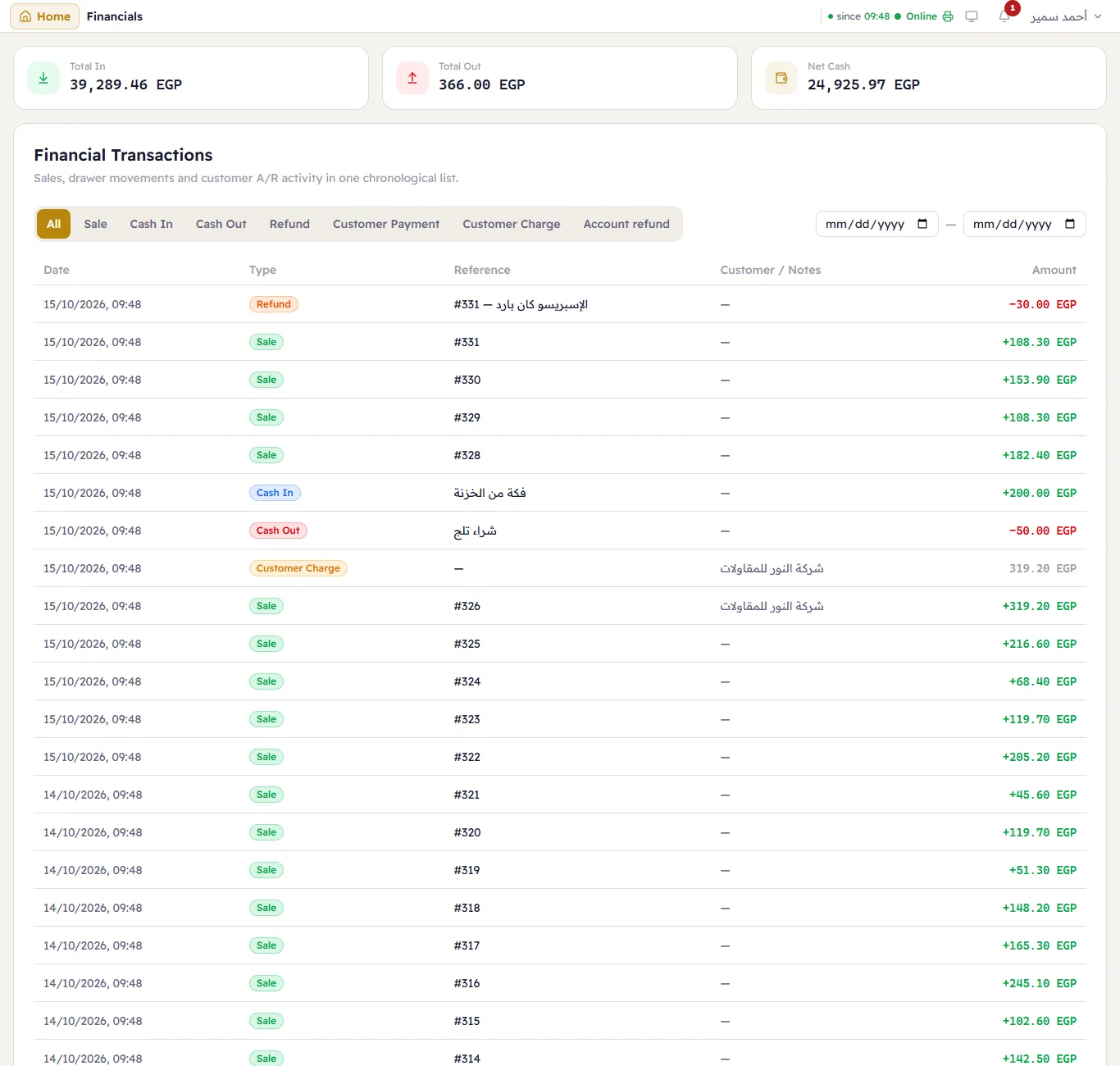
The cards:
- Total In — all the money that came in, by any method (cash, card, wallets).
- Total Out — all the money that went out.
- Net Cash — the drawer only: cash taken, less cash refunded and paid out, plus cash put in. A card sale raises Total In but not Net Cash, so Net Cash is not Total In − Total Out.
Under them, every movement newest first: date, type, reference (the invoice number, the reason), customer, and amount — green for in, red for out, grey for on-account (no money moved). Filter by dates and by type: Sale, Cash In, Cash Out, Refund, Customer Payment, Customer Charge, Account refund, Adjustment.