The Help & Support page
How to find your version and support code, and reach us on WhatsApp.
- Who can do this
- Everyone
The Help & Support page opens from the Help button on the Home screen, or from your name's menu → Help & Support. Anyone can open it, cashiers included.
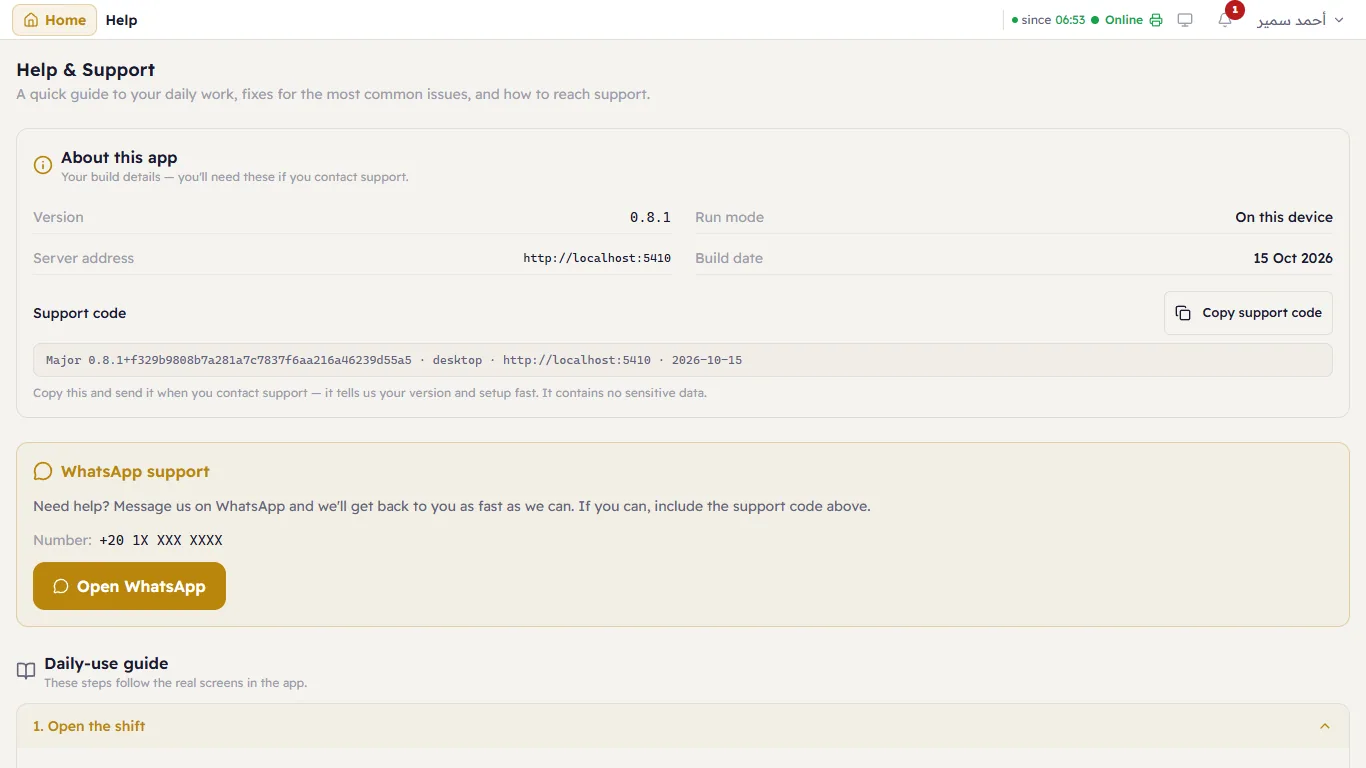
About this app
The first card holds your build details: Version, Run mode (On this device means Major runs on a computer in your shop), Server address (the server PC's address on the network) and Build date.
Below them is the Support code — one line holding all of these details. Press Copy support code and send it when you contact support; it saves a lot of questions. The code contains no sensitive data (no sales, no customers, no passwords).
WhatsApp support
Press Open WhatsApp to send us a message. If you can, include the support code and a picture of the screen showing the problem.
Daily-use guide and common fixes
Below these cards is a short guide to the four main tasks of the day (Open the shift, Selling, Close the shift & Z-report, Back up & export) and fixes for the three most common problems (The printer prints nothing, The receipt looks wrong, The till can't reach the server). Press a heading to open it.
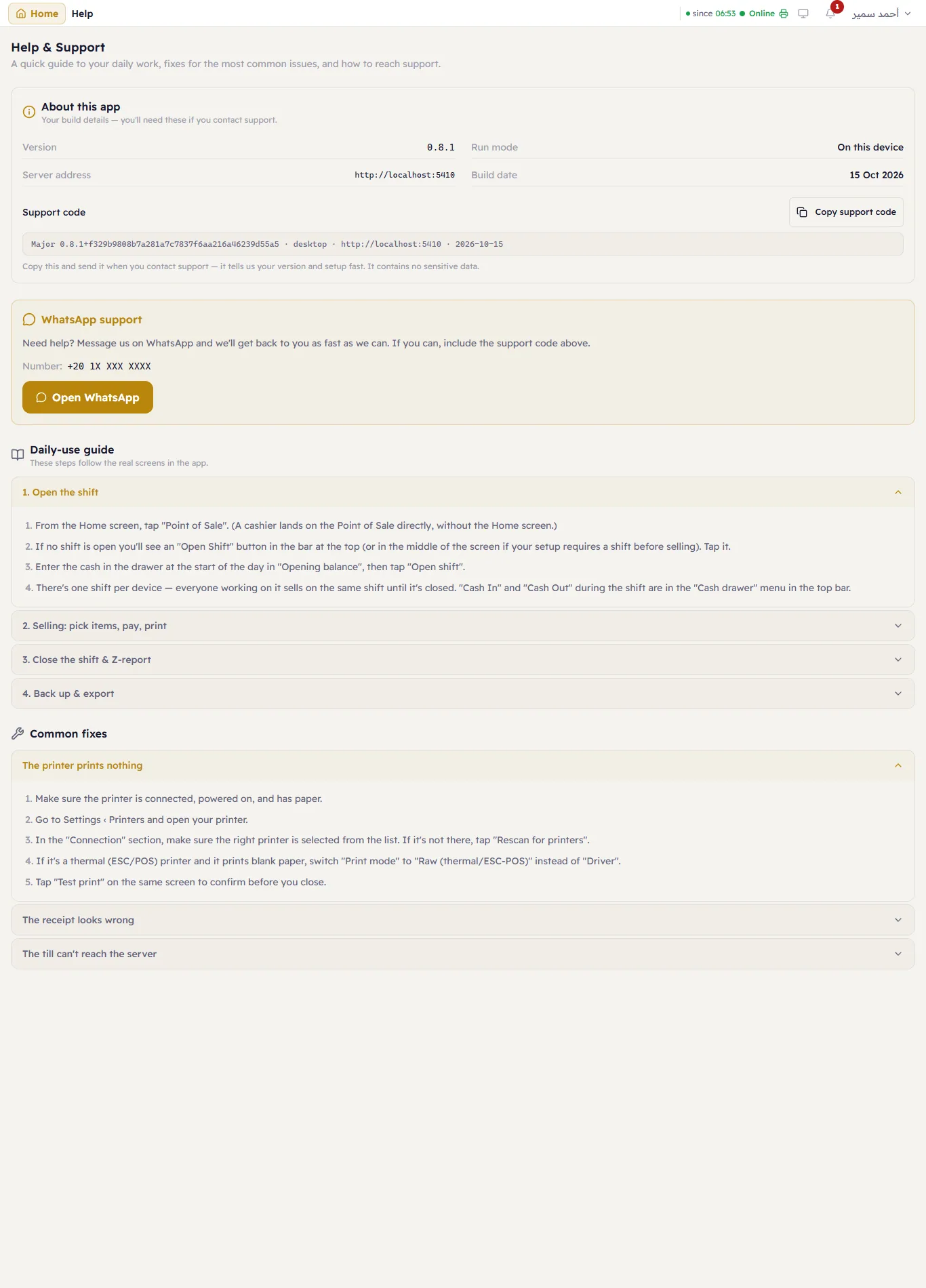
That short guide is a summary — this guide (the one you are reading) has all the details with screenshots. If a message appeared and you don't understand it, look it up in Messages.