Sales reports
Sales for any day or period — totals, products, categories, payment methods and the busy hours.
- Who can do this
- Manager Owner
- Permission needed
- «View Reports»
Reports on the Home screen. The list on the side holds every report; the first four are about sales.
Daily Sales
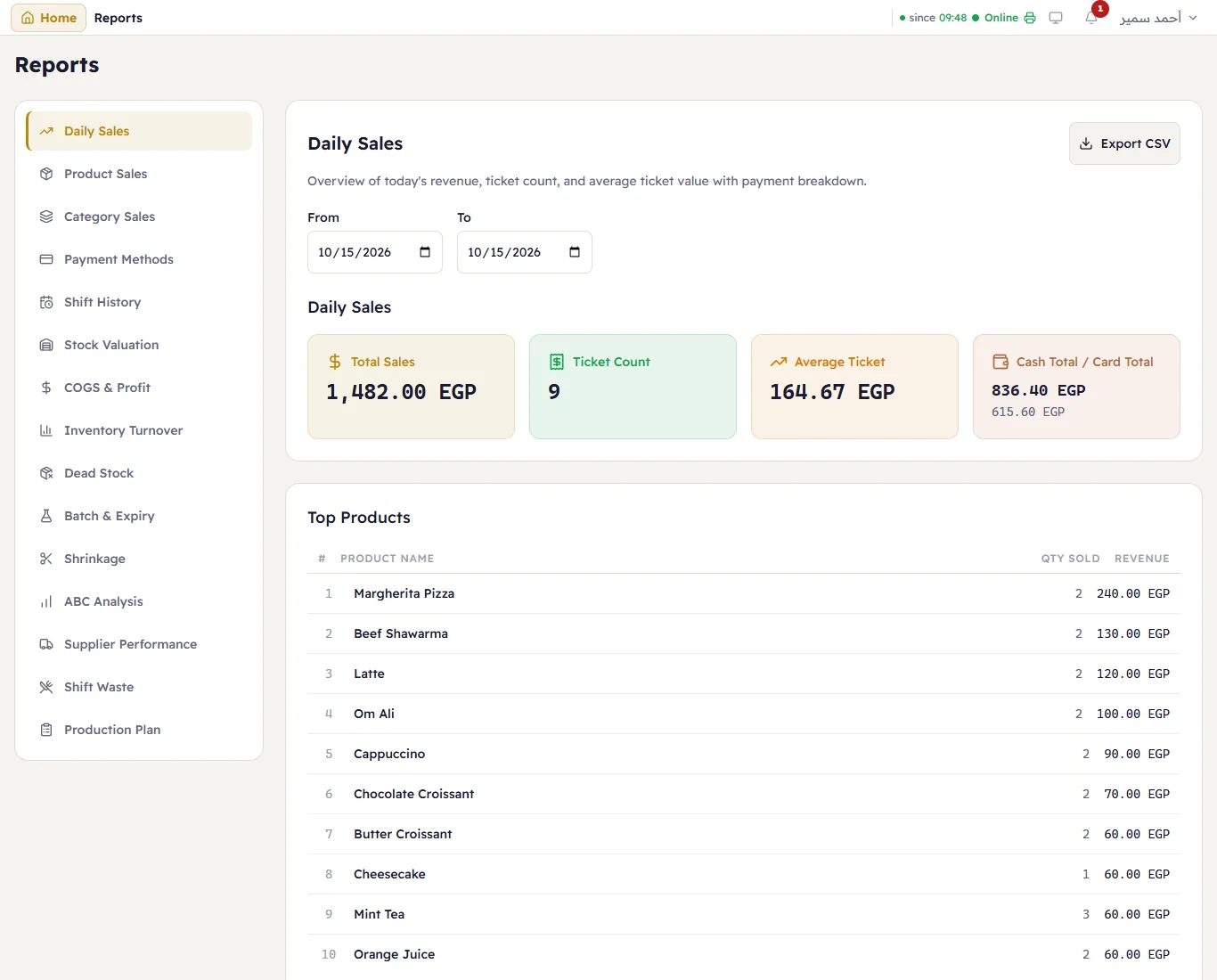
Choose From and To (today by default). The cards: Total Sales, Ticket Count, Average Ticket, and Cash Total / Card Total. Under them the Top Products, the Payment Methods and the Hourly Sales with the Peak Hour.
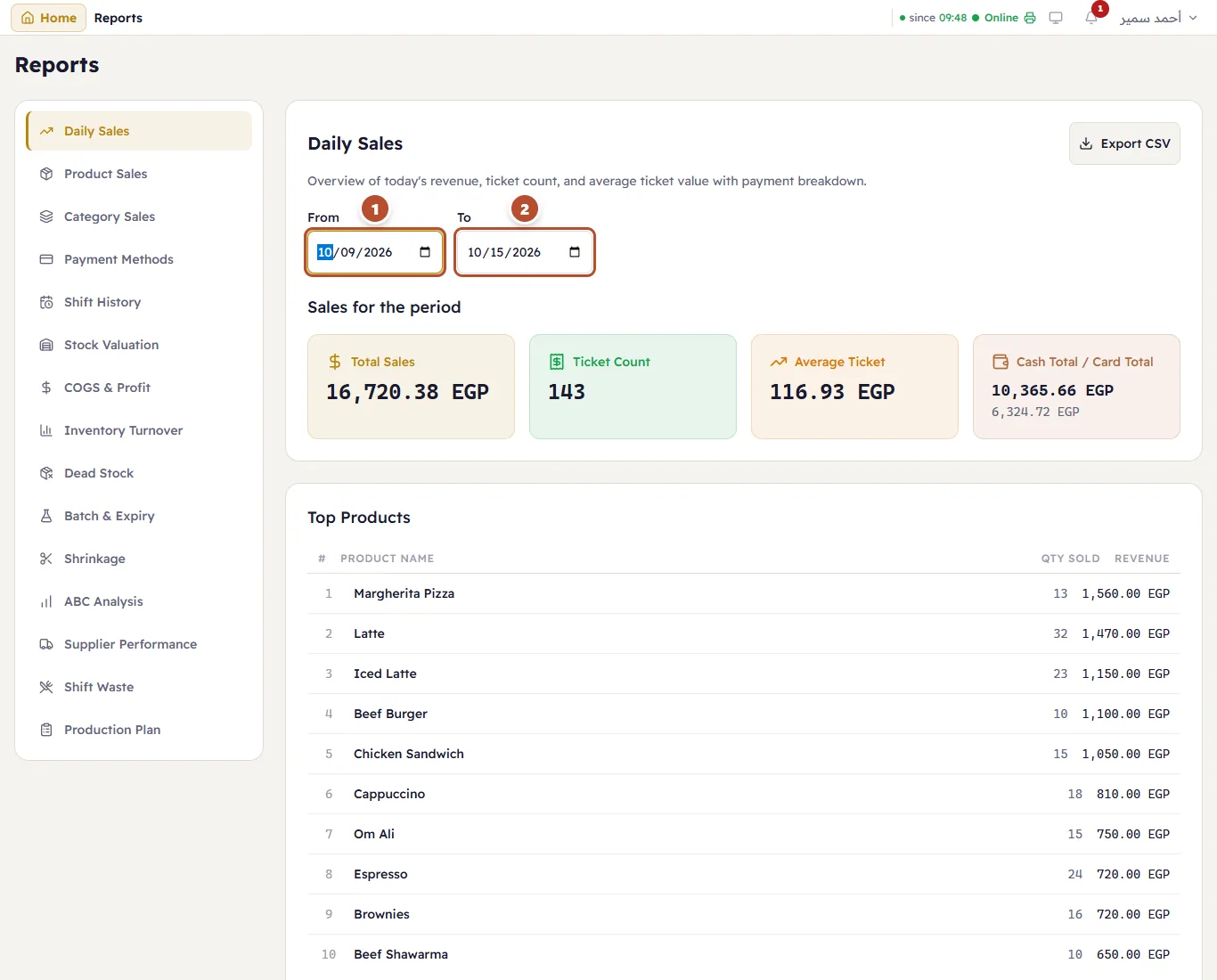
For a period, change From (1) and To (2) — every section then covers the whole period:
Product Sales
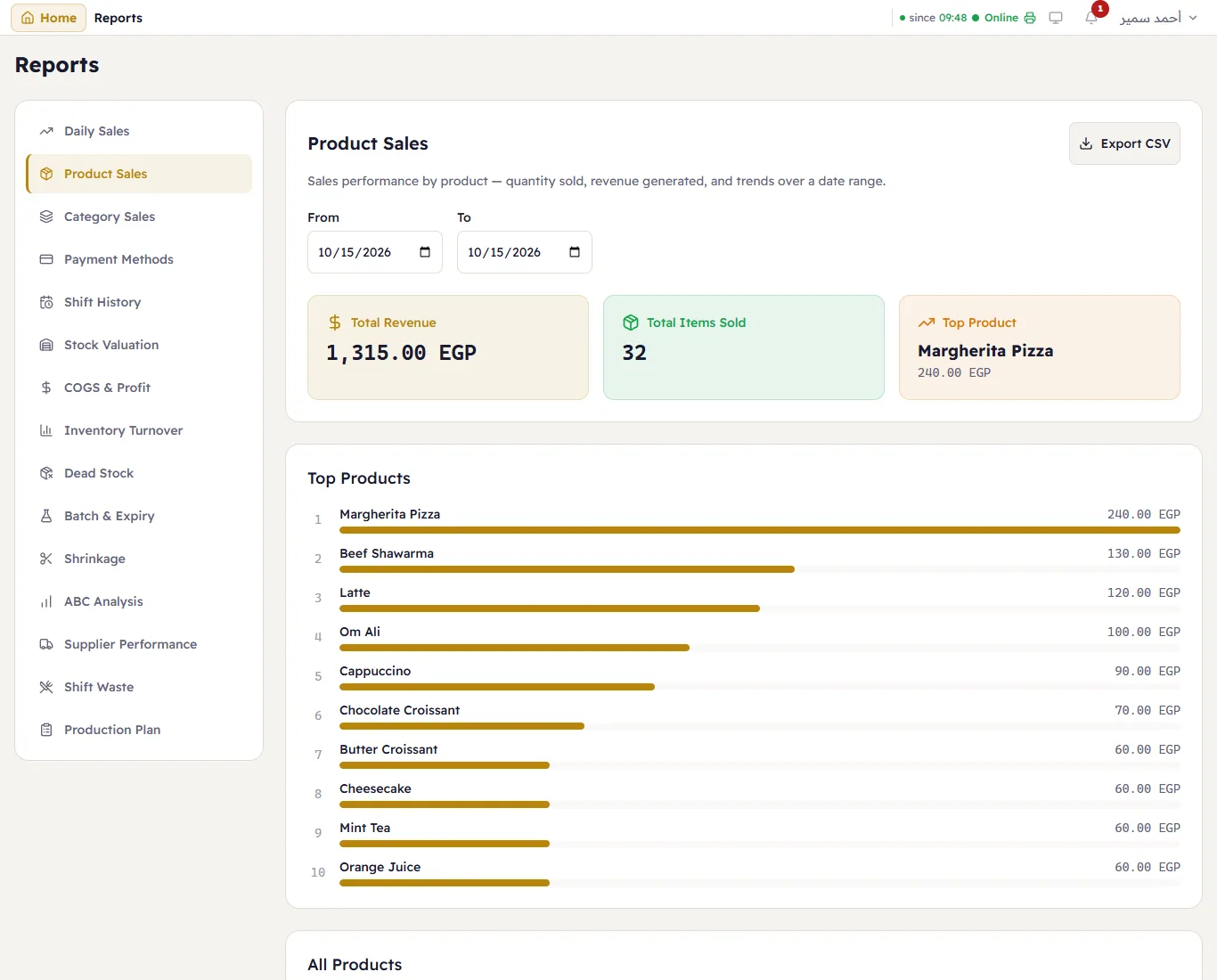
Every product sold in the period: quantity and revenue, the best seller, and a bar for each.
Category Sales
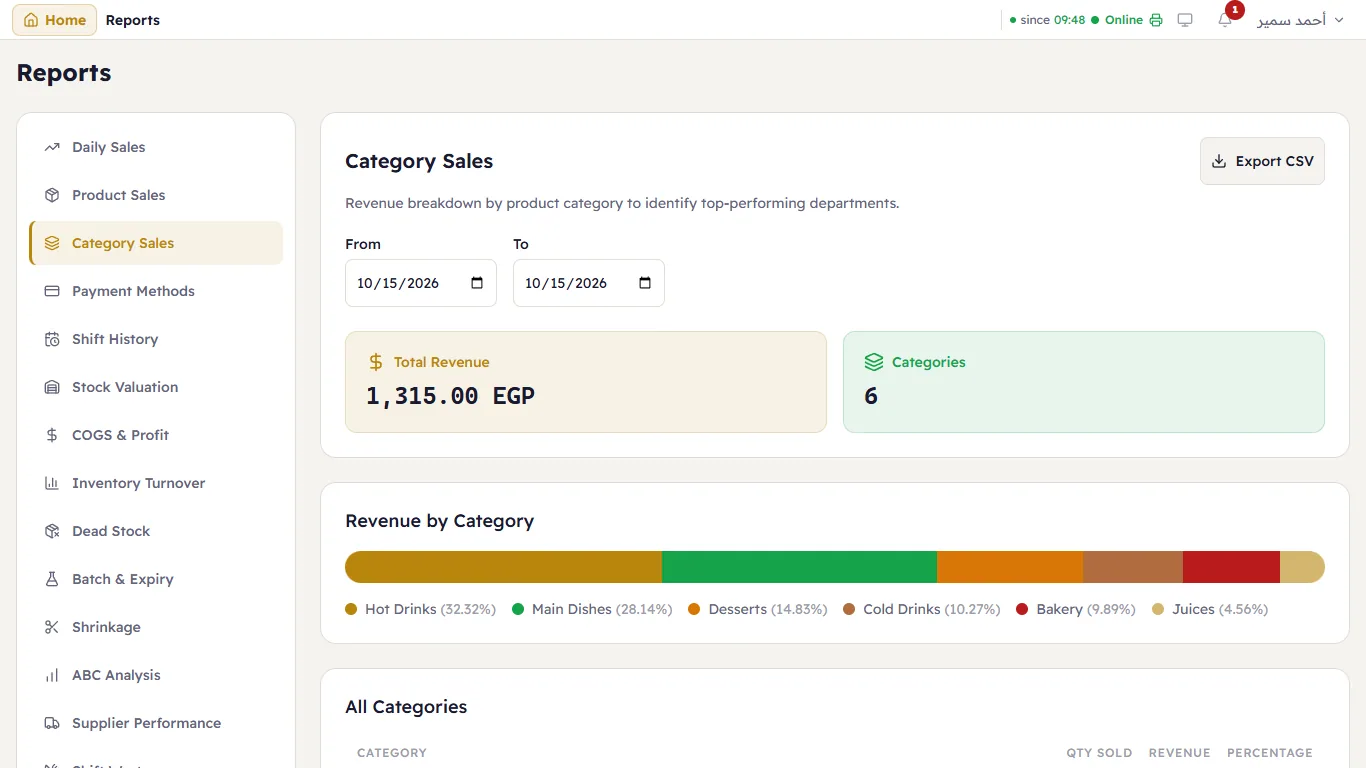
Revenue by category, as a share of the total.
Payment Methods
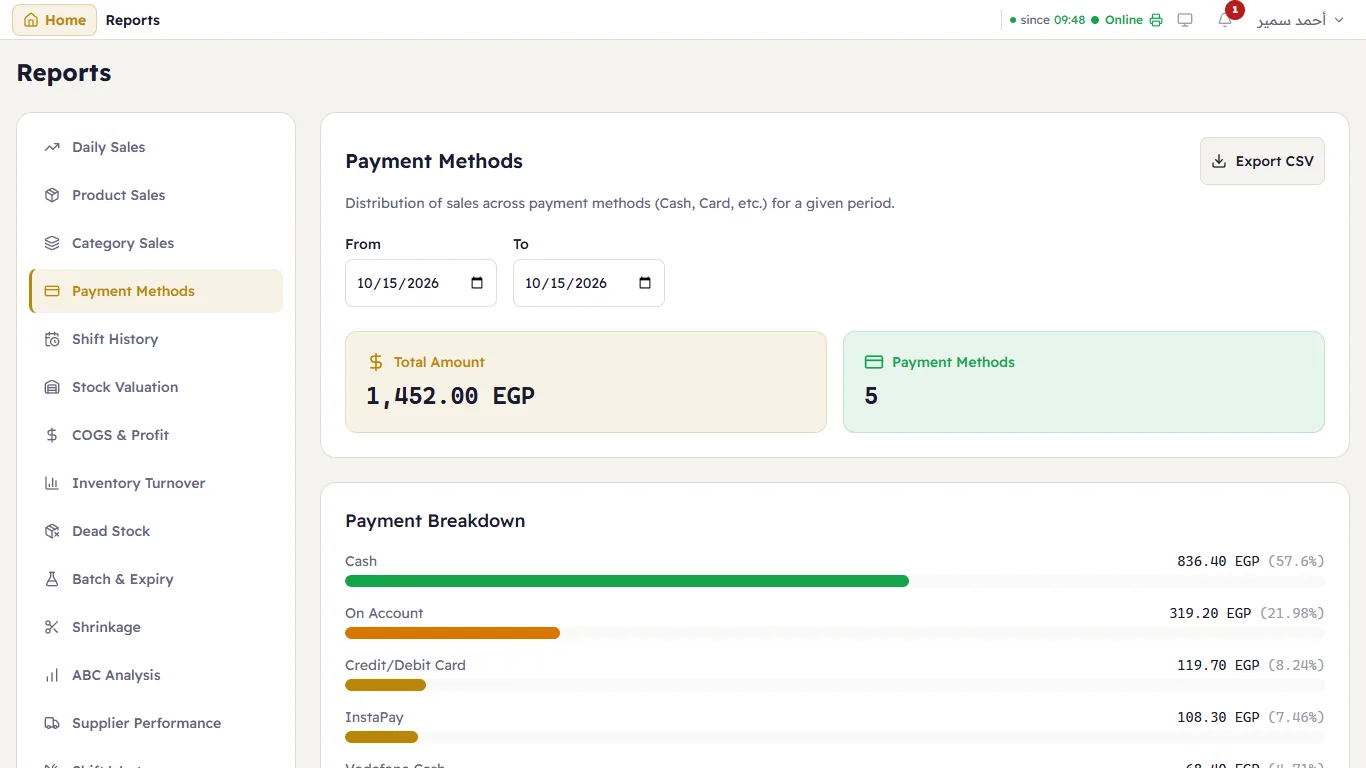
How customers paid: cash, card, wallets, on account — with each one's share.
Every report can be saved as a spreadsheet — see Exporting reports.