The supplier statement
Every invoice, payment and return with one supplier over a period, with the running balance — to check, print or send.
- Who can do this
- Manager Owner
- Permission needed
- «View Procurement»
From the supplier's card press Statement:
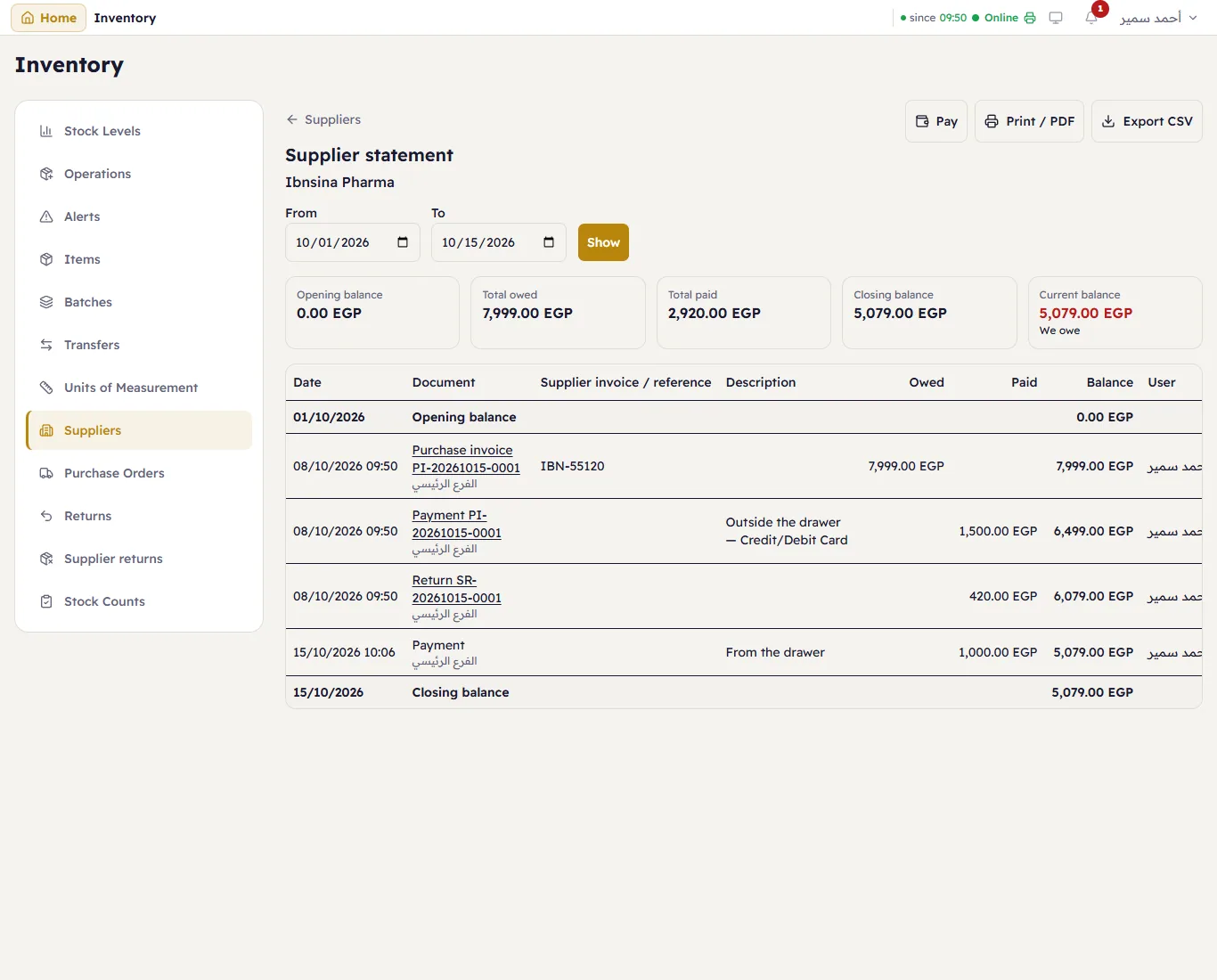
Choose From and To and press Show. At the top: Opening balance, Total owed, Total paid, Closing balance and the Current balance.
Each line: the Date, the Document (purchase invoice PI-…, payment, return SR-… — press it to open it), the Supplier invoice / reference, the Description, Owed (adds to what you owe), Paid (takes off it), the Balance after the line and the User.
Print / PDF prints it on A4 — to send to the supplier and agree the balance; Export CSV saves it; Pay pays from here.