Workflows and rules
What Major does by itself — deduct stock, print the receipt, free the table — and your own rules on top.
- Who can do this
- Owner
- Permission needed
- «Manage Settings»
Settings → Workflows has four tabs.
Quick Settings
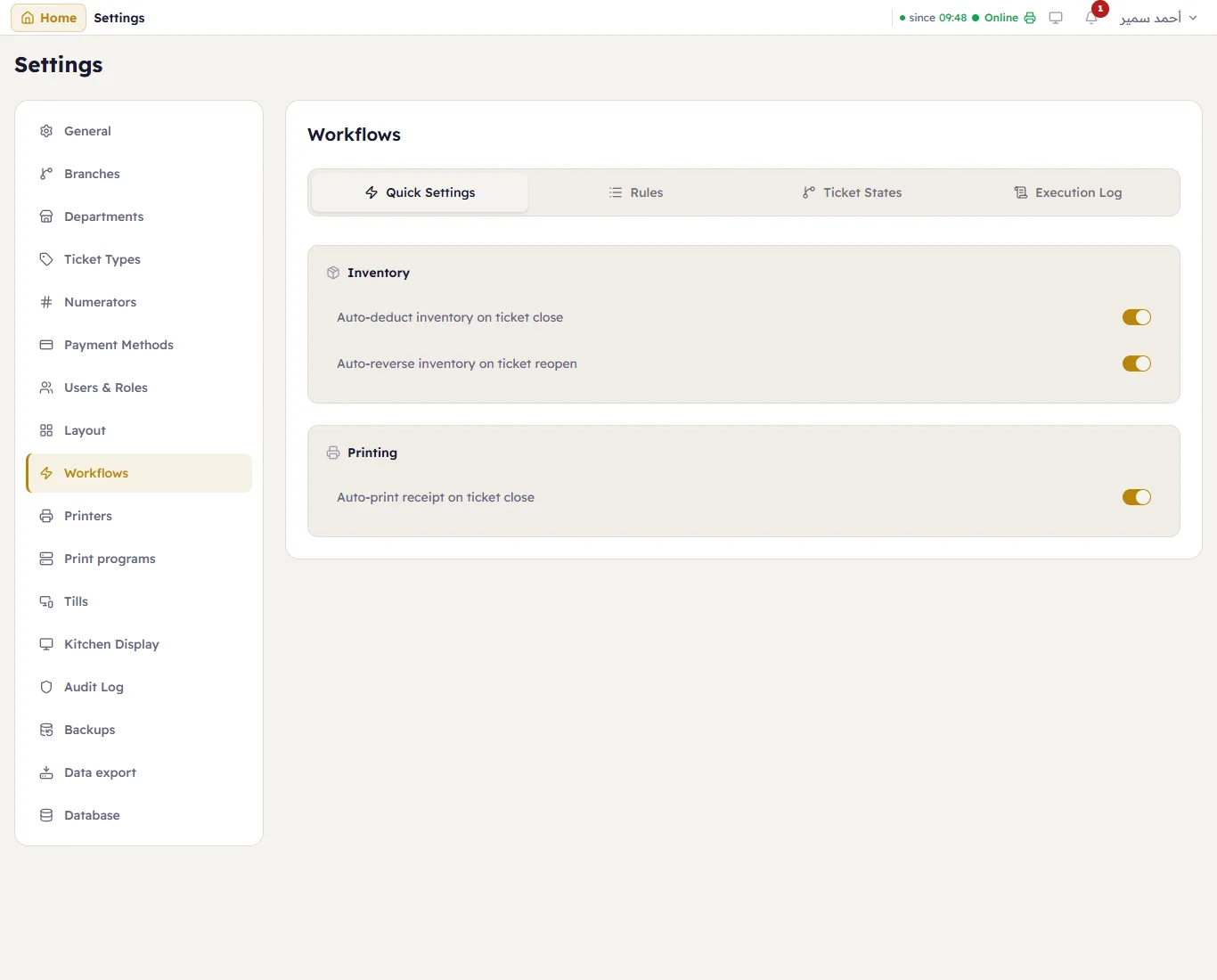
The common automations as switches: Auto-deduct inventory on ticket close, Auto-reverse inventory on ticket reopen, and Auto-print receipt on ticket close. Most shops keep them all on.
Rules
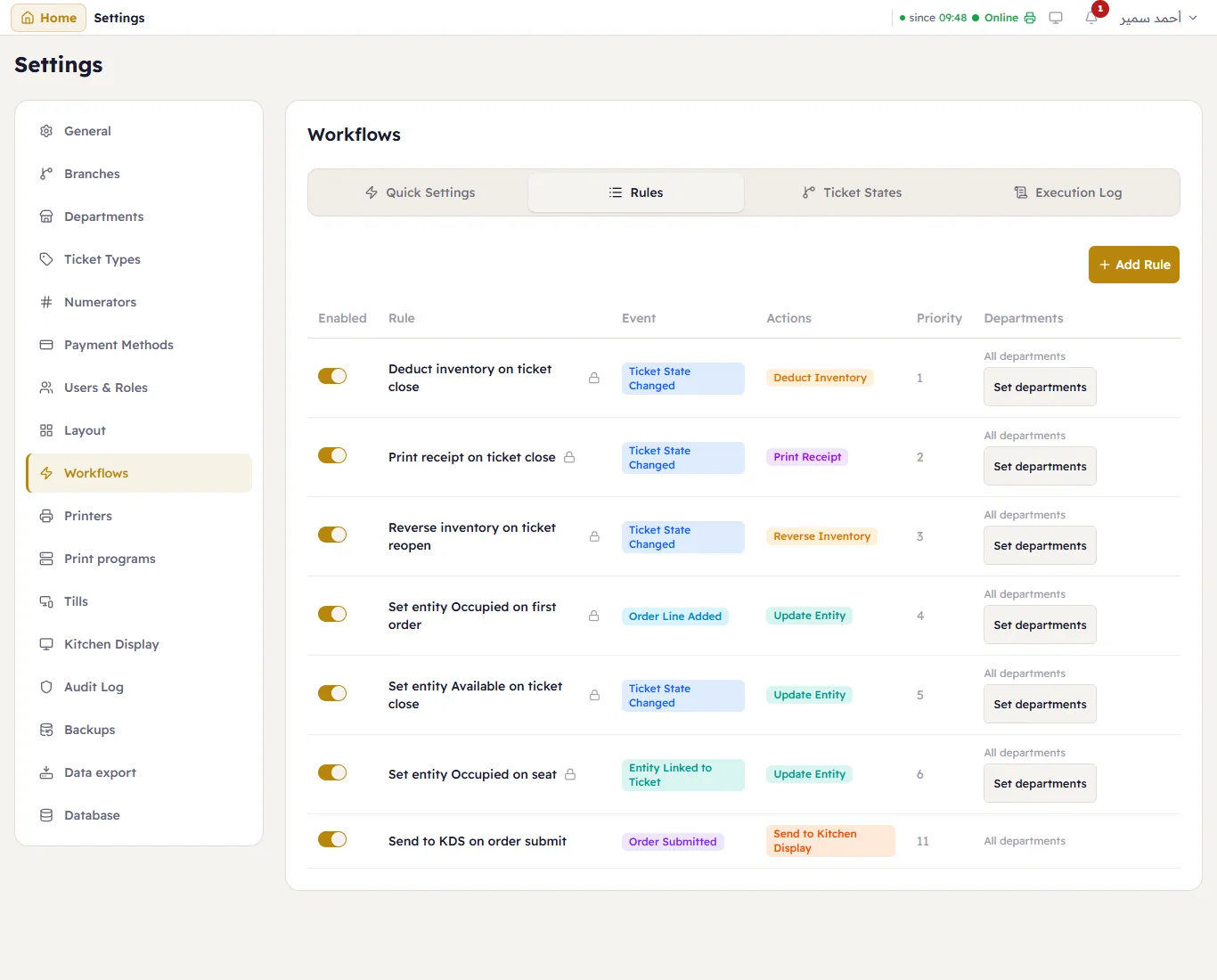
Every rule: its switch, its name (a lock on the built-in rules), the Event that runs it, the Actions it takes, its Priority and the Departments it applies to. Set departments limits a rule to some departments — print the kitchen ticket for dine-in only, say.
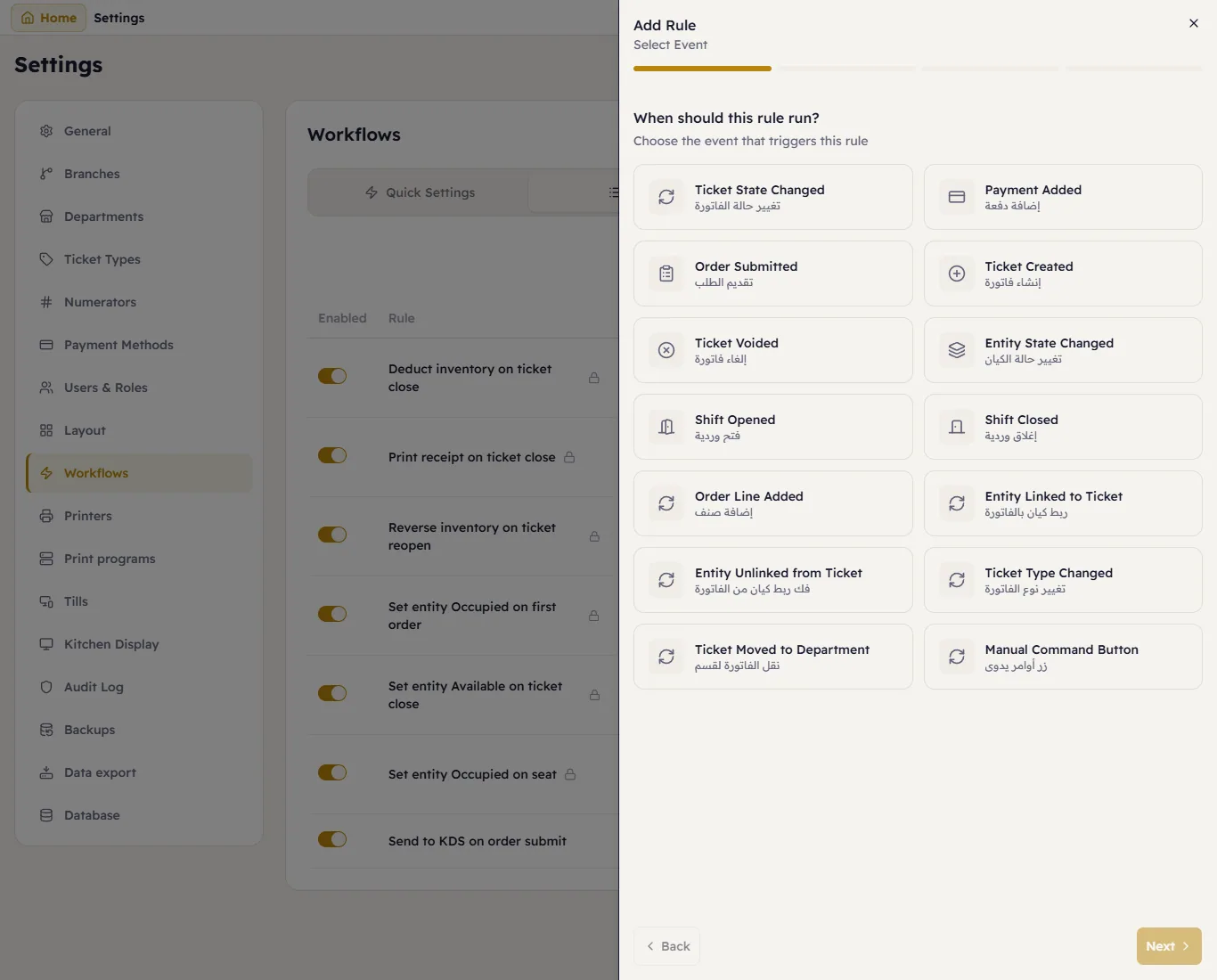
Add Rule builds one in four steps: When should this rule run? (the event — a ticket closed, a payment added, an item added, a shift opened…), What are the conditions? (only when…), What happens? (deduct or return stock, print the receipt, change a table's state, show a message, open the drawer), and Review Rule.
Ticket States
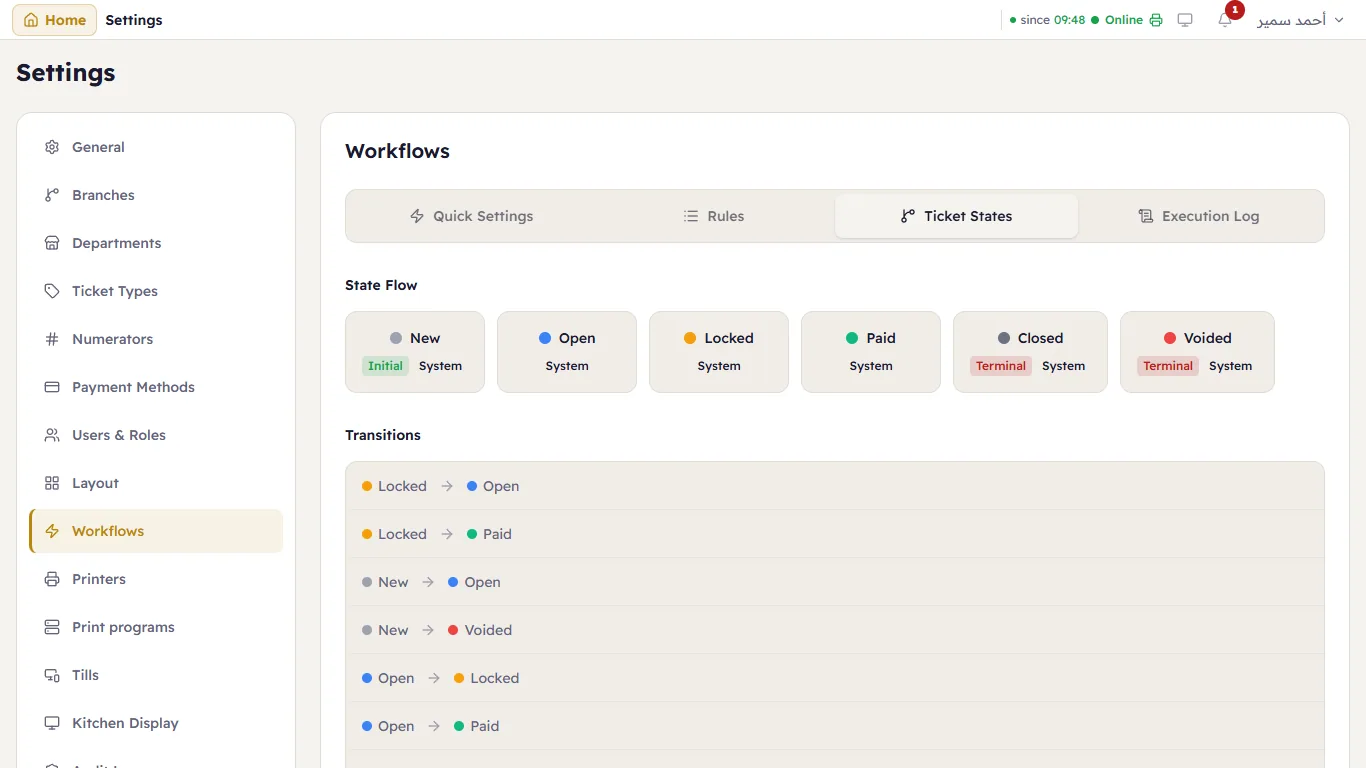
The State Flow of a ticket (New, Open, Paid, Closed, Voided…) and the Transitions allowed between them.
Under them are your own status groups, such as delivery stages, which rules can also move a ticket through: see Status groups.
Execution Log
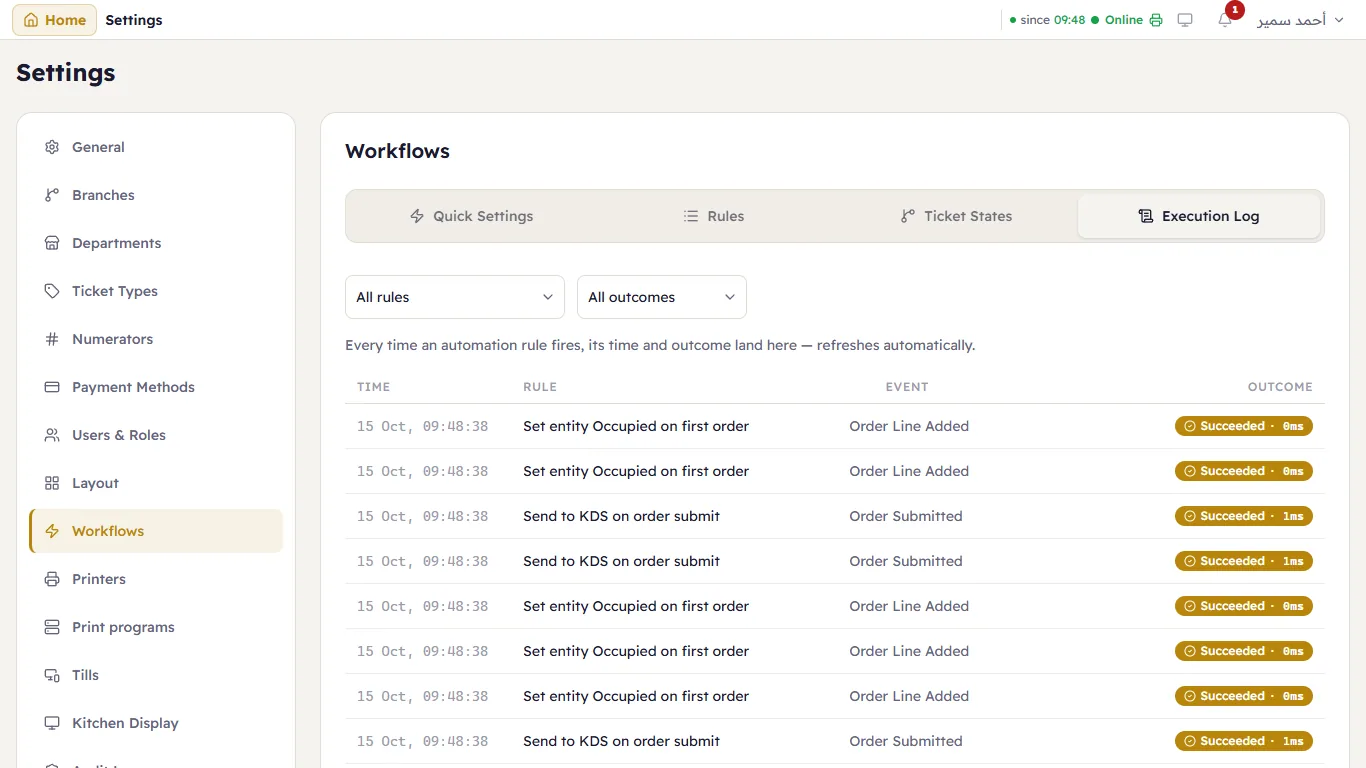
Every time a rule ran: when, which rule, the event, the Outcome and how long it took. Filter by rule and outcome. Look here first when something did not happen by itself — the receipt did not print, the stock did not move.