Stores inside a branch
The shop floor, a back store, a quarantine store — several stores in one branch, and which one the till sells from.
- Who can do this
- Owner
- Permission needed
- «Manage Branches»
Every branch starts with one store, Main store, and a shop with one store never sees anything about stores. If you keep stock in more than one place — the shelves and a back store, say — add a store. Settings → Branches:
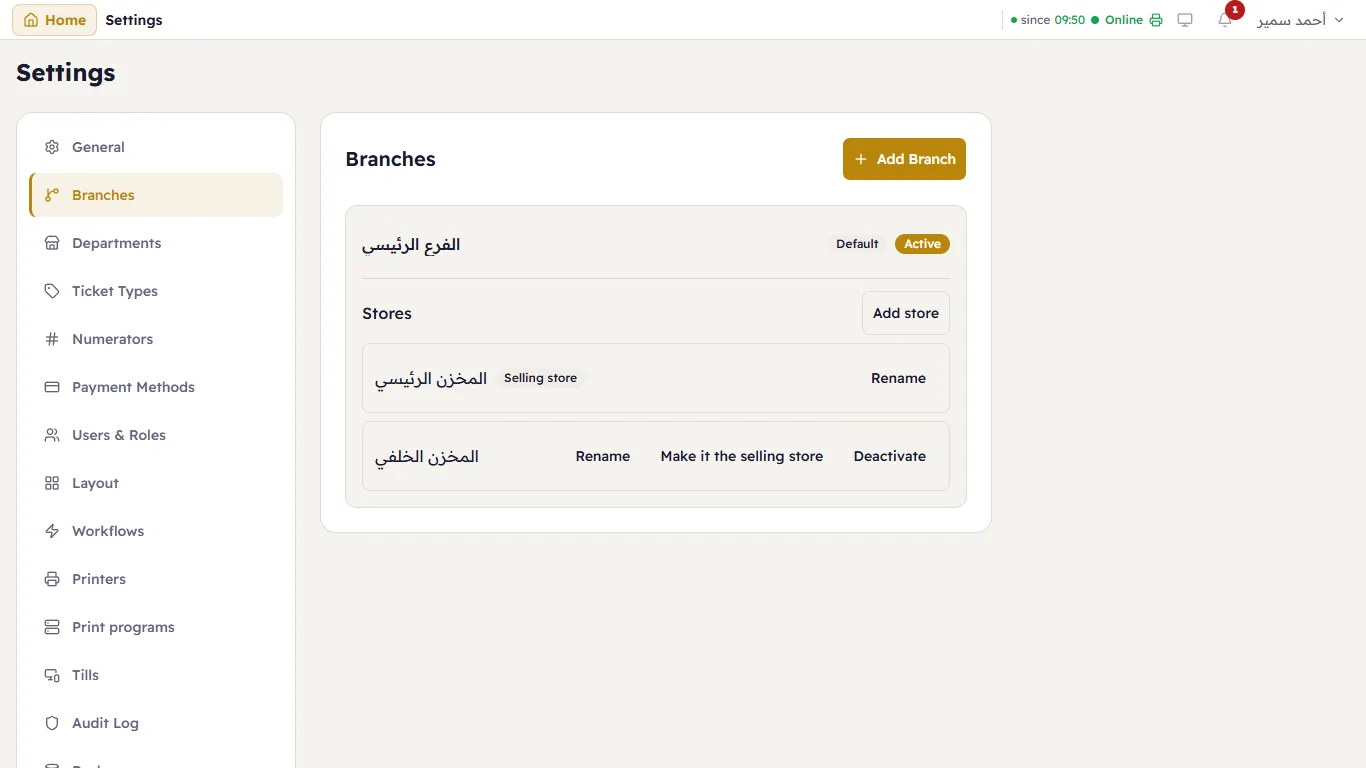
Under each branch: its Stores, with Add store. On each store: Rename, Make it the selling store, and Deactivate.
The selling store
The till sells only from the Selling store — one per branch. Other stores hold stock that reaches the till only by a transfer. When an item has run out in the selling store but exists in another, the till says so.
You can switch the selling store only when the branch has no open tickets — it is a job for between two days.
After you add a store
Store columns and filters appear in Stock levels, the item card and the reports; documents that move stock (receiving, purchase invoices, counts…) ask which store; and Transfers appears in the inventory list.