Paying suppliers and adjusting balances
Pay a supplier from the drawer or from outside it, set the opening balance, and correct a balance.
- Who can do this
- Cashier Manager Owner
- Permission needed
- «Pay and receive from suppliers», «Adjust Supplier Balances»
Pay a supplier
From the supplier's card press Pay (at the till: Cash drawer → Pay a supplier):
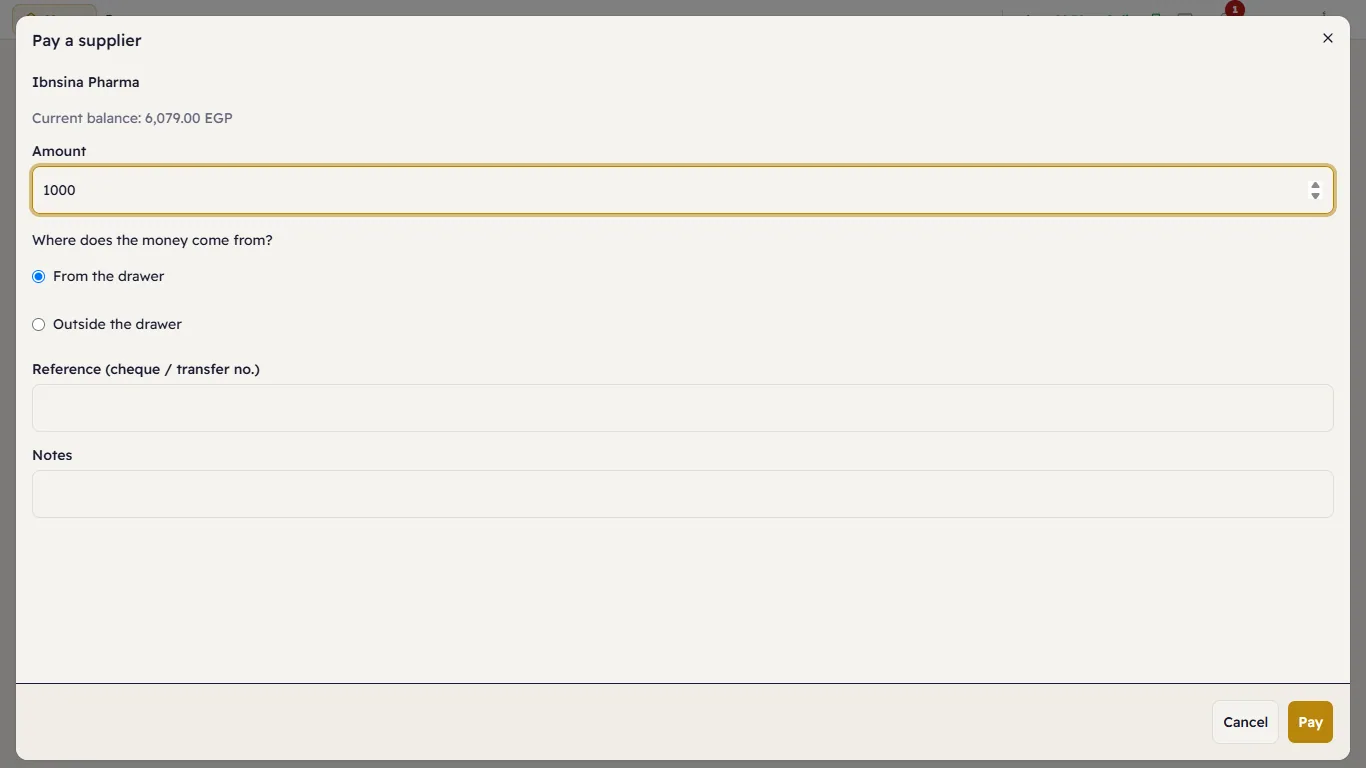
The window shows the Current balance. Type the Amount, then Where does the money come from?
- From the drawer — cash out of the till's drawer. It needs an open shift, and it appears in the shift's report under the cash-outs as a supplier payment.
- Outside the drawer — a bank transfer, a cheque, a card: choose the Payment method.
Add the Reference (cheque or transfer number) and notes, and press Pay:
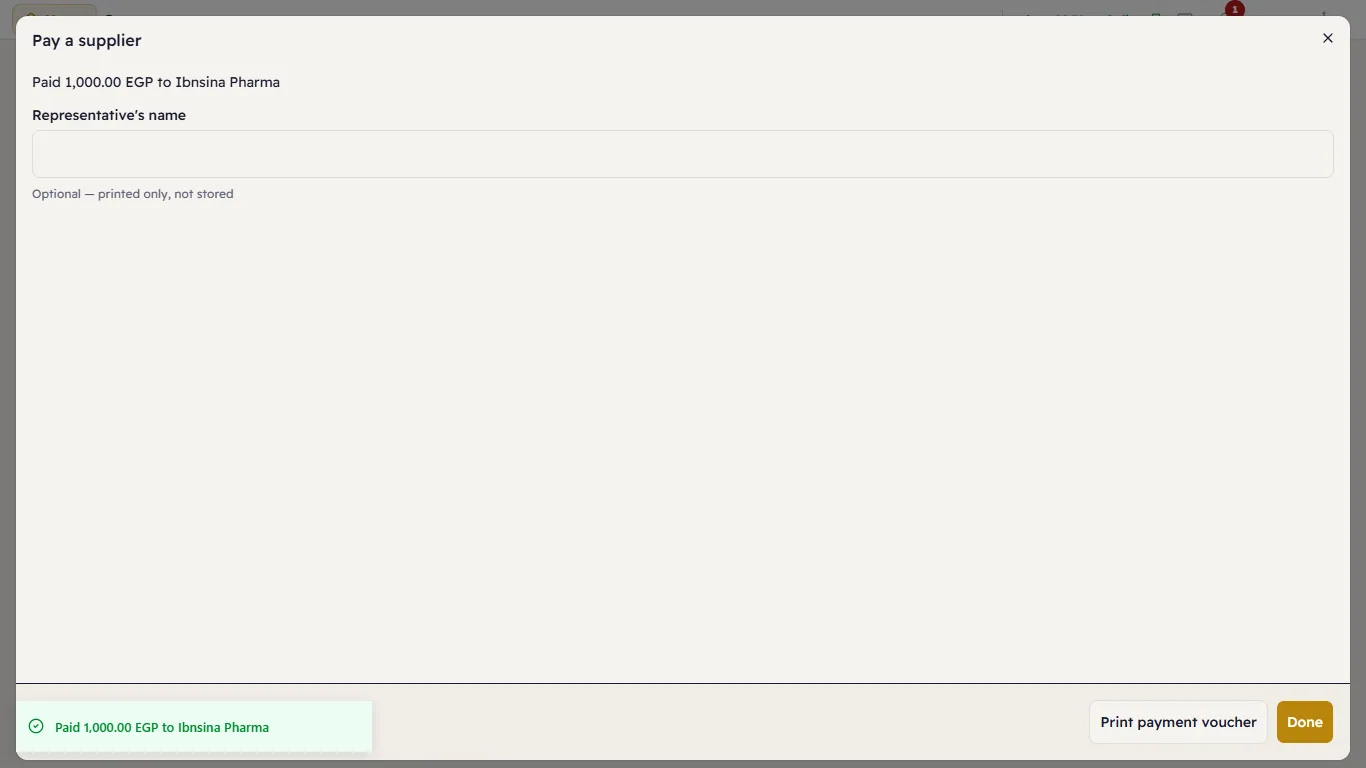
Print payment voucher prints a receipt for the supplier's representative to sign.
Opening balance
When you start with Major and already owe a supplier (or they owe you), press Opening balance on their card: the Amount (positive = we owe the supplier, negative = they owe us) and the Cut-over date (empty = today). It can be changed only while it is the supplier's only entry.
Adjust a balance
Adjust balance corrects a balance with a reason — a settlement discount, a mistake:
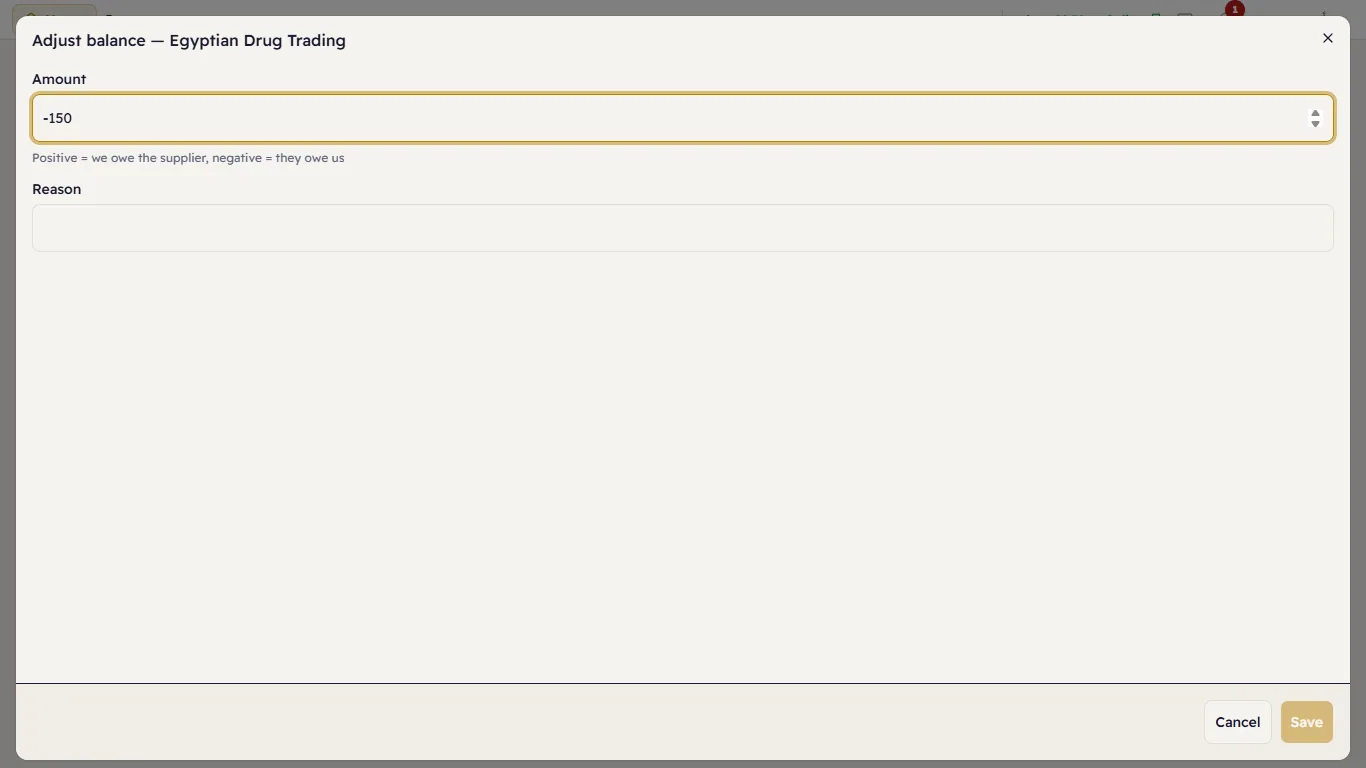
The Amount is signed: positive adds to what you owe, negative takes off it. The Reason is required.