The status board (delivery board)
All of today's orders in columns by stage, with a button that moves each order to its next stage — and it keeps itself up to date.
- Who can do this
- Cashier Waiter Manager Owner
- Permission needed
- «Open Ticket»
- Before you start
- At least one status group (see Status groups).
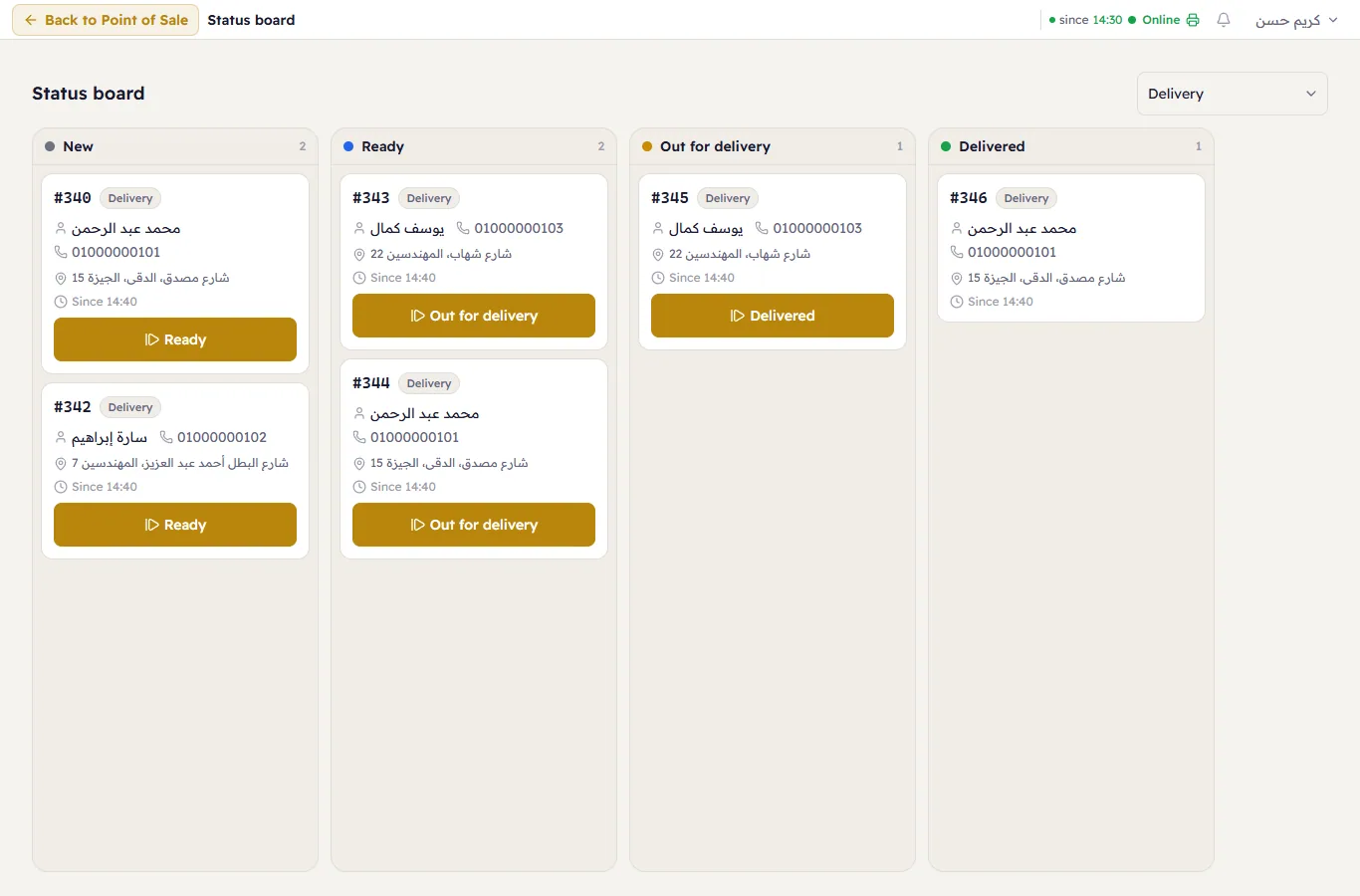
The Status board follows orders by stage: one column per status of a status group, and in each column today's tickets that hold that status. A delivery shop keeps it open on its own screen beside the kitchen or by the door.
Open the board
- Press Status board on the Home screen (after Orders).
- Choose the group under Status group at the top. The device remembers the last group you chose.
What it shows
- Columns: one per status, in the group's order, with its ticket count in the header. An empty column says "No tickets in this status."
- Tickets: the tickets of the current business day that hold a status in the group, oldest first. Voided tickets do not show, and tickets at a final status stay in their column until the day ends.
- The card: the ticket's number and type, the table if there is one, the customer's name, phone and delivery address, and since when it has been at this status ("Since 14:05", say, in the shop's time).
- The next-status button: it carries the name of the next stage; press it and the card moves to that column. Only someone with the Change Ticket Status permission sees it, and it is not shown at the last stage. To skip a stage or go back, open the ticket and use Change (An order's status).
A hidden column
If the owner hides a status that a ticket of today still holds, its column stays on the board, greyed and marked Hidden, so the ticket is not lost. No button moves a ticket to a hidden status; move the ticket out of it to a visible one.
It updates by itself
The board updates by itself whenever any till or rule changes a ticket's status, and reloads every 30 seconds as a safety net in case the connection drops.
On a phone
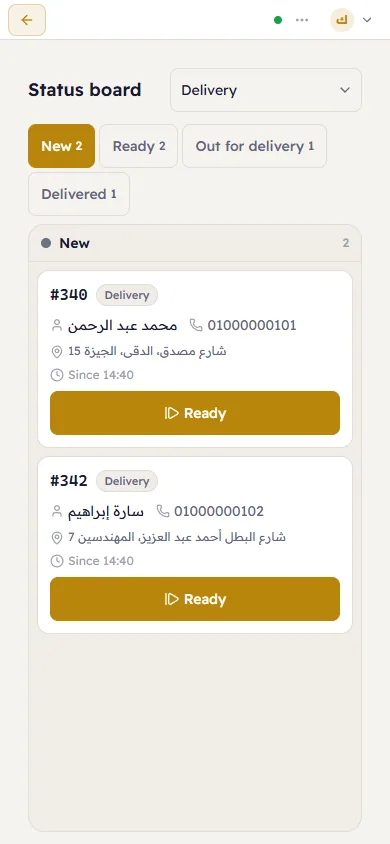
On a narrow screen the board shows one column at a time: press a status's name in the strip at the top (its ticket count beside it) to see its column.
When there are no groups
The board says "No status groups yet. A status group (such as delivery stages) puts today's tickets on this board, one column per status." Someone with the Manage Settings permission also sees the link Set up status groups in Workflows.