Stock alerts
The items at or below their reorder point, in one list.
- Who can do this
- Manager Owner
- Permission needed
- «View Inventory»
Inventory → Alerts shows the Low Stock Alerts — every item whose stock is at or below its reorder point, with the number of alerts beside the title:
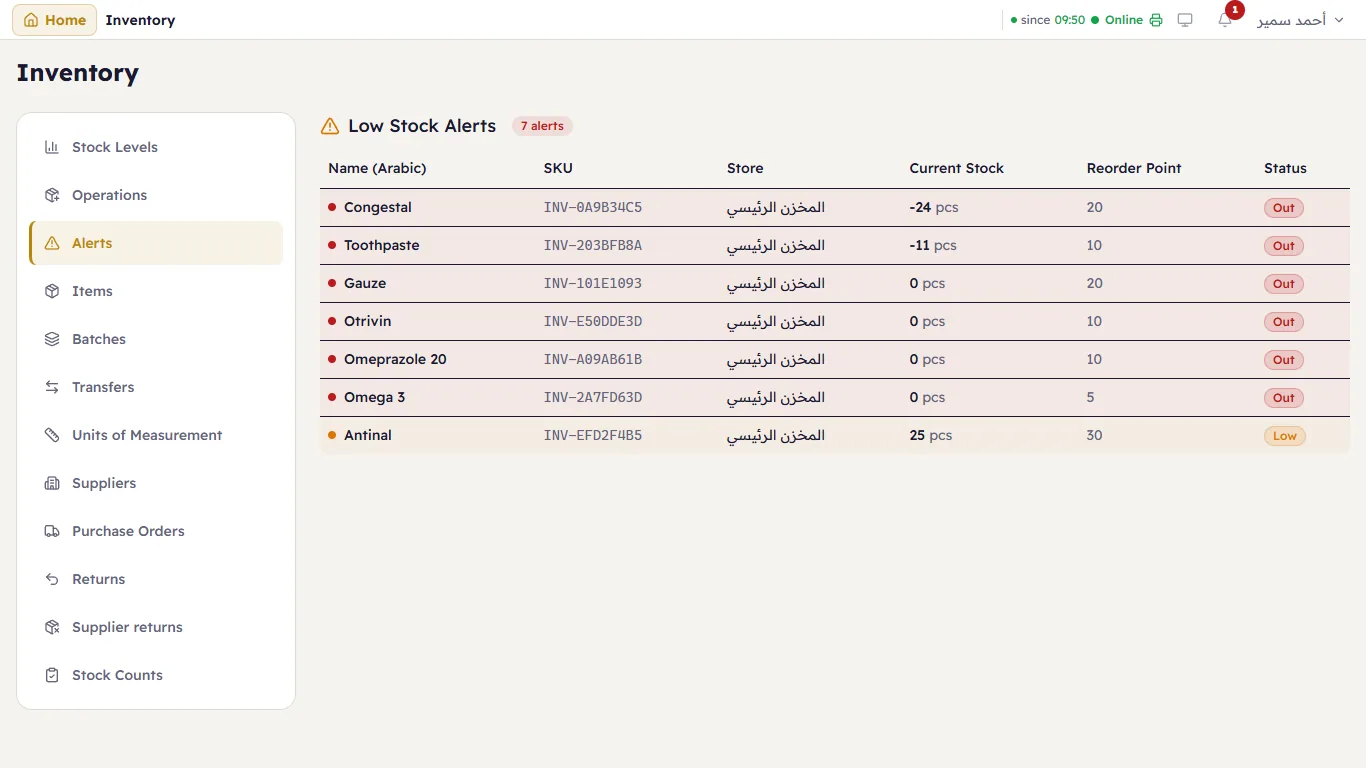
Out (red) means none left; Low (orange) means it is time to order. A negative balance (-24) means more was sold than the system had — receive the goods that came in, or adjust after counting.
Major also checks stock by itself every few minutes and sends the managers a notification (the bell) when an item runs low.