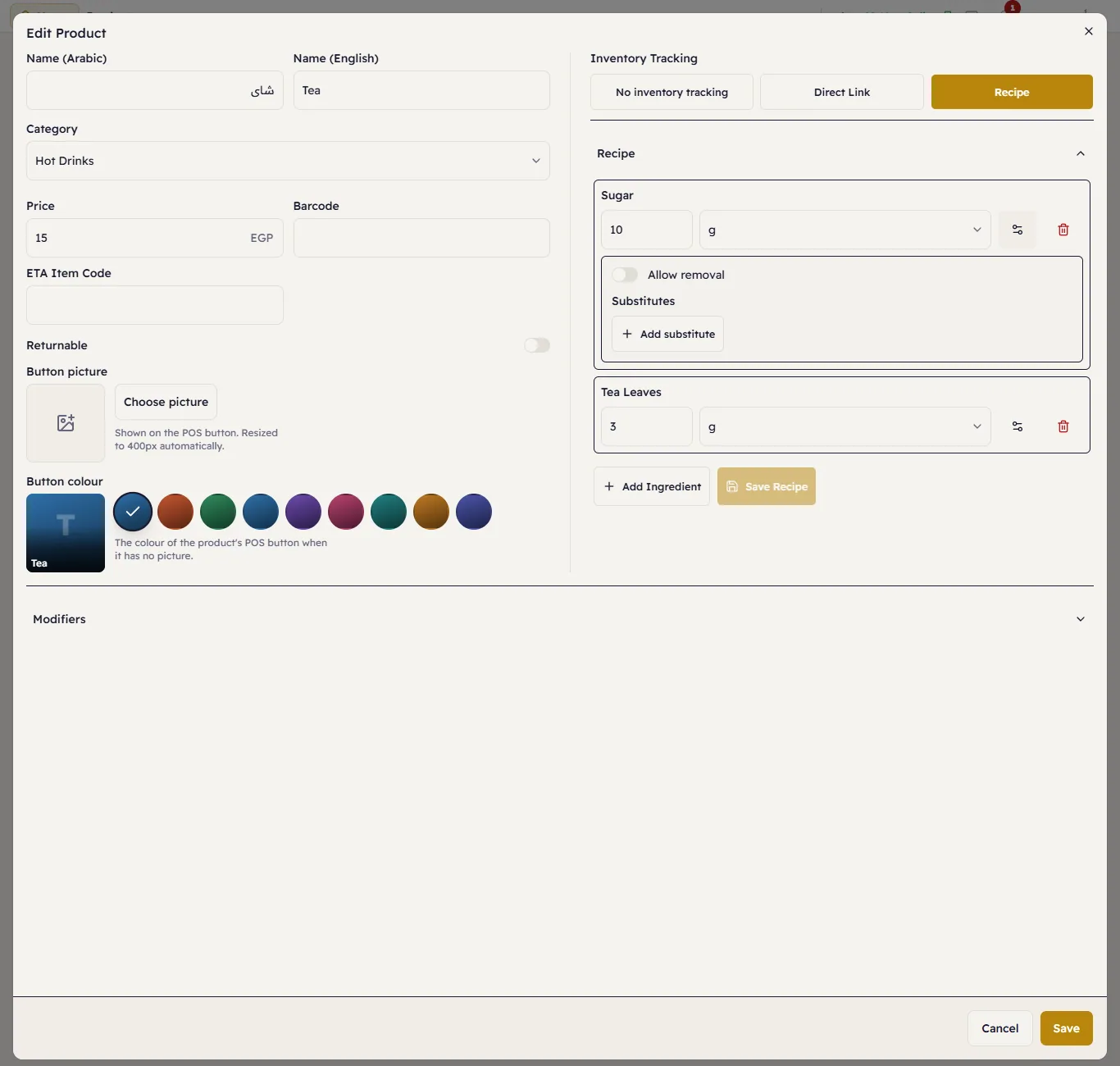
Recipes (ingredients) and order customization
Link a product to its ingredients so stock is deducted by itself, and let the customer remove or swap an ingredient.
- Who can do this
- Manager Owner
- Permission needed
- «Manage Inventory»
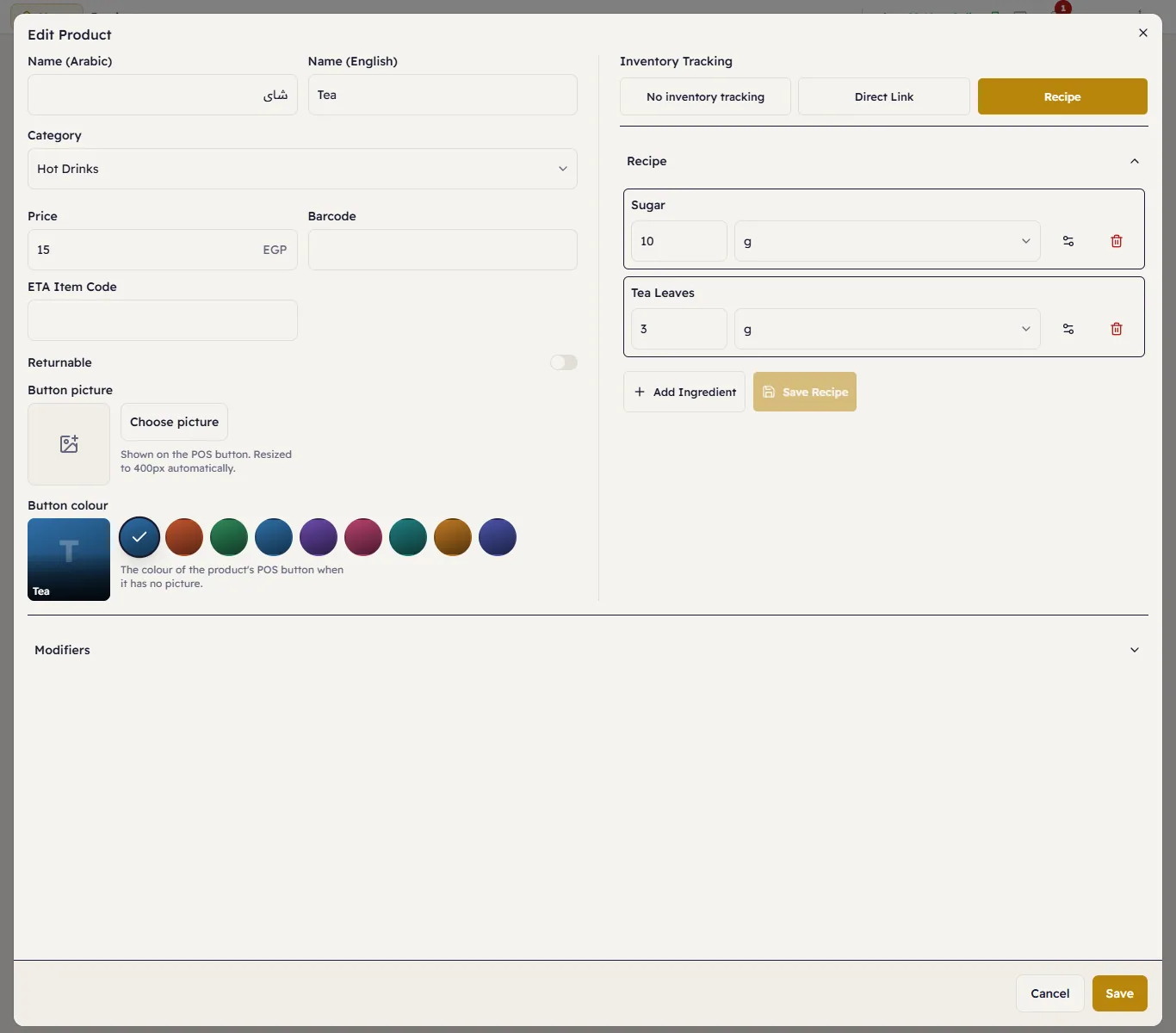
In food and drinks, the item you sell (such as "Tea") is made from ingredients in stock (sugar, tea leaves). When you set the recipe, every cup sold deducts its ingredients from stock by itself.
Build the recipe
- Open the product and, under Inventory Tracking, choose Recipe.
- Open Recipe and press Add Ingredient.
- Choose the ingredient, enter the quantity and choose the unit (for example sugar 10 grams), then confirm.
- Repeat for each ingredient and press Save Recipe.
Let the customer remove or swap an ingredient
Once the recipe is saved, each ingredient has a Customization (gear) button. Press it:
- Allow removal — the cashier can choose Remove for this ingredient (tea without sugar, say), with a Price adjustment if removing it lowers the price.
- Substitutes — press Add substitute and choose another ingredient that can take its place, with its price difference (oat milk instead of milk +15, say).
Then press Save Recipe.