Tables and the floor plan
Open an order at a table, go back to a busy table's order, and move or free a table.
- Who can do this
- Waiter Cashier Manager Owner
- Permission needed
- «Open Ticket»
- Before you start
- A shop with tables (restaurant or café) and a Dine-In department.
The floor plan
In the Dine-In department the sale starts from the table map. Each table is a card whose colour gives its state:
- Green — Available: free.
- Red — Occupied: has an open order, showing the order's total and how long it has been there ("25 min").
- Yellow — Needs Cleaning: the guests left and the table needs clearing.
The buttons at the top filter the tables: All, Available, Occupied, Needs Cleaning, each with its count.
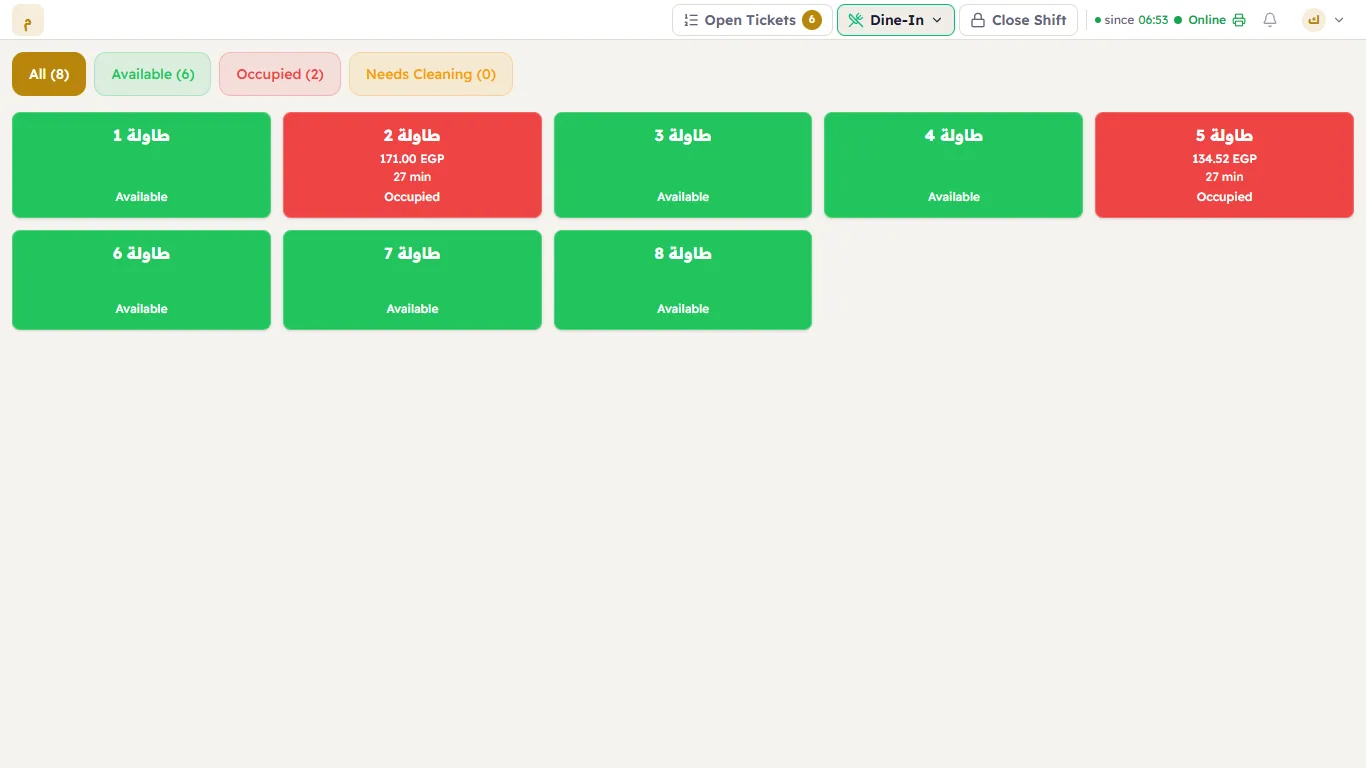
Open an order at a free table
- Tap the free table. Major opens a new ticket linked to it, with a Ticket Created message naming the table.
- Add the items as usual.
- Send the order to the kitchen (Send to the kitchen).
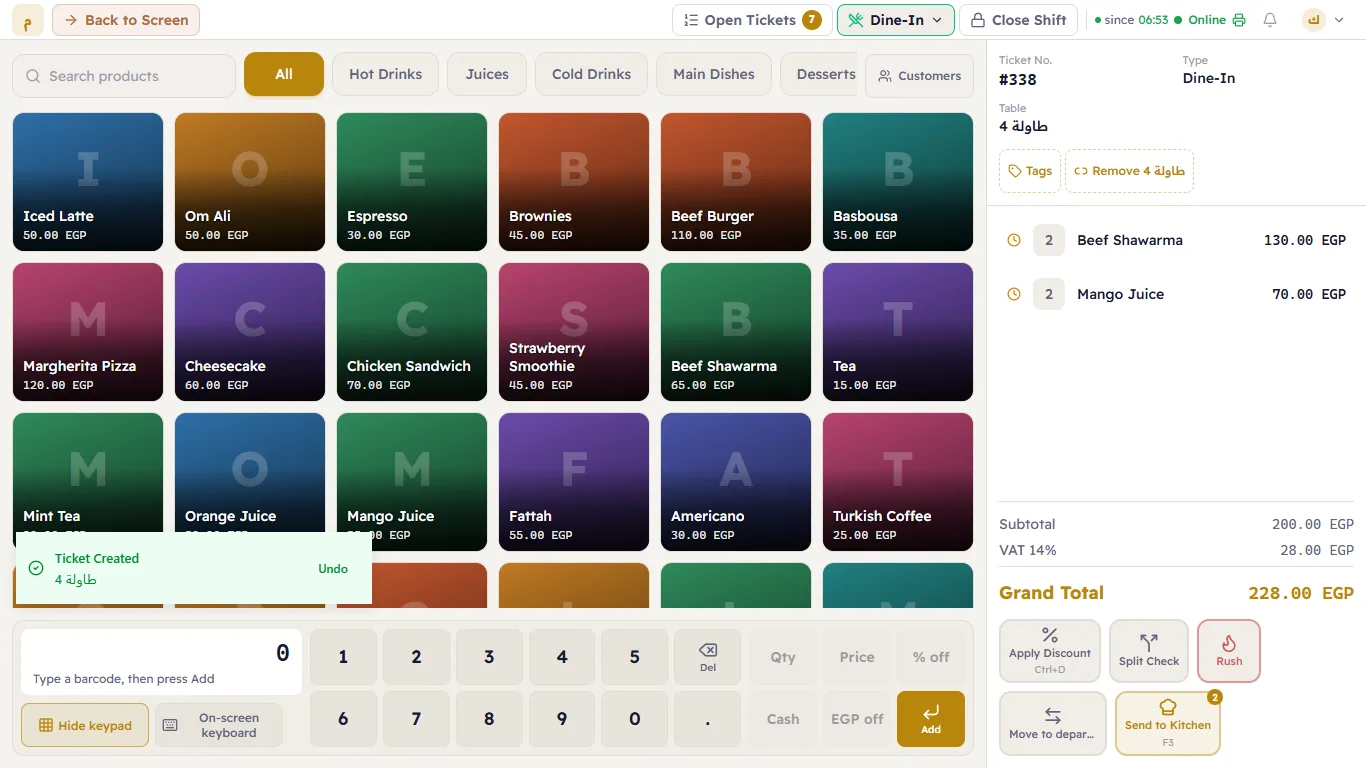
If the ticket type requires a table, a ticket opened this way already has it — Major asks for nothing more (see The till).
Go back to a busy table's order
Tap the occupied table and its order opens. Add items or take payment. To go back to the map, press Back to Screen (1).
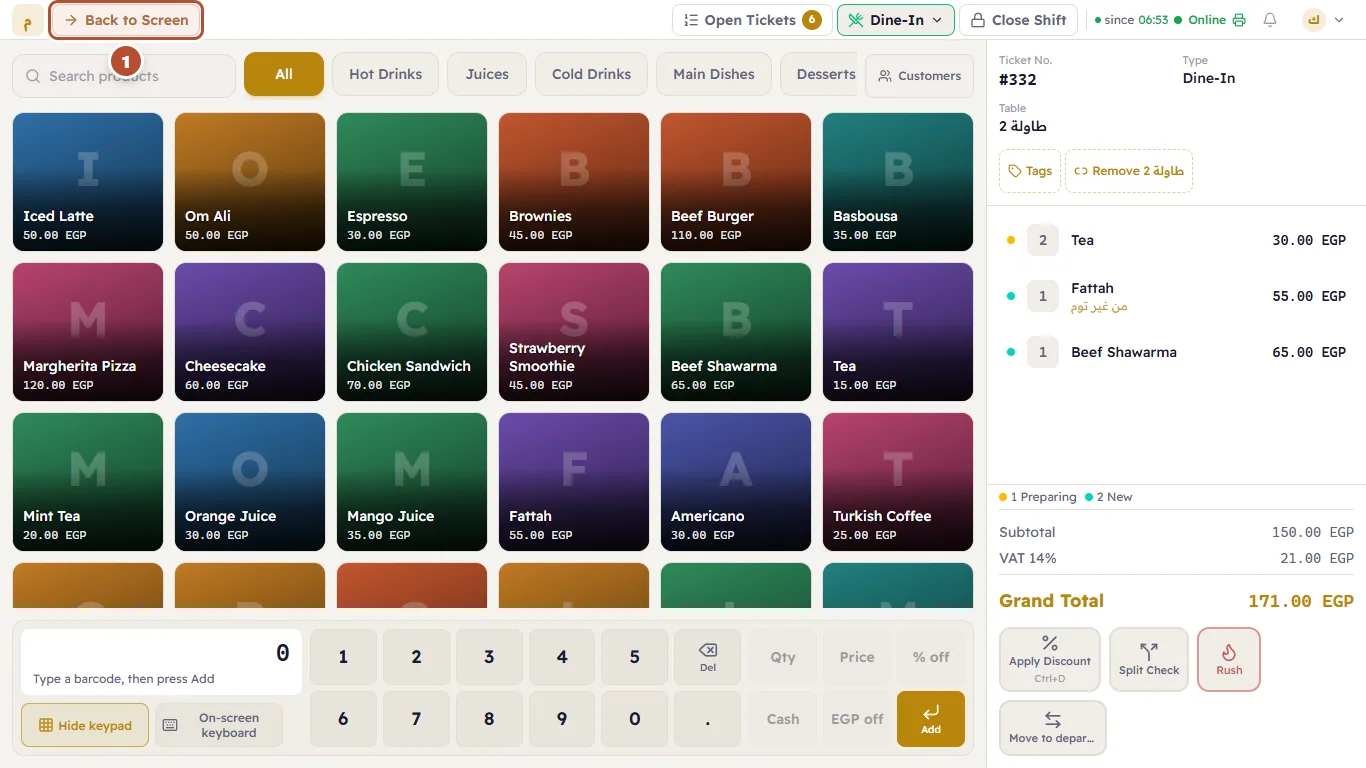
The ticket details show the table and the ticket type.
Move the order to another table, or free the table
Press the table's button in the row above the ticket (it carries the table's name) to unlink it, then the table button to choose another table. The old table returns to Available by itself unless another ticket is still on it (after splitting a ticket, for example).
When the order is closed
Once the ticket is paid and closed, the table's state changes by itself (to Needs Cleaning or Available, depending on the shop's settings) and the screen goes back to the map.
The owner draws the map and adds tables in Floor plans.