Scale barcodes
Let the till read the stickers your label scale prints — the product and its weight, price or count in one scan.
- Who can do this
- Owner Manager
- Permission needed
- «Manage Settings»
A label scale prints a sticker with an EAN-13 barcode that starts with 2. The sticker carries the product's scale code (its PLU on the scale) and its weight, price or count. Once Major knows how your scale lays the digits out, one scan at the till adds the right product at the weight on the sticker, with no weight window.
Telling Major your scale's layout
- Open Settings → Scale barcodes.
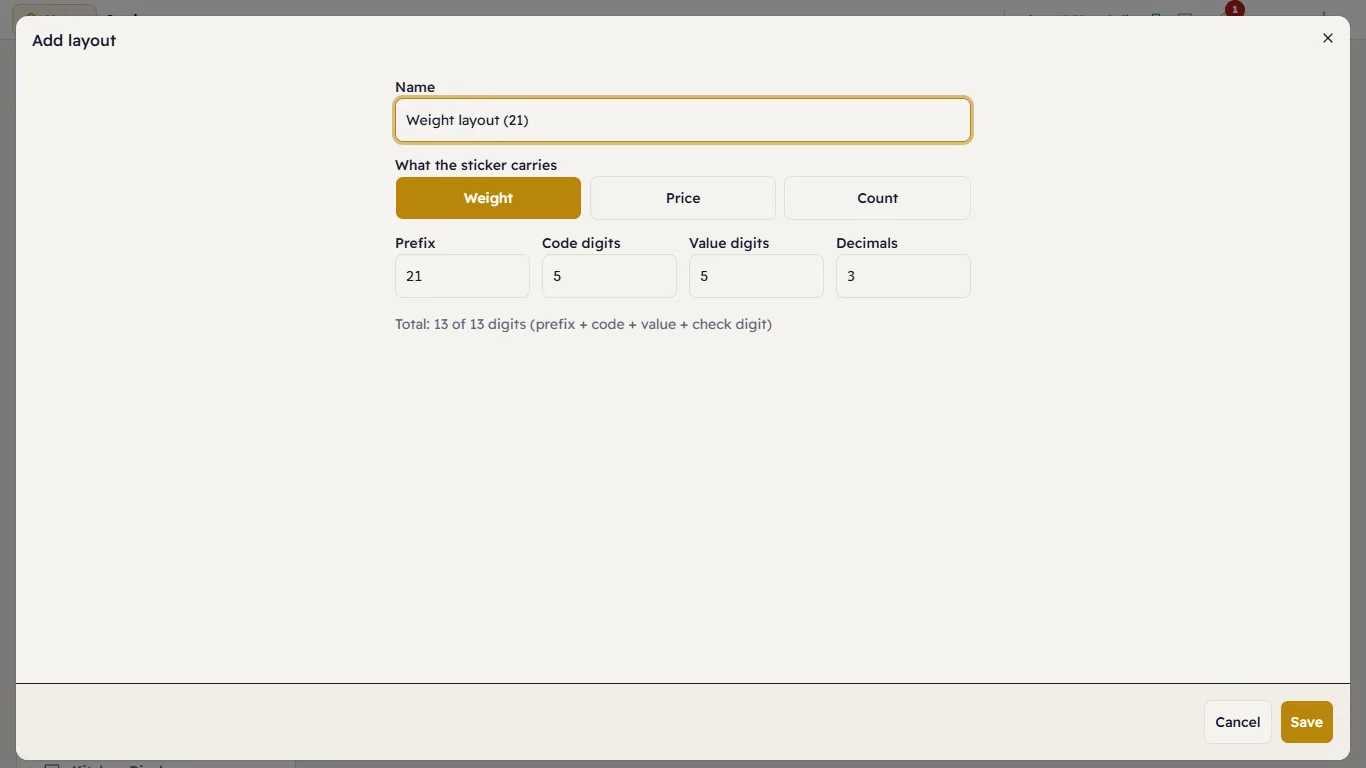
- Press the preset that matches your scale: Weight layout (21), Price layout (22) or Count layout (23). They cover most scales. If yours differs, press Add layout.
- Check the fields against your scale's settings: Prefix, Code digits, Value digits and Decimals. The line underneath counts the digits; a sticker always has 13.
- Save.
Giving each product its scale code
Open the product in Products, and under Sold by type its Scale code (PLU): the number your scale prints for it. Leading zeros do not matter, so 00123 and 123 are the same code. A code belongs to one active product only.
Trying a sticker
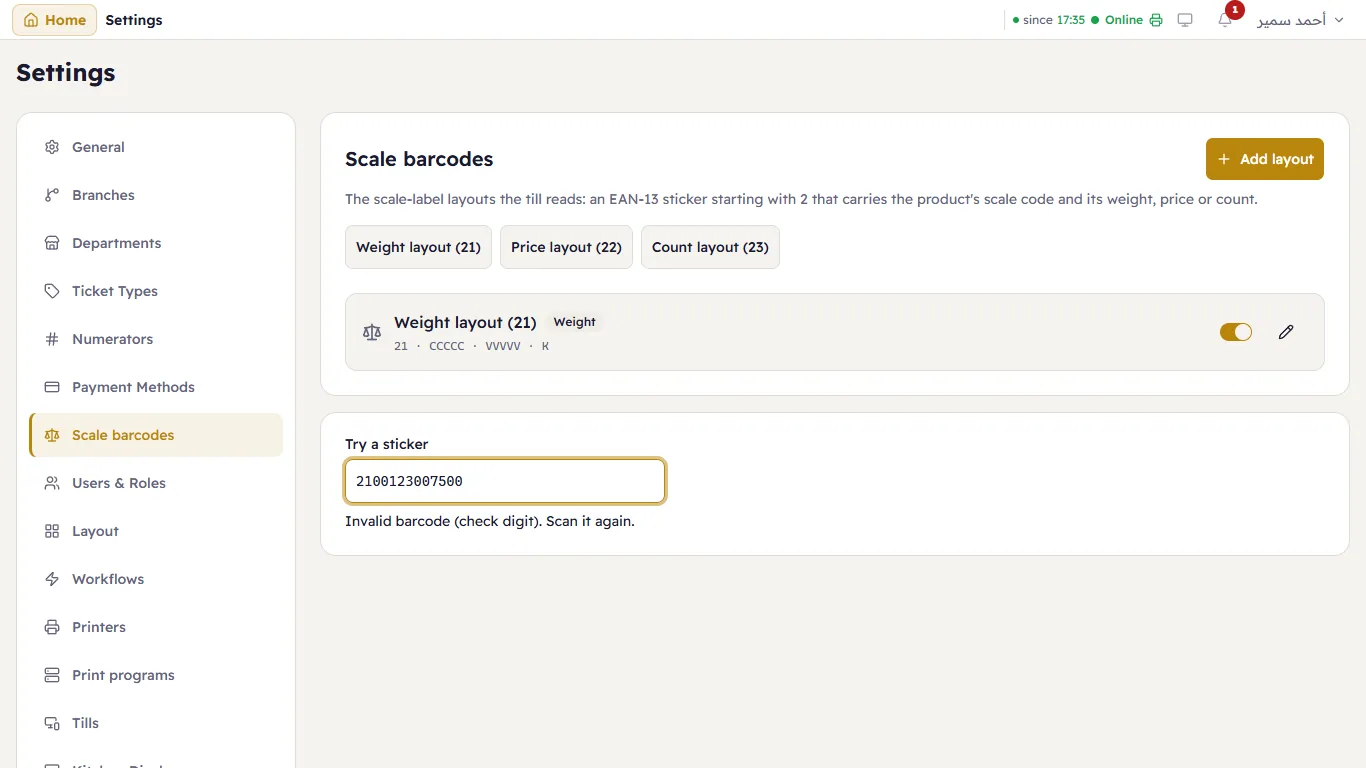
Under the layouts, Try a sticker reads a sticker exactly as the till will. Scan one into it, or type its 13 digits: it shows the product and the weight, or says what is wrong (a bad check digit, a code no product has).
At the till
Scan the sticker. An ordinary barcode still wins: a product whose own barcode is those 13 digits is added by its barcode.
- Weight sticker: the line is added at the weight on the sticker (0.750 kg), even for a product whose own decimals are fewer, because the sticker is the scale's reading.
- Price sticker: the till works out the weight from the price per kilogram. If its total differs from the sticker's, it says so («The sticker says 13.50, the till charges 13.58…»): the scale and the till disagree on the price, and you fix one of them. The till never changes the item's price to match a sticker.
- Count sticker: that many pieces are added.
The sticker itself is kept with the sale: in the audit log, the item-added row shows Scale sticker, so a scale sale can be told from a typed one.