Ready-made workflows
Add dine-in, takeaway, delivery or captain service in one step — the department, the ticket type, the numbering and whatever else the service needs.
- Who can do this
- Owner
- Permission needed
- «Manage Settings»
Instead of creating the department, the ticket type, the numbering and the statuses one by one, Settings → Ready-made workflows adds a whole service in one step:
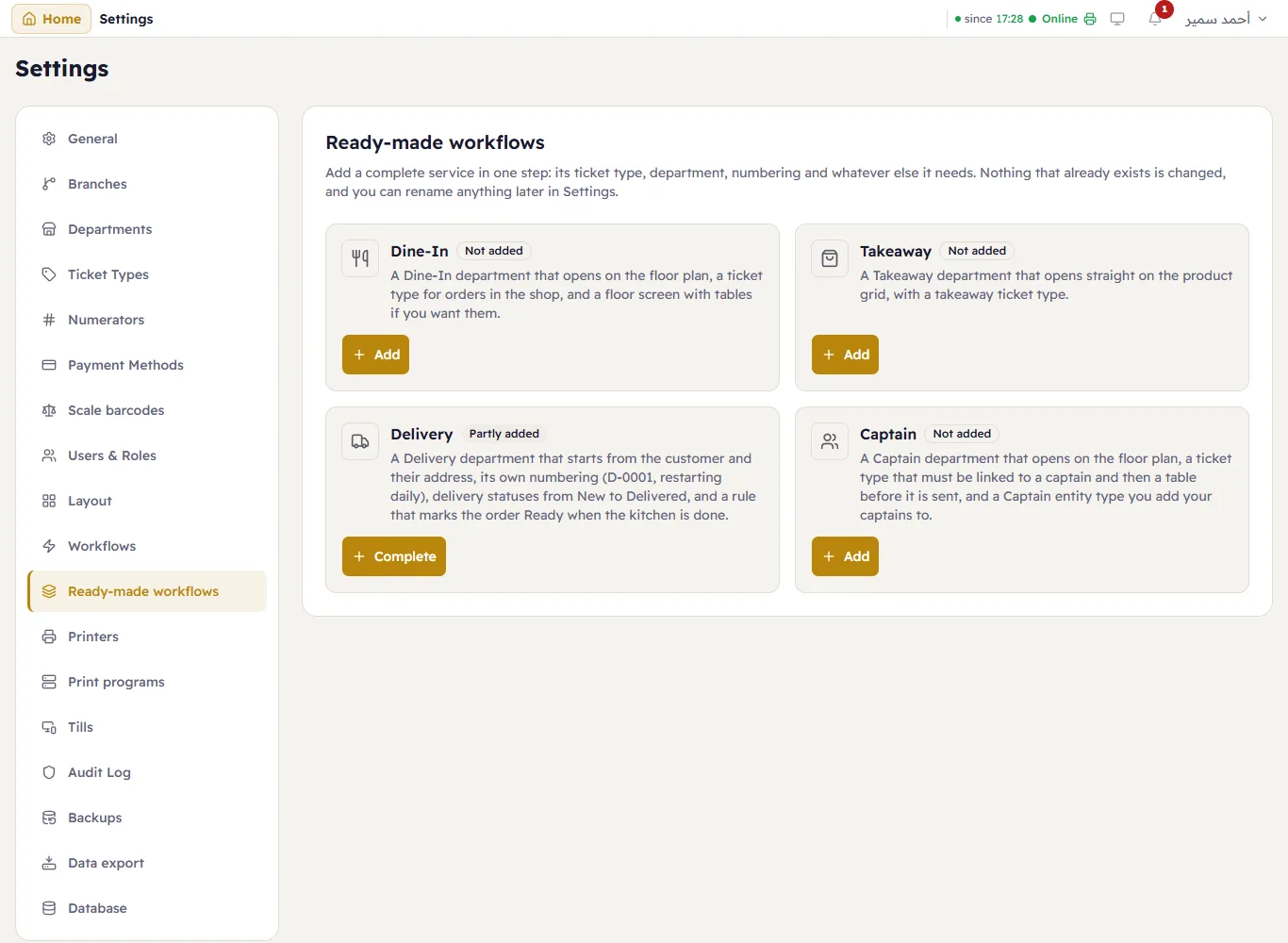
There are four cards. Each says what it adds and where your shop stands: Not added, Partly added or Added.
| Card | What it adds |
|---|---|
| Dine-In | A Dine-In department that opens on the floor plan, a Dine-In ticket type, and the floor screen «الصالة» with tables if you want them. |
| Takeaway | A Takeaway department that opens straight on the product grid, and a Takeaway ticket type. |
| Delivery | A Delivery department that starts from the customer and their address, a Delivery ticket type that requires a customer and an address, its own numbering starting at D-0001 and restarting every day, the status group Delivery (New → Ready → Out for delivery → Delivered, and Cancelled), and a rule that marks the order Ready when the kitchen has finished all of it. |
| Captain | A Captain department that opens on the floor plan, a Captain ticket type that must be linked to a captain and then a table before it is sent or paid, and a Captain entity type. |
Press Add on a card. If part of the service is already there, the button reads Complete instead.
What will happen, before it happens
A window lists every part of the service, grouped by what will happen to it:
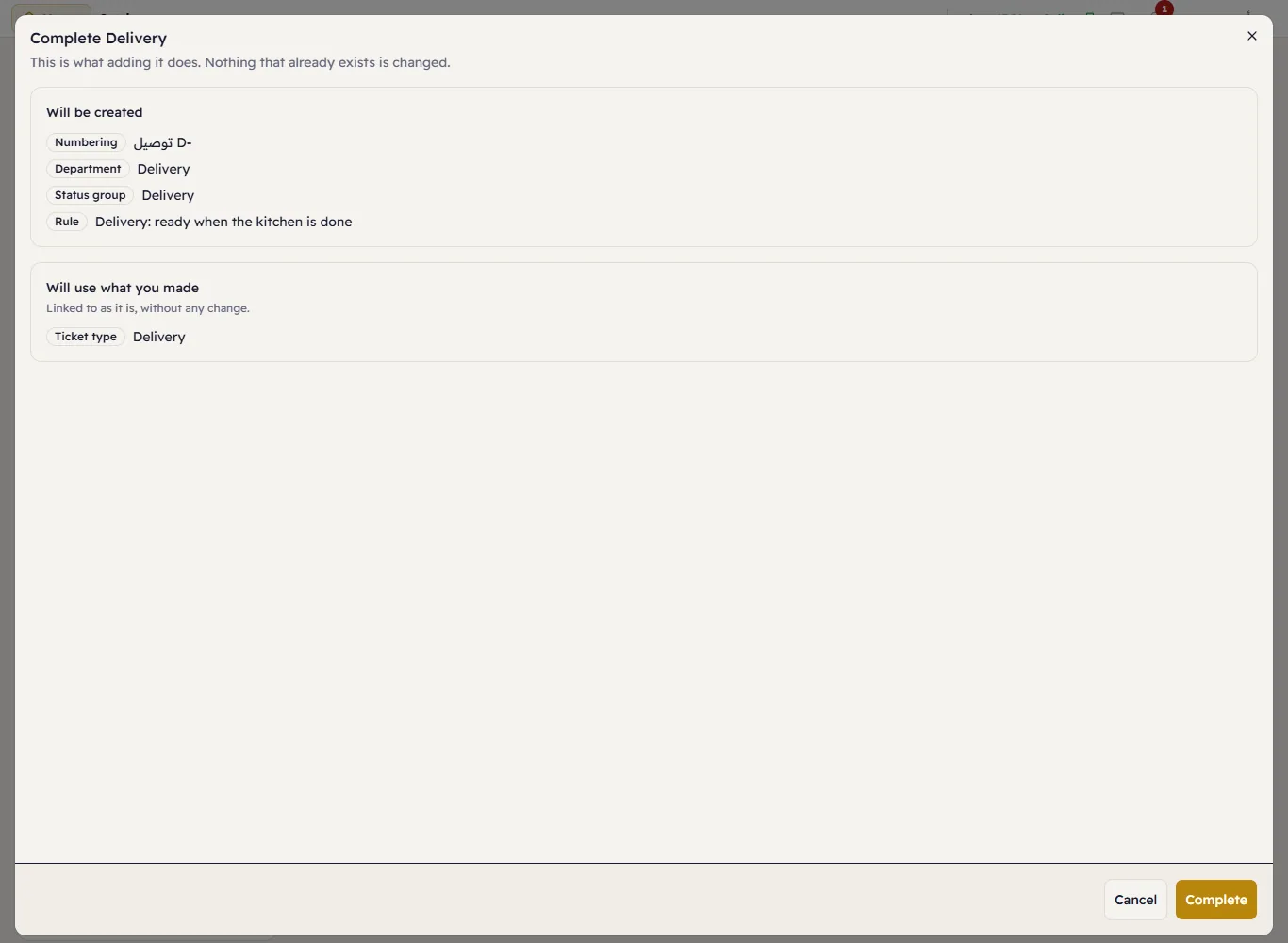
- Will be created — not in your shop yet; it is created now.
- Will use what you made — something you made yourself that matches what the service needs, such as a ticket type
with the code
delivery, the «طاولة» / Table entity type every shop has, or a screen named «الصالة». The service links to it as it is, without changing it. - Already there — added earlier from this page. It stays exactly as it is, even if you have since renamed or changed it.
- Switched off — switch it on first — it exists but is switched off. If the service needs it, adding is refused with this message, which names it and says what it is; switch it back on in its own screen and try again.
Number of tables (Dine-In)
When you add Dine-In to a shop that has no «الصالة» screen, the window asks for the Number of tables (0 to 50):

The screen «الصالة» is created with «طاولة 1» onwards laid out in rows. Tables are only added to a new screen: if the screen already exists the question is not asked, and you add tables yourself in Floor plans. With 0, add them there later; until there is a table, the Dine-In department shows greyed at the till.
After adding
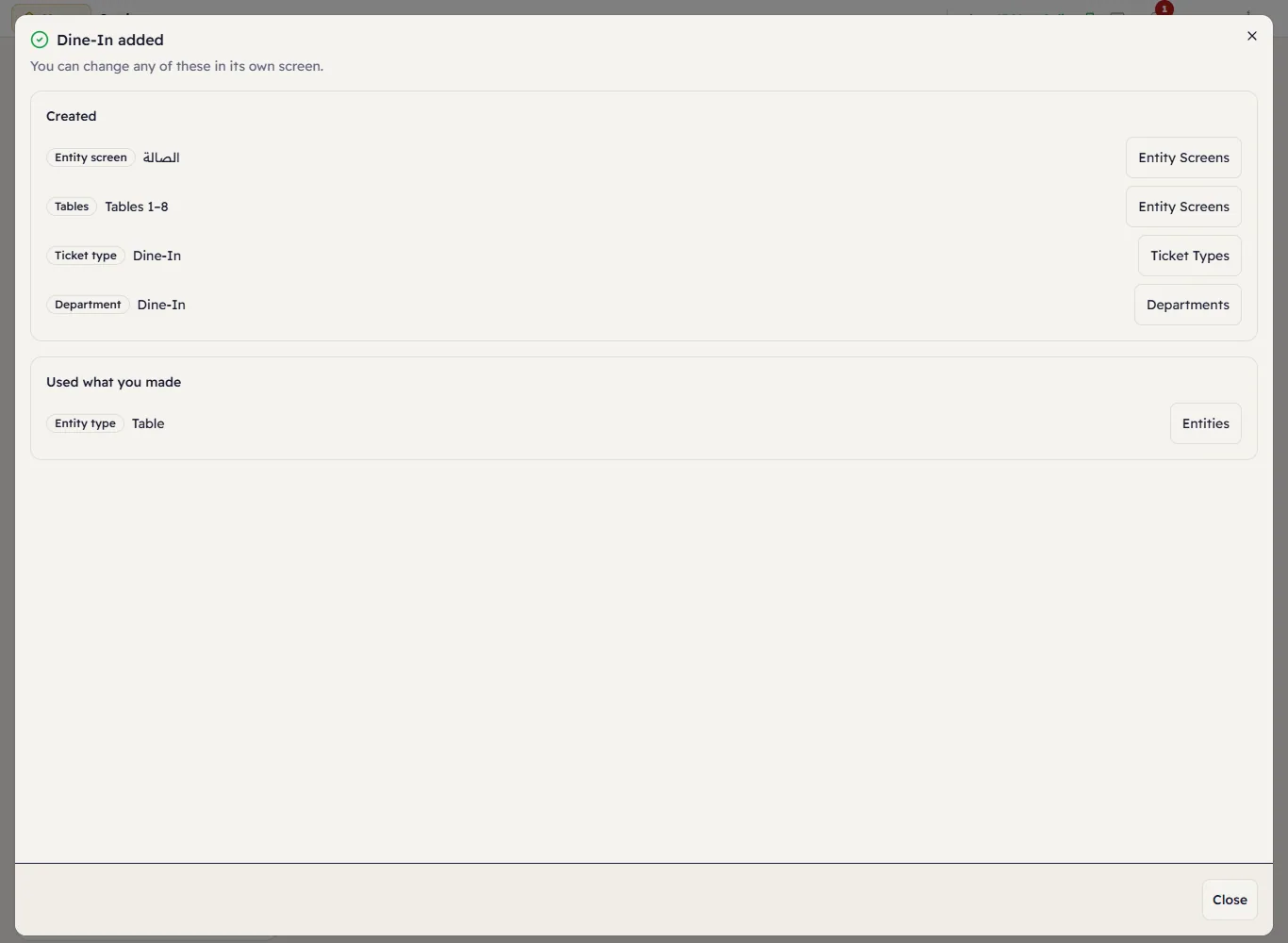
The window lists what was Created, what Used what you made and what was Already there, each with a link to its own screen. The card then reads Added, with Edit in: and links to Departments, Ticket types and the rest instead of Add. Change whatever you like there: the names, the colours, the numbering.
The restaurant sample data is added the same way: the sample café starts with Dine-In, Takeaway and Delivery added, and its deliveries are numbered D-0001.