Menus — what each department sells
Choose the categories and products one department sells; the till shows nothing else and the server refuses anything else.
- Who can do this
- Manager Owner
- Permission needed
- «Edit Product»
A menu sets what a department sells: takeaway might sell only drinks and desserts. A department with no menu sells everything.
Create a menu
Products → Menus → New menu:
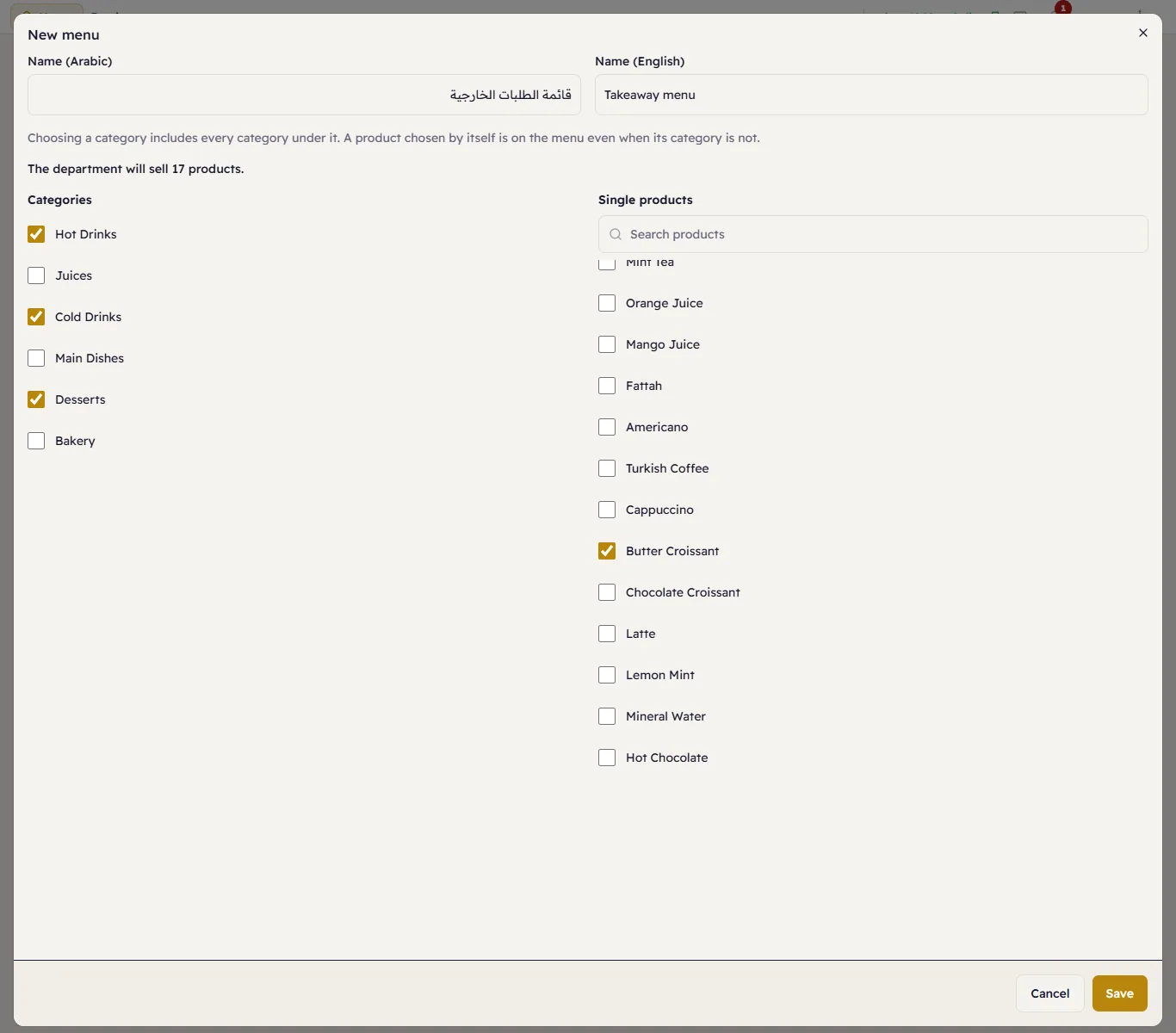
- Categories: choosing a category includes every category under it.
- Single products: a product chosen by itself is on the menu even when its category is not — the butter croissant here, from Bakery.
- The editor counts what the department will sell: The department will sell 17 products.
A menu only includes: leaving a category unchosen never hides a product you chose by itself.
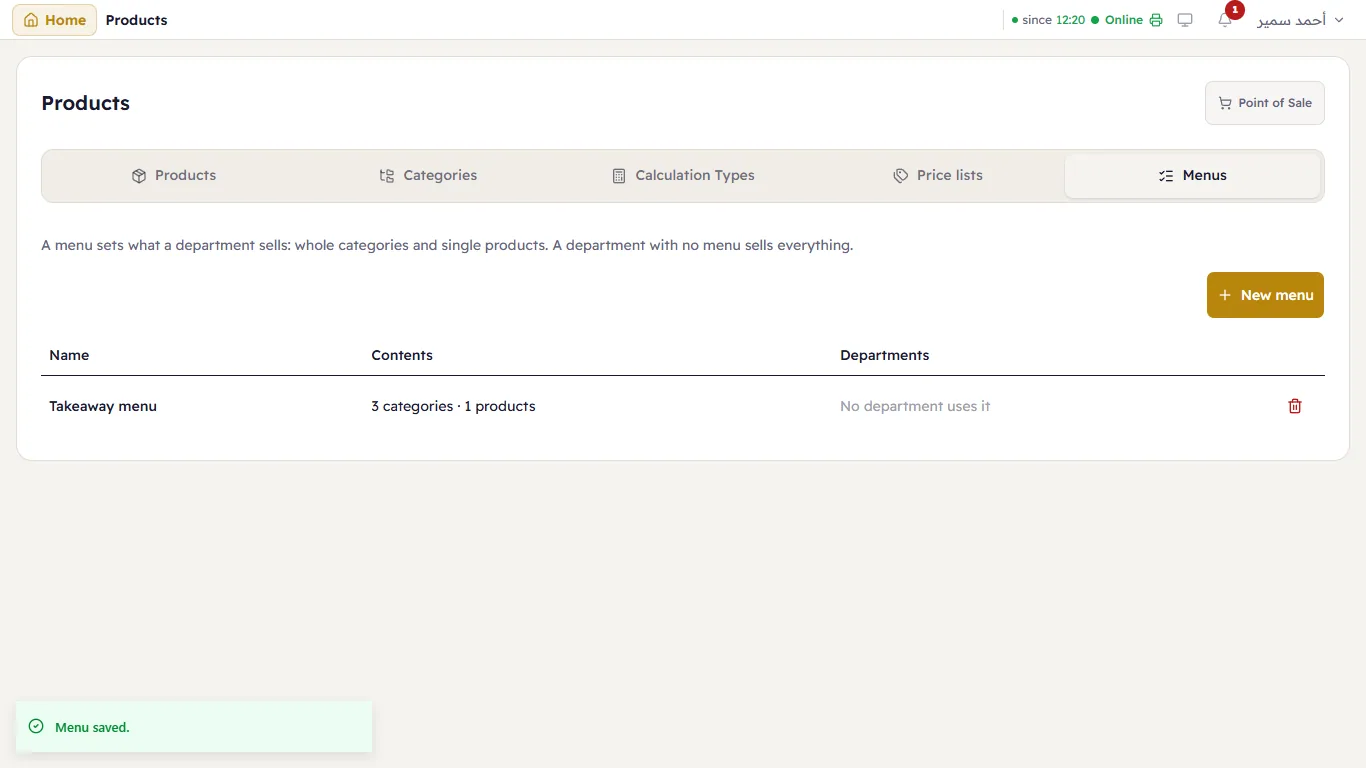
Give a department its menu
Settings → Departments → Edit the department → Menu (next to Price list, see price lists). From now on the till in that department shows only the menu's products, and only the categories that hold one of them:
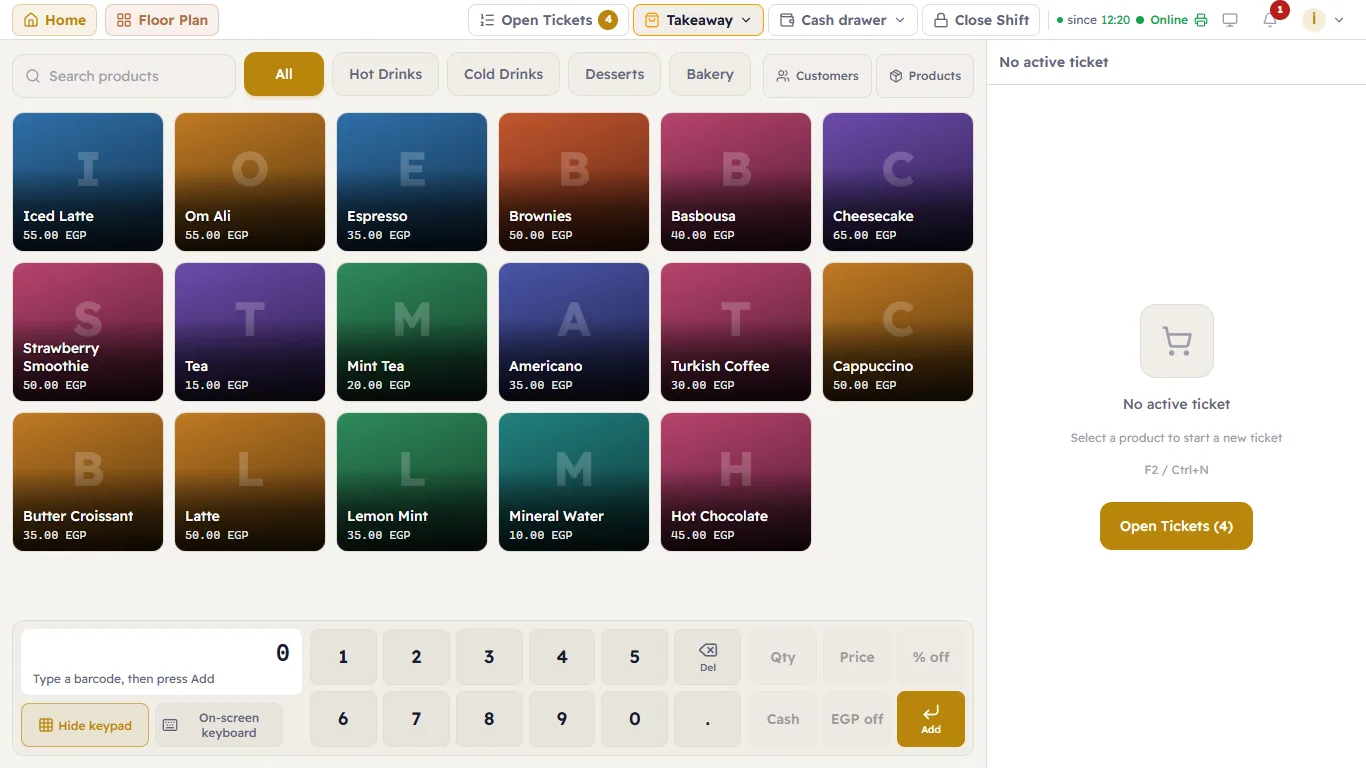
- Scanning a product that is not on the menu is refused: “…” is not on this department’s menu.
- The server refuses it too: not on the menu.
- A product that was on the ticket before it moved to the department stays on it, and its quantity can still change.