Price lists — a different price per department
Fixed prices for one department (takeaway or delivery, say) for products, their variants and extras; anything not on the list sells at its base price.
- Who can do this
- Manager Owner
- Permission needed
- «Edit Product»
A price list sets one department's prices: a coffee at 45 in the hall and 50 for takeaway, for example. A department with no list sells at the base prices, and a product with no price on the list sells at its base price.
Create a list
Products → Price lists → New price list:
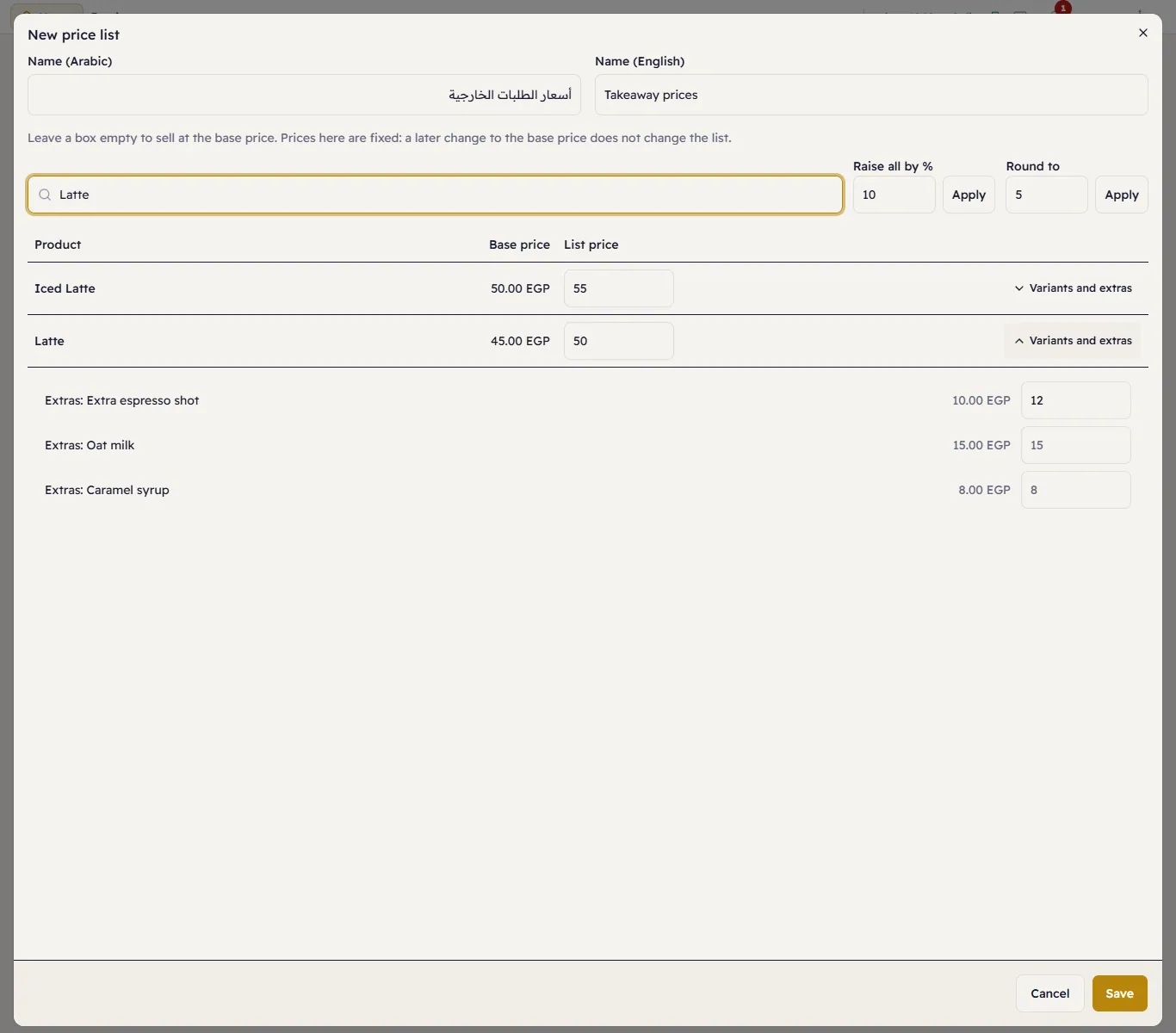
- Enter the name in Arabic and English.
- Type a List price next to each product you want to price differently; leave a box empty to sell at the base price.
- To price a variant or an extra, press Variants and extras on the product's row. An extra's list price replaces its base adjustment, and may be negative as in the catalog.
- Press Save.
Two helpers: Raise all by % writes each visible product's base price plus the percentage, and Round to rounds every typed price to the nearest multiple (5, say). What they write are fixed prices, as if you had typed them.
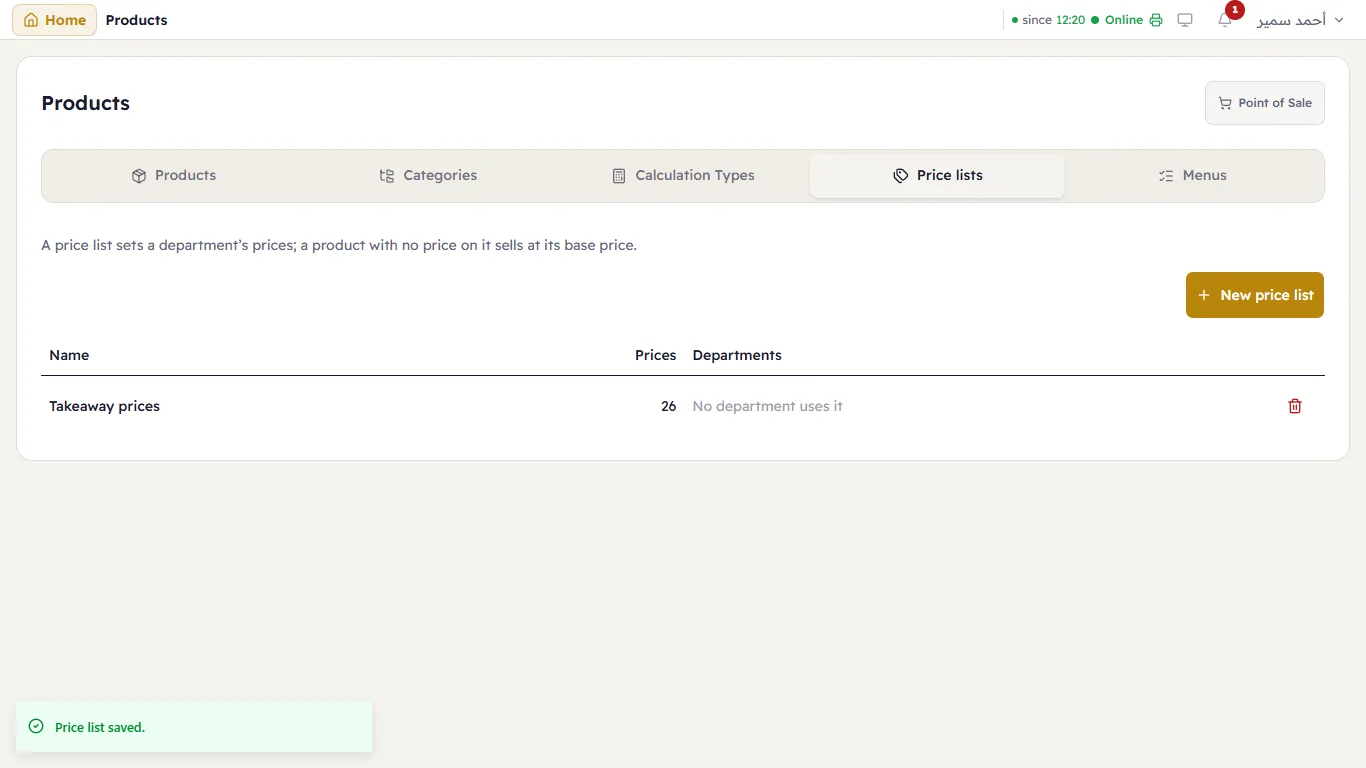
The lists show with the departments that use them:
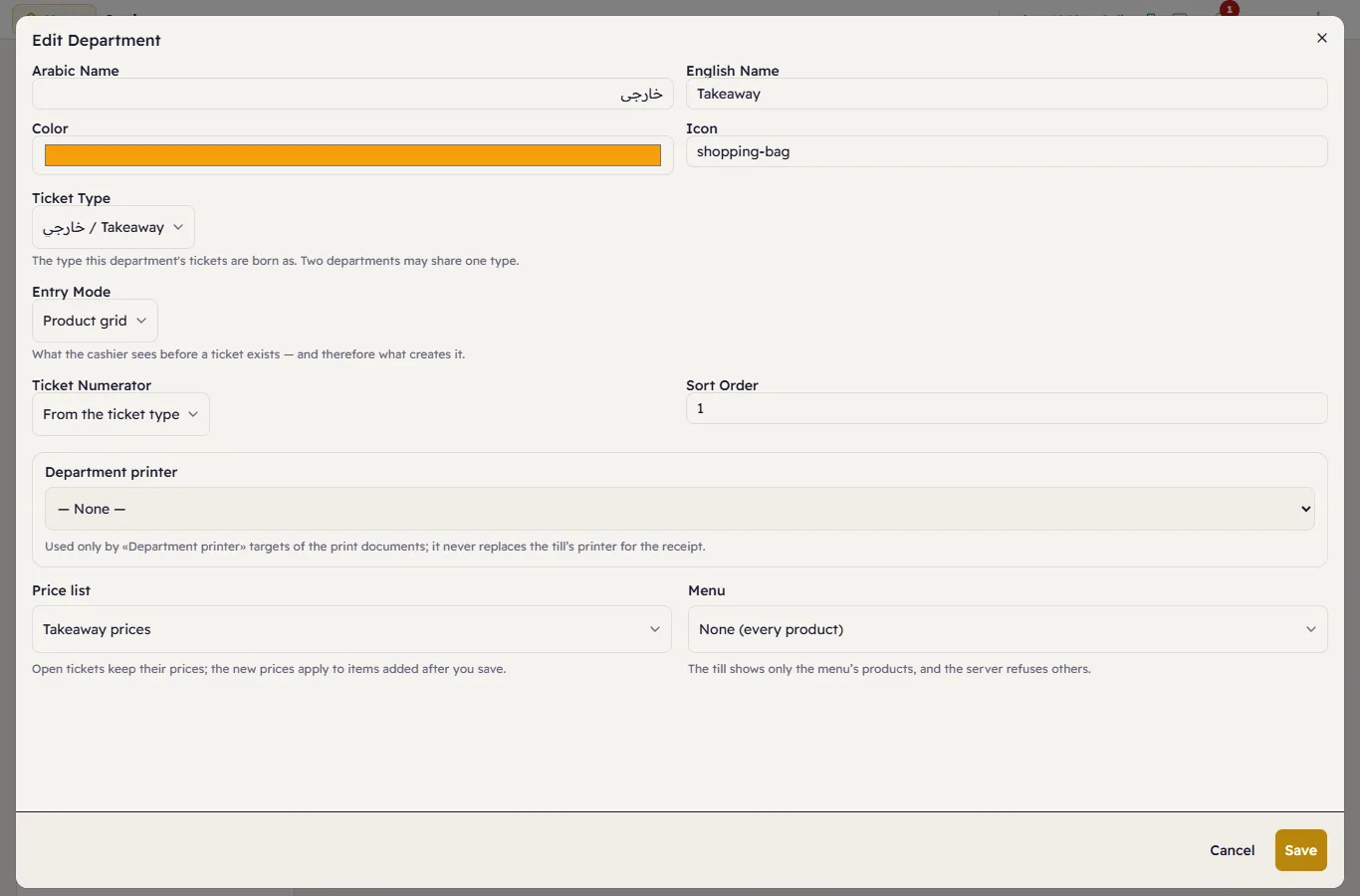
Give a department its list
Settings → Departments → Edit the department → Price list:
From now on the till shows the list's prices in that department:
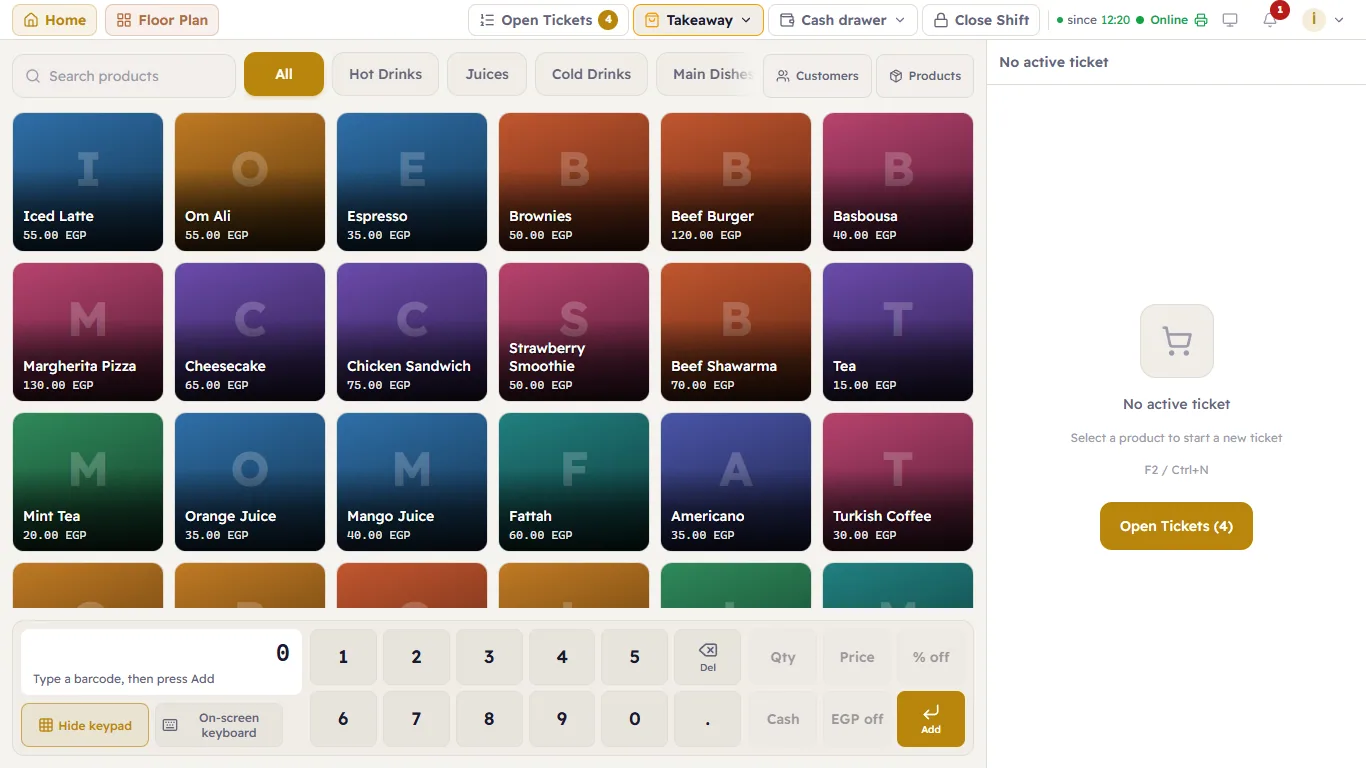
- An open ticket keeps its prices. The new prices apply to items added after you save.
- Moving a ticket to another department (moving a ticket) does not reprice what is on it; what is added after the move takes the new department's prices.
- The server prices every item and every extra, so no till can send a price other than the list's.
- A price sticker from the scale (scale barcodes): the weight is read at the base price (the one the scale knows), then sold at the department's price. The till says so: Sticker 20.00 — department price 22.50.
What a department sells is set by menus.