Daily quantities — what is made or prepared each day
How many are prepared each day, what is left on the product's button, adding a quantity or a recount, and closing the day with its write-off or carry-over.
- Who can do this
- Cashier Manager Owner
- Permission needed
- «Daily Quantities (add, recount, close the day)»
Some products are prepared in a set number each day: the day's dishes in a kitchen, fresh juice in a juice bar, sandwiches made in the morning, baked goods in a bakery. A Daily quantity makes the till show what is left on the product's button, refuse (or warn about) what has run out, and record at the end of the day what was left: written off, or carried to tomorrow.
Turn it on for a product
In the product editor, the Daily quantity section (needs permission to edit products):
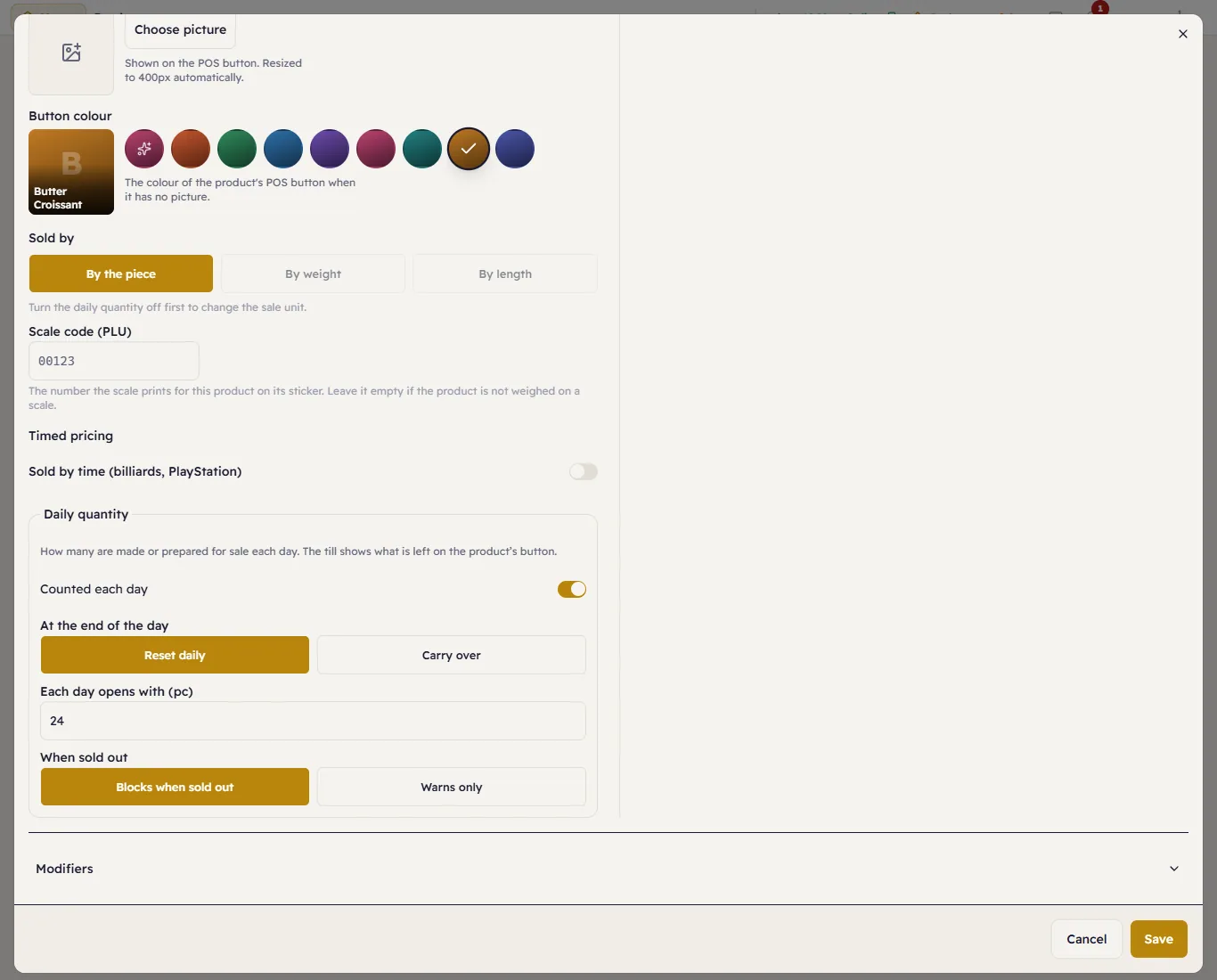
- Counted each day: counts this product in the chosen branch.
- At the end of the day: Reset daily (fresh items: what is left is written off, and tomorrow opens with Each day opens with) or Carry over (items that keep: what is left stays for tomorrow).
- Today's quantity now: on first activation only — what is on the shelf now.
- When sold out: Blocks when sold out or Warns only.
The sale unit cannot change while a daily quantity is on: Turn the daily quantity off first to change the sale unit. It is not offered for timed or serial-tracked products.
At the till
The product's button shows what is left, in its unit (“12”, “3.5 kg”):
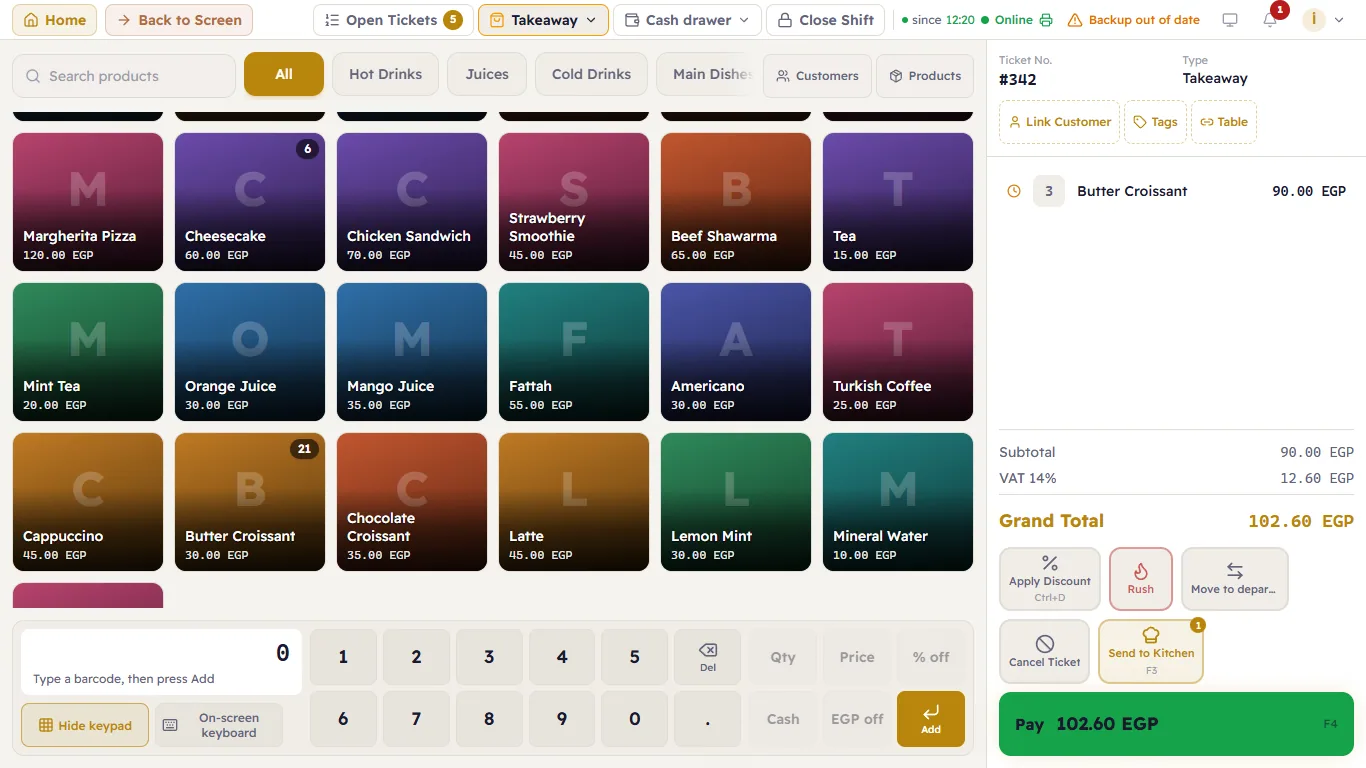
- Blocks when sold out: the button dims and reads Sold out. Tapping it still sends the order, and the server refuses it: Today's quantity of this product is sold out. — another till may just have added more.
- Warns only: it sells past zero and tells the cashier once: …: past today's quantity.
- A product is counted when it is put on the ticket, not when it is paid; removing or voiding the line gives it back.
Daily quantities
Home → Daily quantities: one row per product with today's figures:
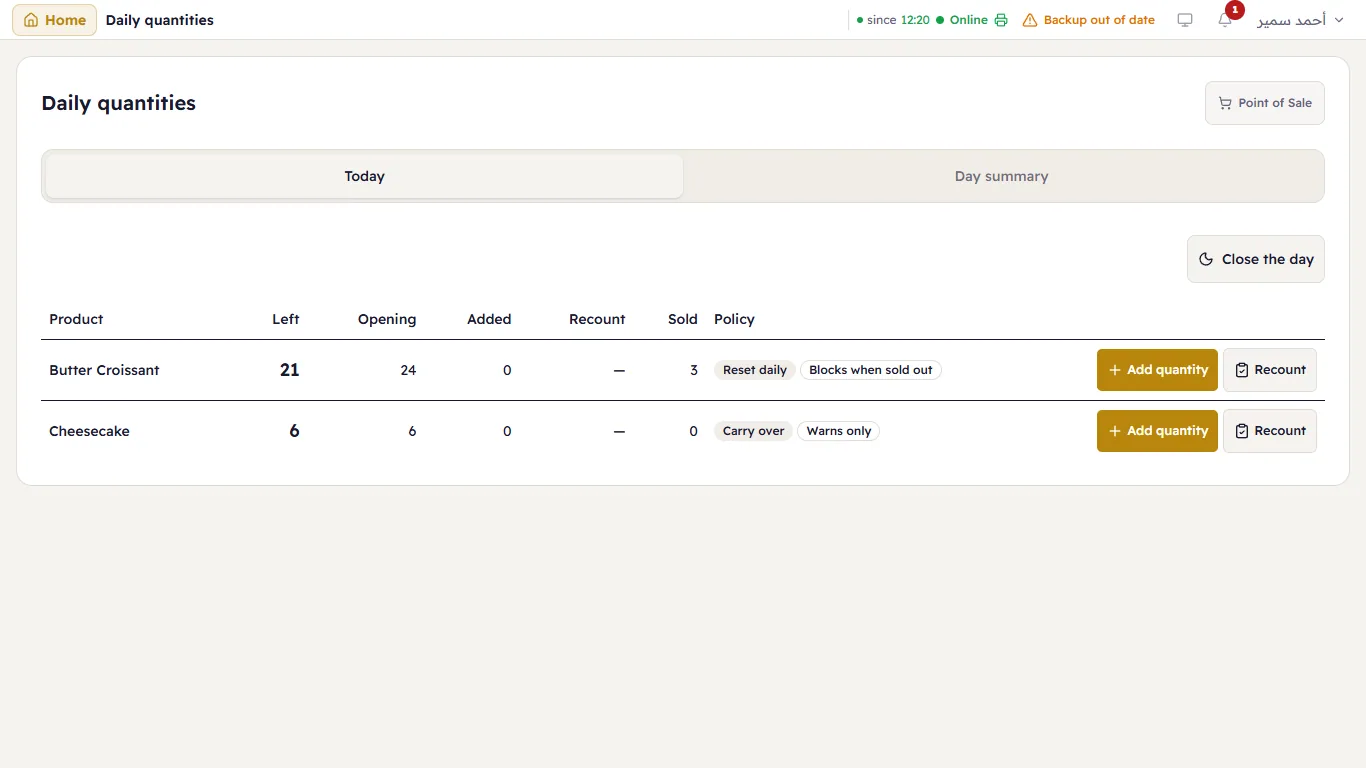
- Add quantity: adds what has just been made or delivered. If the connection drops before the answer, Try again resends the same request and never doubles it.
- Recount: enter what is actually on the shelf; the difference is recorded as a recount, not an add.
Close the day
Close the day first shows what it will do, then closes:
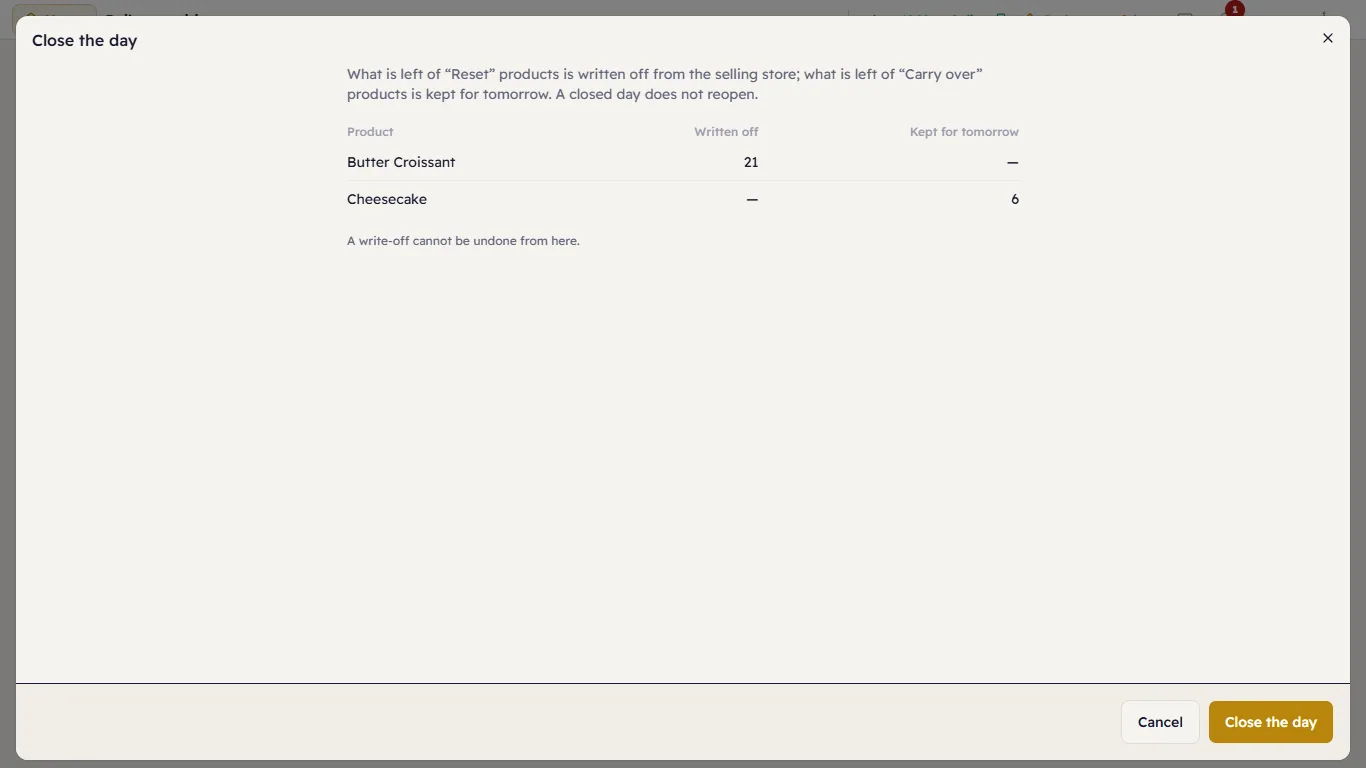
- What is left of Reset daily products linked to stock is written off from the selling store.
- What is left of Carry over products stays for tomorrow.
- A closed day does not reopen; a new day starts at the first sale of the next business day.
When the last drawer of the branch closes, the till offers The last drawer is closed — close the day now?. Later closes nothing; the day closes by itself at tomorrow's first sale.
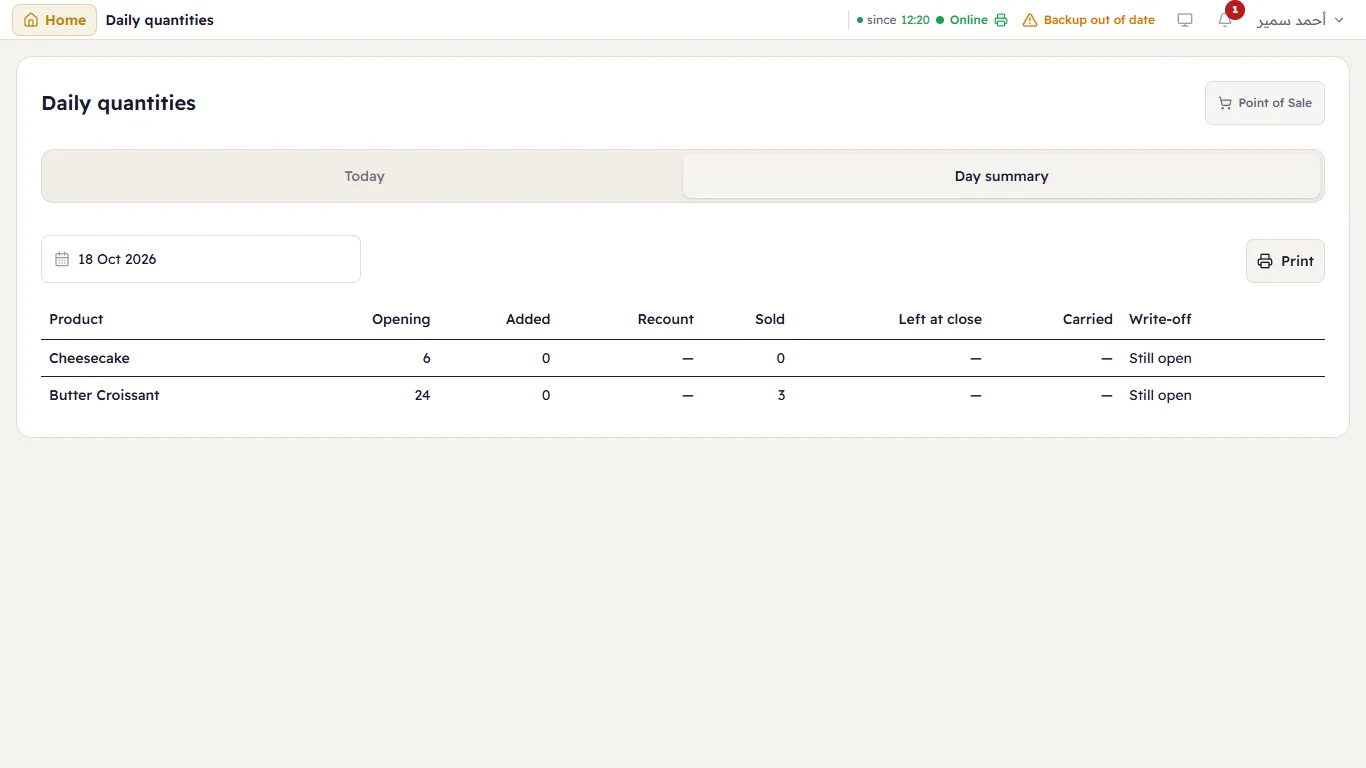
The day summary
Day summary (for those who see reports): per product the opening, adds, recounts, sales, what was left and the write-off, who added what and when, printable on A4: